


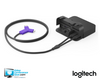
Highlights
- Connects a Windows, macOS, or ChromeOS laptop to a room camera, room audio, and display through one USB-A or USB-C connection.
- Supports display output up to 4K/60 fps for high-resolution presentations and meeting content.
- Handles camera video up to 4K/30 fps when paired with a compatible conference camera.
- Provides up to 60 W USB Power Delivery to compatible USB-C-charging laptops.
- Supports flexible installation with an Extender that can mount through a table grommet or under the table.
- Enables remote monitoring and management through Logitech Sync.
Ideal For
- BYOD conference rooms
- Meeting rooms using USB-connected Logitech conference cameras
- Flexible laptop access to Teams Rooms, Zoom Rooms, or Google Meet Rooms
- Corporate training and presentation spaces with an existing HDMI display and USB room AV
- Multi-room deployments requiring centralized monitoring through Logitech Sync
Resources
Logitech Swytch Connect Any Laptop for Video Conferencing | USB BYOD AV Switching System
Logitech Swytch gives users a direct way to bring a Windows, macOS, or ChromeOS laptop into an existing meeting room. One connection links the laptop with the room’s USB conference camera, room audio, and HDMI display, making it suitable for BYOD meetings and laptop-based content sharing across supported meeting applications.
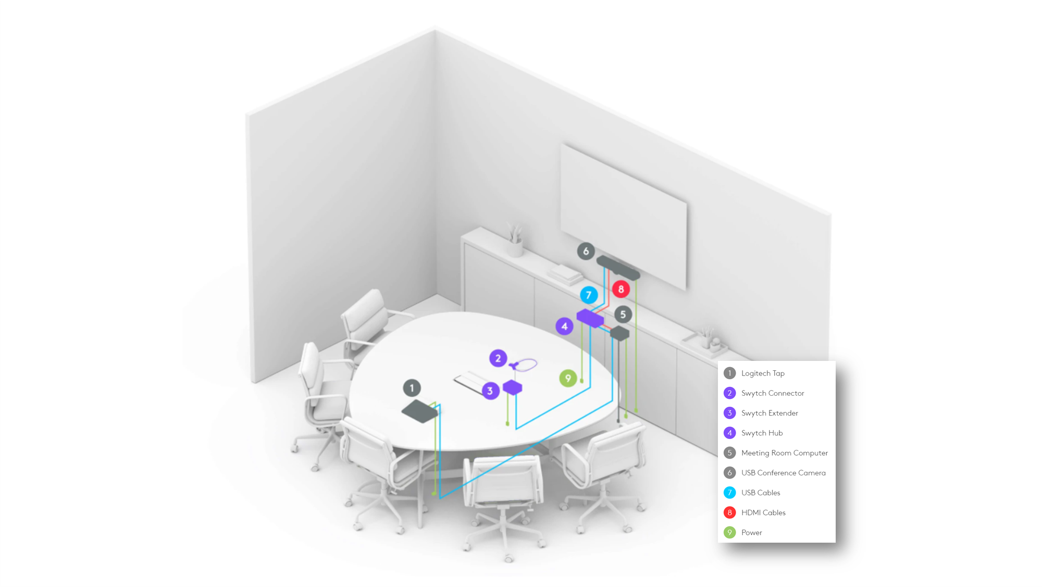
It fits conference rooms and other spaces that already have compatible USB video equipment and an HDMI display but need a flexible laptop connection. Swytch supports one display at up to 4K/60 fps and camera video up to 4K/30 fps, while its Hub, Extender, and Connector support flexible table or equipment placement. The room camera, speakers, microphone, display, and any room computer are separate components and must be selected for the complete system.
Platform Compatibility
- This is compatibility/BYOD operation, not a claim that Swytch is a native Microsoft Teams appliance.
- This is compatibility/BYOD operation, not a claim that Swytch is a native Zoom appliance.
- This is compatibility/BYOD operation, not a claim that Swytch is a native Google Meet appliance.
Key Specifications
- Laptop connection: USB 3.0 Type-A or USB 3.0 Type-C.
- Display support: One display, up to 4K/60 fps.
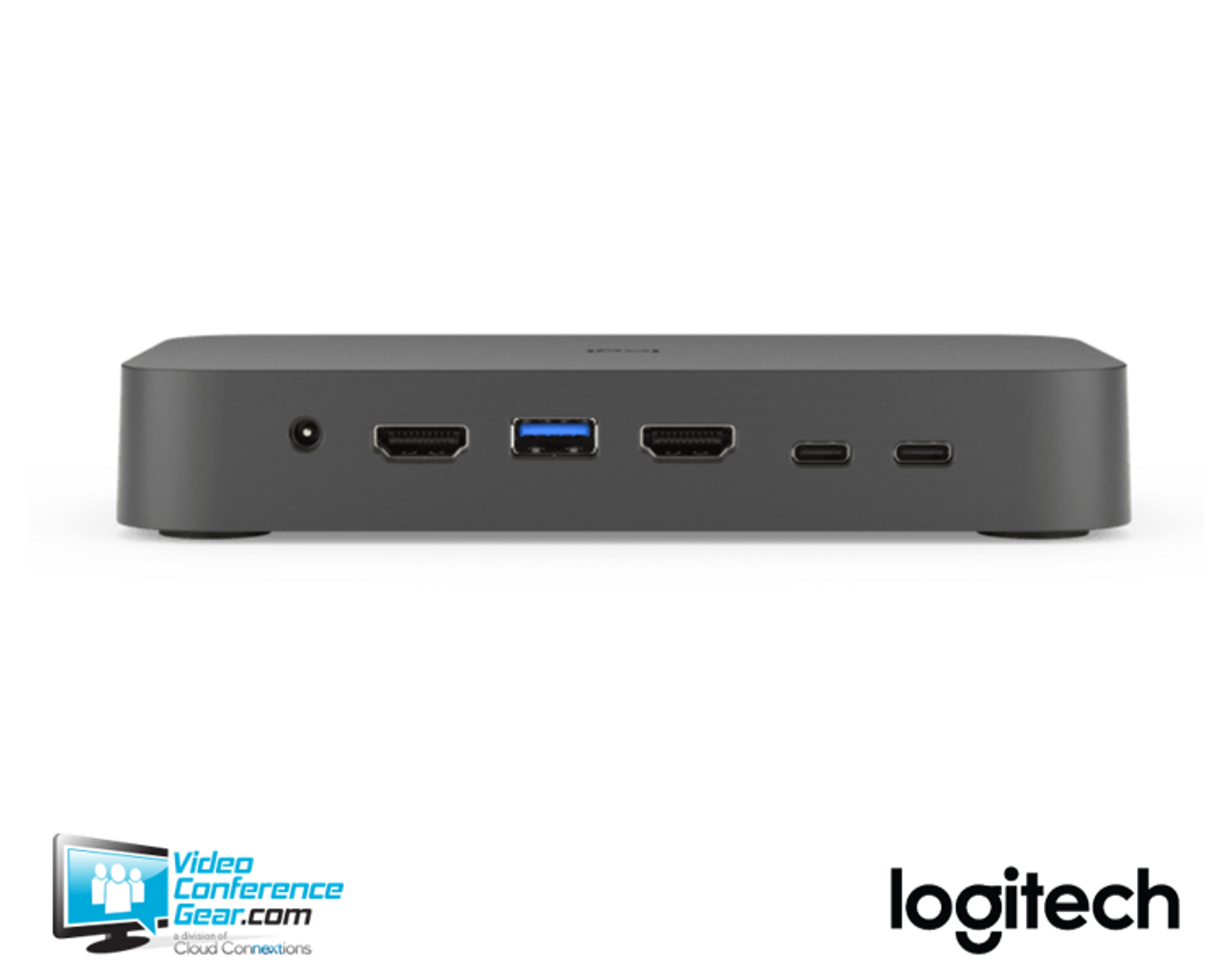
- Video connections: HDMI 2.0 to display; HDMI 2.0 to meeting-room computer; USB 3.0 Type-A to conference camera.
- Maximum camera video resolution: 4K/30 fps, dependent on the connected camera.
- USB Power Delivery: Up to 60 W for compatible USB-C-charging laptops.
- Hub dimensions: 1.08 H x 6.46 W x 3.54 D in. (27.4 x 164 x 90 mm).
- Extender dimensions: 1.08 H x 4.72 W x 4.72 D in. (27.4 x 120 x 120 mm).
- Mounting: Extender mounts through a 1 in. (25 mm) grommet hole or under the table with included hardware; Connector includes a magnetic dock; Hub is compatible with Logitech PC Mount, sold separately.
- Warranty: 2-Year Limited Hardware Warranty.
What's Included
- Swytch Hub
- Swytch Extender
- Swytch Connector with 4.9 ft. (1.5 m) USB cable
- 100–240 V Hub power supply
- 100–240 V Extender power supply
- 16.4 ft. (5 m) USB 3.0 cable
- 7.2 ft. (2.2 m) USB 3.0 cable
- 6.5 ft. (2.0 m) HDMI 2.0 cable
- Mounting accessories
- Documentation
Compatibility
- Meeting and collaboration platforms: Supports Microsoft Teams Rooms, Zoom Rooms, and Google Meet Rooms when used with the applicable room system or connected laptop. In BYOD mode, the meeting application runs on the laptop.
- AV and room systems: Connects through USB to compatible conference cameras and through HDMI to a room display and meeting-room computer. Compatible camera families include Logitech Rally, Rally Plus, Rally Bar, Rally Bar Mini, MeetUp, GROUP, and other USB-connected conference cameras.
- Audio systems: Routes laptop audio for local sharing and online meetings when the meeting service supports content sharing with system audio. Swytch does not include an integrated microphone or speaker.
- Required compute and software: Requires a laptop with USB 3.0 Type-A or Type-C and supports Windows 10, macOS 10.15 or later, and ChromeOS 75 or later with DisplayLink Plug and Display drivers.
- Room equipment requirements: The conference camera, microphone, speakers or room audio system, display, and any meeting-room computer are separate from Swytch.
- Platform limitation: Not compatible with traditional SIP/H.323 video systems.
Licensing, Warranty & Support
. Logitech provides product support and documentation, and Swytch includes a 2-Year Limited Hardware Warranty.
VideoConferenceGear.com Assistance
We can help validate that Swytch is the right BYOD connection for your room, confirm compatibility with your camera, room audio, display, and meeting platform, and select the supporting room computer, accessories, and licensing. We can also coordinate installation, nationwide multi-location deployment, and ongoing support.
Common Questions
What does Logitech Swytch do?
Logitech Swytch connects a laptop to a meeting room’s USB conference camera, room audio, and HDMI display through one USB-A or USB-C connection. It is intended for BYOD meetings and laptop-based content sharing rather than serving as a camera, speaker, microphone, display, or room computer.
Does Swytch include the camera, microphone, speakers, or display?
No. Swytch includes the Hub, Extender, Connector, power supplies, cables, mounting accessories, and documentation; the room’s camera, audio equipment, display, and any room computer are purchased separately.
Which laptops and operating systems can I use with Swytch?
The laptop must provide USB 3.0 Type-A or USB 3.0 Type-C. Supported operating systems include Windows 10, macOS 10.15 or later, and ChromeOS 75 or later with DisplayLink Plug and Display drivers.
Can Swytch charge a laptop?
Yes. Swytch provides up to 60 W of USB Power Delivery to compatible laptops that charge through USB-C. Charging support depends on the laptop accepting USB-C Power Delivery.
Can Swytch be used with an Android-based Logitech room appliance?
Compatibility depends on the room architecture. Some Android-based Logitech room configurations and BYOD-as-a-service deployments use Logitech Extend instead, so the complete room design should be checked before selecting Swytch.
Warranty Information
2-Year Limited Hardware WarrantyProduct Videos
Custom Field
Product Reviews
Cloud Connextions Nationwide Services - Design, Installation & Support - A Partner You can Trust
Cloud Connextions specializes in delivering next-generation office technologies, including physical security, video conferencing, and ProAV solutions. As a valued partner for the design, integration, and support of these systems, we work with industry leaders like Verkada, Zoom, AVer, Crestron, Poly, and more. Our team ensures you receive top-quality products and seamless service. VideoConferenceGear.com is our trusted online source, where you’ll find rigorously tested products backed by our extensive expertise in creating customized technology solutions for modern office environments.