



Highlights
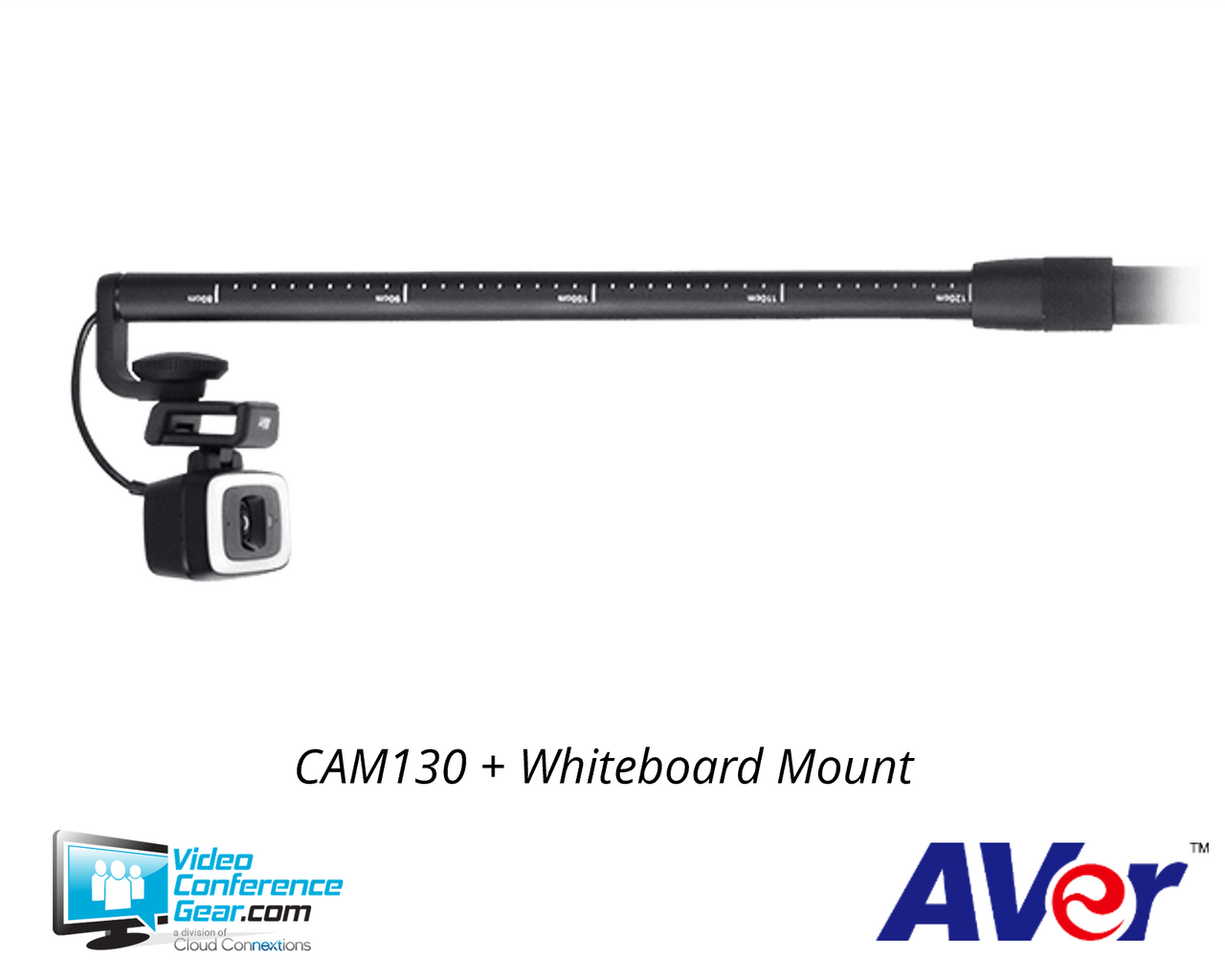
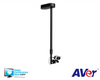
- Reversible design supports whiteboard or interactive-display capture in content mode and participant video in conference mode.
- Sony 4K WDR imaging provides up to 4K conference-mode video at 30 fps for detailed room views.
- A 120° content-mode field of view helps capture a whiteboard or interactive display from a close mounting position.
- SmartFrame auto-framing and preset framing help keep the intended content or participants within view.
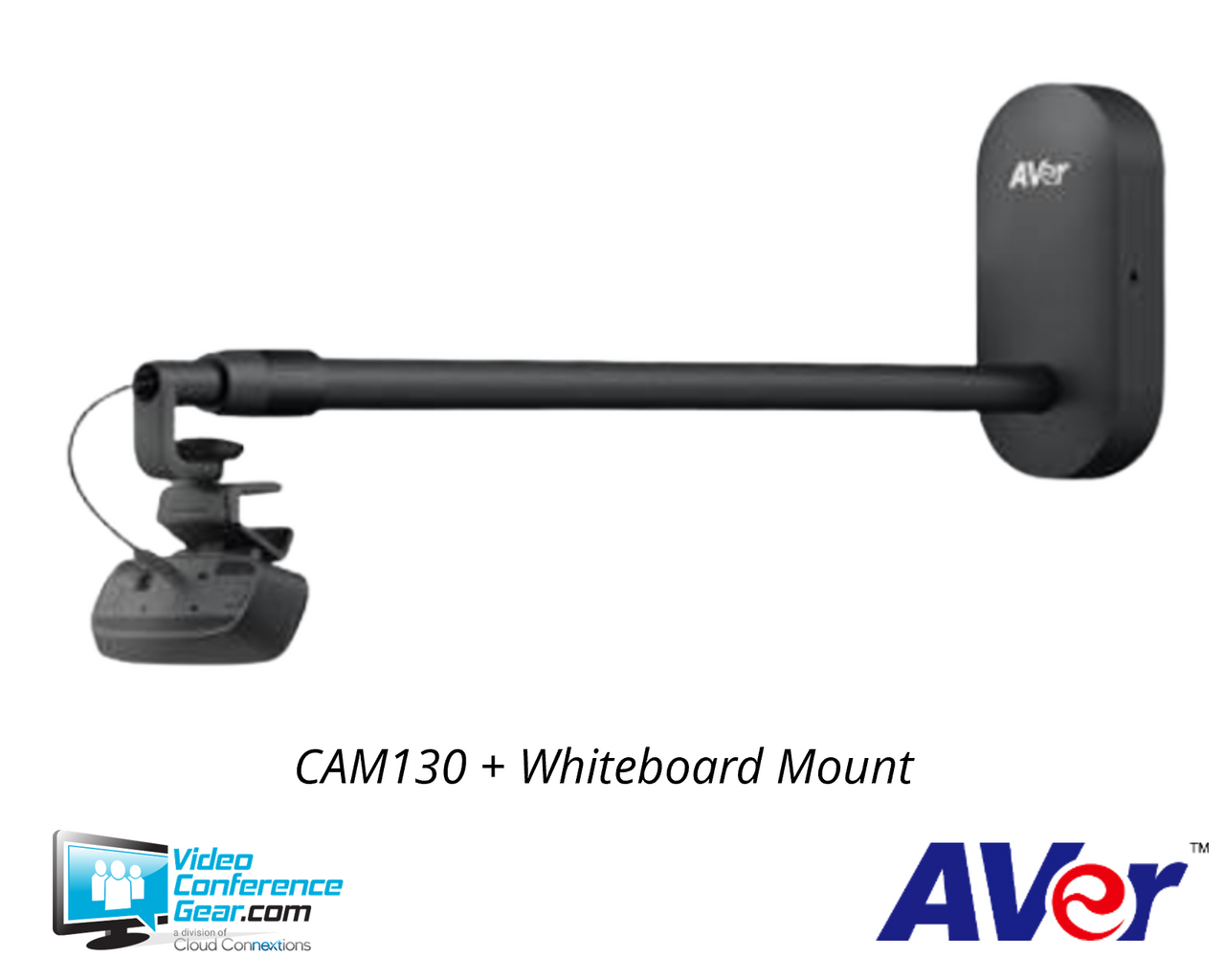
- The bundle includes an adjustable whiteboard mount and a 10-meter USB 3.1 fiber extender for flexible installation planning.
- Two built-in unidirectional microphones provide echo cancellation and noise reduction when enabled through PTZApp 2.
Ideal For
- Microsoft Teams Rooms that need a dedicated content camera
- Whiteboard and interactive flat-panel presentation rooms
- Corporate training rooms and classrooms
- Conference rooms using a wired USB room computer
- Rooms that need flexible tabletop, tripod, TV-clip, or mounted camera placement
Resources
AVer | CAM130 4K Content Camera Bundle Kit
The AVer CAM130 Content Camera Bundle Kit gives meeting rooms and classrooms a dedicated camera for both people and shared content.
In content mode, its wide 120° view captures whiteboards or interactive flat panels; reverse the camera for conference mode with up to 4K video at 30 fps and a 90° or 120° field of view.
Platform Compatibility

- Certification applies to the CAM130 device and documented firmware; the bundle does not include a Teams Rooms computer or license.
Key Specifications
- Camera type: Reversible content and conference camera.
- Video output: Conference mode up to 4K at 30 fps; content mode 1080p or 720p at 30, 15, or 8 fps.
- Image sensor: Sony 4K WDR sensor.
- Field of view: 120° in content mode; 90° or 120° in conference mode.
- Framing: SmartFrame auto-framing and preset framing.
- Zoom: Up to 5x digital zoom; PTZApp 2 is required to enable 5x zoom.
- Audio: Two built-in unidirectional microphones with 100–12K Hz frequency response, echo cancellation, and noise reduction; no integrated speaker.
- Connection: USB 3.1 Type-C, backward compatible with USB 2.0.
- Power: 100–240V, 50/60 Hz AC adapter, 5V/2A.
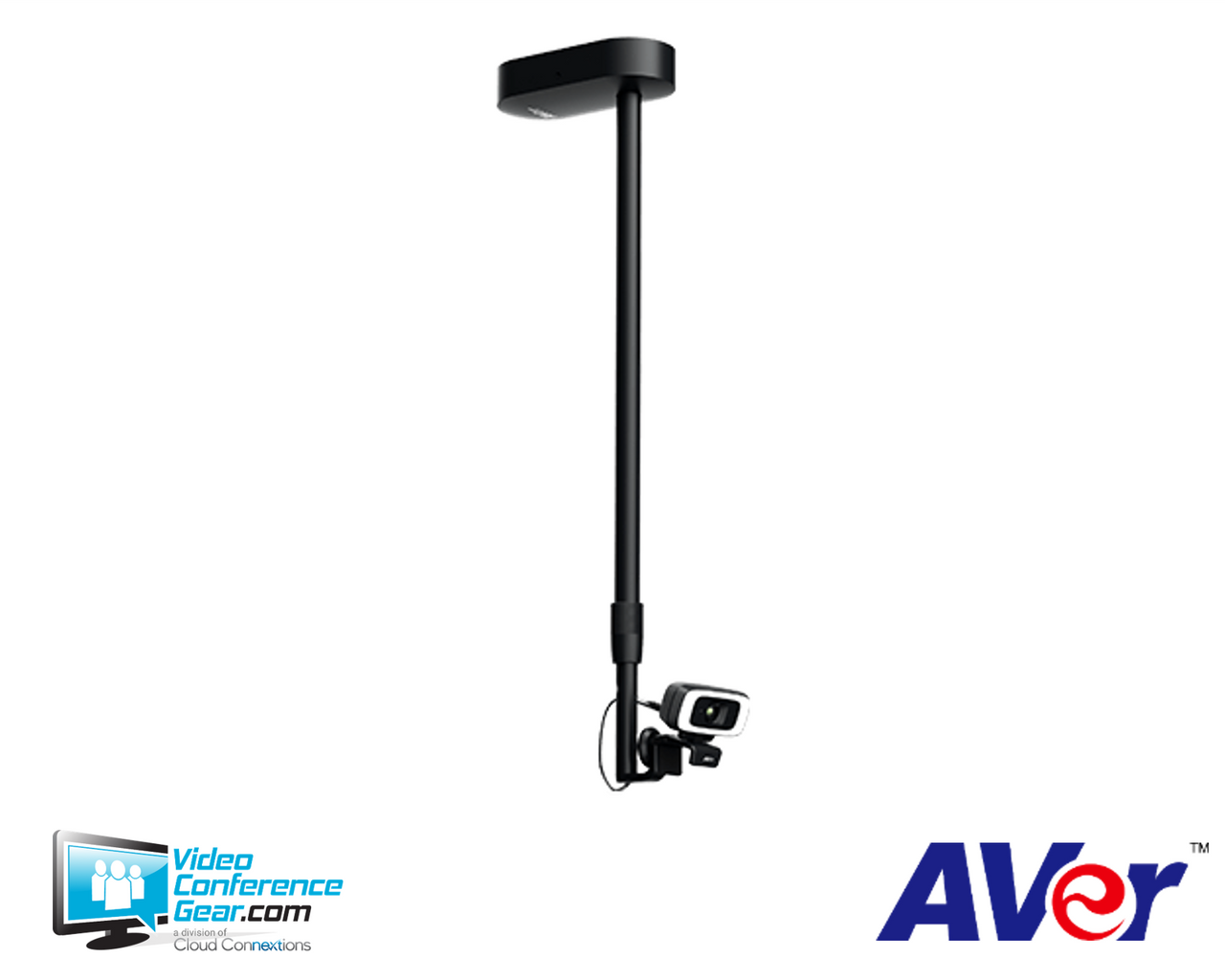
- Mounting: Tabletop/tripod, TV clip, adjustable whiteboard mount, or ceiling installation for larger boards.
- Whiteboard installation: Mount base 3 cm above the whiteboard or interactive flat panel; maximum above-board capture size is 2 m wide by 1.2 m high. Boards wider than 2 m require ceiling installation of the mount.
- Camera dimensions and weight: 160 x 60 x 37 mm; 0.282 kg.
What's Included
- CAM130 camera unit
- Adjustable whiteboard mount
- Remote control
- USB 3.1 Type-C-to-Type-A cable, 6 ft / 1.8 m
- USB 3.1 10-meter fiber extender
- Power adapter
- Tripod screw and QR code card
Compatibility
- Meeting and collaboration platforms: Microsoft lists the AVer CAM 130 as a Microsoft Teams Rooms certified peripheral for content-camera use. Teams Rooms app version 4.10.11.0 or later and Teams desktop client version 1.4.00.34266 or later are required for the specified Teams content-camera workflow.
- USB software compatibility: AVer lists Zoom, Google Meet, RingCentral, Cisco Webex, GoToMeeting, BlueJeans, Adobe Connect, TrueConf, V-Cube, Vidyo, vMix, WebRTC, Wirecast, and XSplit among compatible applications. These are USB computer workflows, not native room-system certifications unless specifically identified above.
- Required compute: The camera connects by USB to an external Windows, Mac, Chromebook, or Chromebox computer; it is not a self-contained room appliance and does not include a computer or dedicated room controller.
- System requirements: USB 3.1 is recommended, with backward compatibility to USB 2.0; 3.2 GHz Intel Core i5-4460, 4 GB RAM or more, and supported Windows, Mac, or Google Chromebox software versions are specified.
- Software: EZManager 2, PTZApp 2, and EZLive are listed as free applications for Windows and Mac.
- Extender requirement: The included 10-meter fiber extender is specified for a USB 3.0 port. Use a separate USB 2.0 extender when the computer or Teams Rooms system does not provide USB 3.0.
Licensing, Warranty & Support
No product-specific subscription is required for standalone USB operation. When the camera is deployed as a content camera with a Microsoft Teams Rooms device, Microsoft requires a Teams Rooms Pro license for that room. EZManager 2, PTZApp 2, and EZLive are listed as free Windows and Mac applications; PTZApp 2 is needed to enable 5x digital zoom and to enable the microphone, which is off by default. The camera carries a 3-year warranty, while accessories and the mounting arm carry a 1-year warranty. We can help with firmware-related UVC 1.5 enablement, compatibility checks, room-computer and licensing selection, and deployment support.
VideoConferenceGear.com Assistance
We can help validate whether the CAM130 bundle is the right fit for your whiteboard or interactive-display setup, confirm Teams Rooms and USB-computer compatibility, select the room computer, display, extender, accessories, and required licensing, and coordinate installation, nationwide deployment, and ongoing support.
Common Questions
What is included in the CAM130 bundle?
The bundle includes the CAM130 camera, adjustable whiteboard mount, remote control, 6-foot USB 3.1 Type-C-to-Type-A cable, 10-meter USB 3.1 fiber extender, power adapter, tripod screw, and QR code card.
Does this kit include a computer or room controller?
No. The CAM130 connects by USB to an external Windows, Mac, Chromebook, or Chromebox computer, so the room computer and any dedicated controller must be provided separately.
Is the CAM130 certified for Microsoft Teams Rooms?
Yes. Microsoft lists the AVer CAM 130 as a Teams Rooms certified peripheral that supports content-camera use. Teams Rooms app 4.10.11.0 or later and Teams desktop client 1.4.00.34266 or later are required for the specified content-camera workflow.
Does the kit require a Microsoft Teams subscription?
Standalone USB use does not require a product-specific subscription. A Microsoft Teams Rooms Pro license is required when the camera is used as a content camera with a Teams Rooms device.
What whiteboard size can the included mount support?
When mounted above the board, the specified maximum capture area is 2 m wide by 1.2 m high, with the mount base positioned 3 cm above the whiteboard or interactive flat panel. For boards wider than 2 m, use a ceiling installation for the mount.
Warranty Information
3 years on the camera; 1 year on the mounting arm.Product Videos
Custom Field
Product Reviews
Cloud Connextions Nationwide Services - Design, Installation & Support - A Partner You can Trust
Cloud Connextions specializes in delivering next-generation office technologies, including physical security, video conferencing, and ProAV solutions. As a valued partner for the design, integration, and support of these systems, we work with industry leaders like Verkada, Zoom, AVer, Crestron, Poly, and more. Our team ensures you receive top-quality products and seamless service. VideoConferenceGear.com is our trusted online source, where you’ll find rigorously tested products backed by our extensive expertise in creating customized technology solutions for modern office environments.