

Highlights
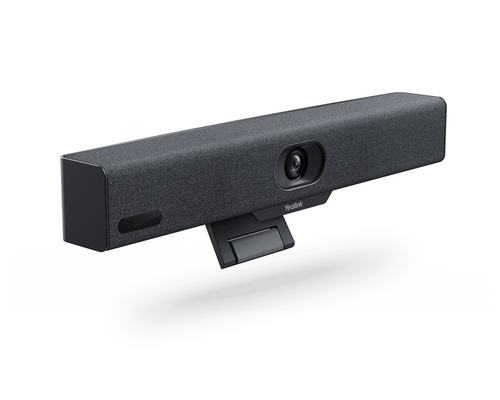
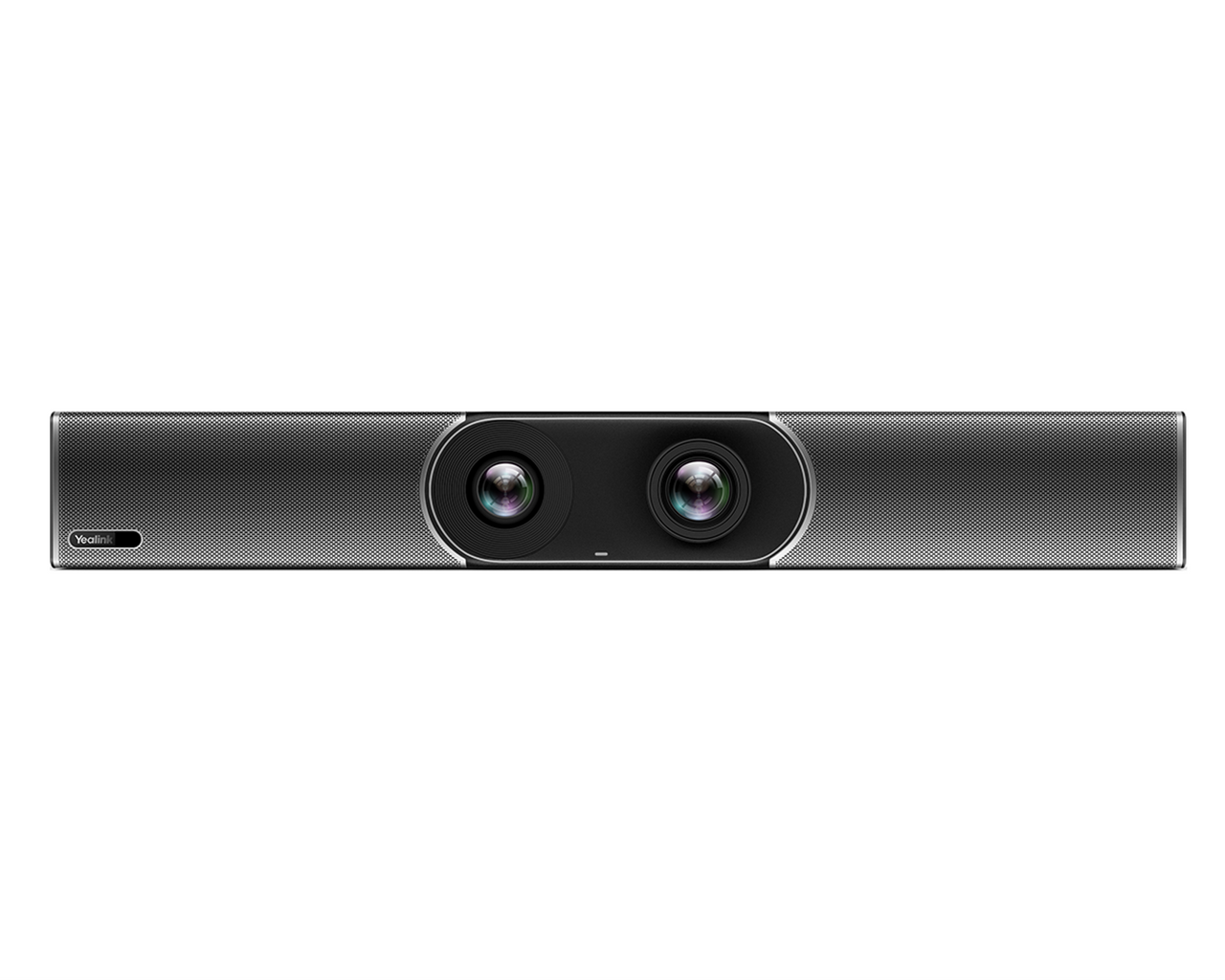
- Dual 8 MP cameras pair a wide room view with a telephoto camera for closer participant framing.
- Auto Framing, Speaker Tracking, and Picture-in-Picture help keep meeting participants in view.
- An 8-microphone MEMS array and dual high-fidelity speakers provide built-in audio coverage for medium spaces up to 6 m.
- Two HDMI outputs support front-of-room display integration.
- The Android-based collaboration bar consolidates core room AV hardware into a single appliance.
- Optional accessories let the room add a touch controller, wired BYOD, wireless presentation, expanded microphones, or external speakers.
Ideal For
- Medium Microsoft Teams Rooms serving approximately 10–15 participants
- Corporate conference rooms with a front-of-room display setup
- Dedicated shared meeting spaces that do not require a separate room PC
- Standardized meeting-room deployments across multiple office locations
Resources
Yealink MeetingBar A30-010 Microsoft Teams Rooms Video Collaboration Bar for Medium Rooms
The Yealink MeetingBar A30-010 is a standalone Android video collaboration bar for Microsoft Teams Rooms, combining dual cameras, microphones, speakers, and room controls in one front-of-room device. It is a strong fit for organizations that want a dedicated Teams Rooms appliance for a medium conference room without planning around a separate room computer.
Choose the A30 for medium rooms serving approximately 10–15 people, with built-in audio coverage for spaces up to 6 m. The A30-010 includes a VCR11 remote, not the CTP18 touch controller; buyers who want a tabletop touch interface, wired BYOD, expanded microphones, or external speakers should plan the appropriate optional accessories as part of the room design.
Platform Compatibility

- Requires the separately available VCH51 sharing kit; it is not documented as a standard A30-010 included item.
- Microsoft’s directory specifies certified firmware 133.320.0.113 for the listed A30 entry.
Key Specifications
- Manufacturer part number / SKU: A30-010 / 1206652
- Product type: All-in-one Android video collaboration bar for Microsoft Teams Rooms
- Recommended room fit: Medium rooms; approximately 10–15 people
- Primary wide-angle camera: 8 MP, 120° field of view, 4x ePTZ
- Telephoto camera: 8 MP, 90° field of view, 10x hybrid zoom (3.5x optical, 3x digital)
- Privacy: Electric privacy shutter
- Intelligent video: Auto Framing, Speaker Tracking, Picture-in-Picture
- Audio: 8 MEMS microphone array, two high-fidelity speakers, beamforming, full duplex, echo cancellation, and Yealink Noise Proof Technology
- Built-in audio coverage: Up to 6 m in medium-sized spaces
- Video/display outputs: 2 x HDMI output
- Connections: Line-in, line-out, 2 x USB 2.0, Gigabit Ethernet, Yealink RJ-45 extension port, power port, and security-lock slot
- Wireless: Dual-band Wi-Fi and Bluetooth 4.2
- Dimensions (W x D x H): 700 x 98 x 121 mm
- Shipping gross weight: 5.68 kg
What's Included
- Yealink MeetingBar A30 endpoint
- VCR11 remote control
- 3 m Ethernet cable
- 2 x 1.8 m HDMI cables
- Mounting bracket and mounting accessories
- Power adapter
- Quick Start Guide
Compatibility
- Meeting platform: Configured for Microsoft Teams Rooms shared-device operation; a Microsoft Teams Rooms Basic or Teams Rooms Pro license is required.
- Platform change: Units running version 133.310.0.25 or later can be changed between Teams and Zoom by factory-resetting the device and selecting the desired platform during initialization.
- Displays: Connects to room displays through two HDMI outputs.
- Wired BYOD: Supports device mode through the optional Yealink VCH51 sharing kit and a single USB-C cable from a room-user computer.
- Audio expansion: External speakers connect through the line-out port; Yealink also documents optional external microphone expansion.
- Wireless presentation: Yealink documents WPP20 and WPP30 presentation pods as optional accessories. WPP30 is unavailable in the U.S. market.
- Network planning: When WPP30 and VCM36-W are used together through the MeetingBar wireless hotspot, the A30 must use a wired network because its hotspot and Wi-Fi cannot operate simultaneously.
Licensing, Warranty & Support
A Microsoft Teams Rooms Basic or Teams Rooms Pro license is required for shared-device Teams Rooms operation. Teams Rooms Basic covers core room features, while Teams Rooms Pro adds advanced features and management. No Yealink cloud-management subscription is required to operate the A30; Yealink provides YMCS Platform administration resources along with support materials and ticket submission services. The warranty term for exact part 1206652 should be confirmed before ordering, as current public reseller listings conflict on the duration. This A30-010 configuration includes the VCR11 remote; the CTP18 touch controller is part of the separate A30-020 configuration.
VideoConferenceGear.com Assistance
We can help validate the A30-010 for your room size, displays, Teams Rooms licensing, network design, and accessory needs, including touch control, BYOD, microphone expansion, and multi-location deployment. Contact us to design the right MeetingBar A30 room package.
Common Questions
Does SKU 1206652 include the CTP18 touch controller?
No. SKU 1206652 is the A30-010 configuration with a VCR11 remote; the CTP18 touch-controller bundle is A30-020 / SKU 1206653.
Does the A30 support wired BYOD from a room-user computer?
Yes. Wired BYOD/device mode is supported with the optional Yealink VCH51 sharing kit and one USB-C cable; the VCH51 is not included with the A30-010.
Is a Microsoft Teams Rooms license required?
Yes. A shared Teams Rooms device requires either a Microsoft Teams Rooms Basic or Microsoft Teams Rooms Pro license.
Can external speakers be connected?
Yes. External speakers can connect to the MeetingBar A30 line-out port.
Can the A30 be changed from Teams to Zoom?
Yes, on units running version 133.310.0.25 or later. The device must be factory-reset, then the desired platform is selected during initialization.
Product Videos
Custom Field
Product Reviews
Cloud Connextions Nationwide Services - Design, Installation & Support - A Partner You can Trust
Cloud Connextions specializes in delivering next-generation office technologies, including physical security, video conferencing, and ProAV solutions. As a valued partner for the design, integration, and support of these systems, we work with industry leaders like Verkada, Zoom, AVer, Crestron, Poly, and more. Our team ensures you receive top-quality products and seamless service. VideoConferenceGear.com is our trusted online source, where you’ll find rigorously tested products backed by our extensive expertise in creating customized technology solutions for modern office environments.