
Can I Reuse My Existing Security Cameras?
Posted by Doug Beck: Physical Security Gear on 9/14/2026
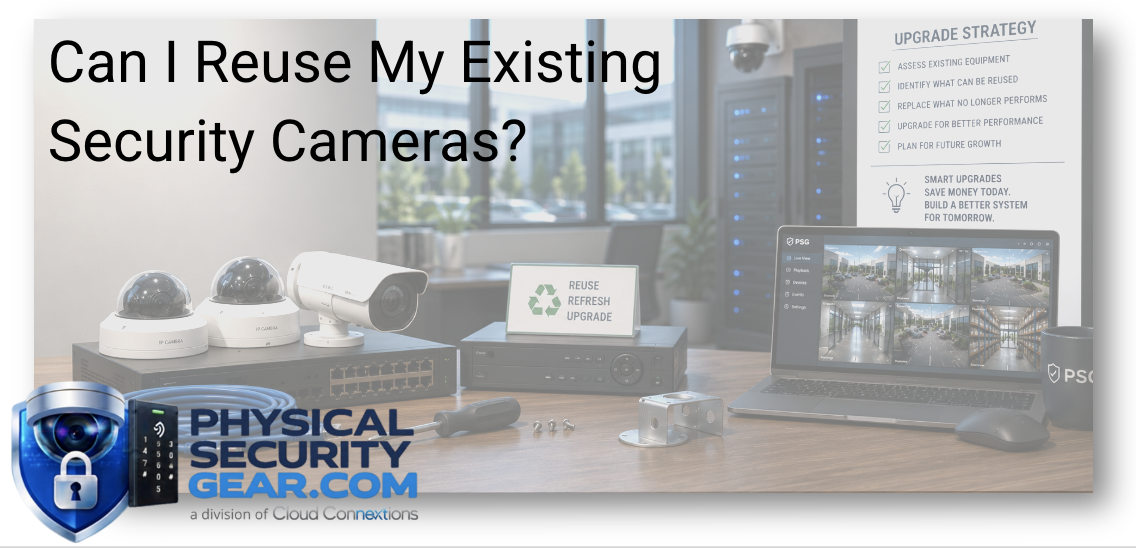
Why a Surveillance Upgrade Doesn’t Always Mean Starting Over
Written by Doug Beck
One of the first questions I would ask during a surveillance upgrade is not:
“What new cameras should we buy?”
It is:
“What do you already have that is still doing its job?”
Organizations can have a significant investment tied up in cameras, network cabling, PoE switches, mounts, recording infrastructure, storage, and other pieces of the existing system.
I do not believe in replacing all of that simply because a project has been labeled an “upgrade.”
At the same time, I would not keep older equipment just because money was spent on it years ago.
The goal is to figure out:
What is still useful? What is holding the system back? And where could newer technology actually make a meaningful difference?
That is a much better starting point than assuming every upgrade needs to become a complete rip-and-replace.
Start With an Inventory, Not a Shopping List
Before recommending new cameras, I want to know what is already installed.
That usually means looking at:
- Existing camera models
- Camera locations
- Image quality
- Network cabling
- PoE switches
- Recording hardware
- Storage
- Software platform
- Licensing
- Mounting hardware
- Network infrastructure
- Building layout
- Current blind spots
- Future expansion plans
I also want to know what people dislike about the existing system.
Maybe the cameras are fine, but finding recorded footage takes forever.
Maybe image quality is acceptable indoors but poor in the parking lot.
Maybe several cameras are unsupported.
Maybe every location is running a different platform.
Maybe the system works perfectly well, and only two areas need attention.
Those are very different projects.
Field Note: “Old” and “Bad” Are Not the Same Thing
Age is useful information.
It should not be the entire decision.
I have seen older equipment continue to perform the job it was installed to do.
I have also seen newer technology that was never the right fit for the location in the first place.
So when I look at an existing camera, I care less about the birthday and more about questions like:
- Does it still provide useful video?
- Is it reliable?
- Is it still supported?
- Can it receive appropriate updates?
- Does it work with the platform we want moving forward?
- Does its field of view still match the area?
- Is it giving us enough detail when an incident occurs?
If the answers are yes, I want a good reason before I recommend replacing it.
What Infrastructure Can Often Stay?
Depending on the environment, some of the most reusable parts of a surveillance system may be the pieces people rarely think about.
That can include:
- Structured network cabling
- Conduit
- Fiber
- Equipment racks
- Electrical infrastructure
- Camera mounts
- PoE switches
- Select cameras
- Portions of the recording or storage environment
If the infrastructure is in good condition, supports the new requirements, and does not create unnecessary limitations, keeping it can make a lot of sense.
But I would still verify it.
A cable being present does not automatically mean it is the right cable for the next system.
A PoE switch working today does not automatically mean it has the power budget, capacity, or network requirements for whatever you plan to add next.
Reuse should be intentional, not assumed.
When I Would Replace the Camera
There are several situations where I would start leaning toward replacement.
For example:
- Image quality no longer meets the application
- Important details cannot be captured
- The camera has reached end-of-life
- Manufacturer support has ended
- Firmware or security updates are no longer available
- Reliability is becoming a problem
- The camera cannot support required analytics
- The existing platform limits what the organization wants to do
- Coverage no longer matches how the facility operates
- Multiple incompatible systems are making administration difficult
One of the biggest things I look for is whether the camera can still answer the question it was installed to answer.
If a camera is supposed to help identify someone entering a building but gives me an unusable image when that actually happens, keeping it does not save much.
Best Practice: Reevaluate the Job Before Replacing the Camera
If a camera needs to be replaced, I would not automatically put the newest version of the same form factor in the exact same location.
This is the perfect time to ask:
Is this still the right camera for this job?
Maybe the original camera was installed to monitor an open space that now has shelving.
Maybe a parking lot has expanded.
Maybe a building entrance moved.
Maybe deliveries now happen at a different door.
Maybe what used to require multiple cameras could now be handled differently with a wider or multi-sensor view.
The upgrade should solve today's problem, not recreate the original design simply because that is what was there before.
What Could Newer Camera Types Do Differently?
Camera technology has changed considerably.
If part of the existing system needs replacement, I would compare newer options based on the actual coverage requirement.
Dome Cameras
Dome cameras can be a strong option for entrances, offices, hallways, retail spaces, and other applications where fixed coverage and a compact form factor make sense.
I tend to think of them as dependable general-purpose cameras when the application matches.
Fisheye Cameras
Fisheye cameras become interesting when broad coverage from one mounting location is important.
For certain open areas, lobbies, reception spaces, or common areas, this may create a very different coverage strategy than installing several traditional fixed cameras.
Multi-Sensor Cameras
Multi-Sensor Cameras are useful when I want multiple viewing directions from one installation point.
Building corners, intersections, large exterior areas, and other locations that previously needed multiple separate cameras are worth evaluating for this kind of approach.
PTZ Cameras
PTZ Cameras can make sense when operators need the ability to actively pan, tilt, or zoom around a larger environment.
Parking lots, campuses, warehouses, and larger exterior areas are common applications where I would at least consider whether PTZ adds value.
Bullet Cameras
Bullet cameras can work well when the application calls for a directional view, particularly around exterior areas, perimeters, loading docks, parking, and similar locations.
The point is not that any of these camera types are universally better.
The form factor should follow the job.
You can also explore the complete Video Security collection when comparing current commercial surveillance options.
Field Note: Don't Replace a Blind Spot With a Better Camera in the Same Blind Spot
This is one of those simple things that can get overlooked.
If the old camera is poorly positioned, installing a much better camera in exactly the same spot may still give you a bad result.
Before replacing it, look at:
- Mounting height
- Viewing angle
- Lighting
- Obstructions
- Distance
- Direction of travel
- What information you actually need
Sometimes the best upgrade is not a better camera.
It is putting the right camera in a better location.
Think Beyond the Camera Itself
Another thing I would look closely at is the management experience.
A surveillance system is only useful if people can actually use it when they need it.
I would ask:
- How quickly can someone find recorded video?
- Can multiple locations be managed together?
- Are cameras healthy and online?
- How are updates handled?
- Can administrators search events efficiently?
- Are analytics actually useful?
- Can the platform work with access control?
- How difficult is it to add a new camera or location?
- Who is supporting the environment long term?
Sometimes the cameras are not the biggest problem.
The platform around them is.
In that situation, the best project might modernize the management environment while keeping portions of the existing camera infrastructure.
What Are You Actually Trying to Improve?
This is the question I would want answered before designing the upgrade.
Are you trying to:
- Improve image quality?
- Eliminate blind spots?
- Add parking-lot coverage?
- See license plates?
- Improve nighttime visibility?
- Add analytics?
- Search footage more quickly?
- Manage multiple locations?
- Connect video to access control?
- Replace unsupported cameras?
- Reduce system complexity?
If the answer is simply:
“Our cameras are old.”
I would keep asking questions.
There should be an operational reason behind the investment.
Access Control Can Change the Value of Video
An upgrade is also a good opportunity to think about how video interacts with the rest of the physical-security environment.
Take a controlled employee entrance.
Access Control may tell you that a credential was presented at 10:42 PM.
Video can help answer:
Who actually came through the door?
Was anyone else with them?
What happened immediately before or after the access event?
That combination can provide much more useful context than either system by itself.
You do not necessarily need to integrate everything during the first phase.
But if access control, visitor management, alarms, or other systems are on the roadmap, I want to know that before selecting the future video platform.
What About Analytics?
Newer camera systems may also introduce capabilities involving:
- People detection
- Vehicle detection
- Search
- Alerts
- License plate workflows
- Other AI-assisted analytics
- Multi-site management
I would not buy a new camera just because the word “AI” appears on the product page.
I would ask:
What are we trying to accomplish with the analytics?
If the organization regularly spends an hour searching footage for a person or vehicle, better search may be valuable.
If nobody intends to use the capability, paying for features simply because they are new does not automatically improve the system.
Start with the use case.
One Building and Twenty Buildings Are Different Upgrade Projects
If you have ten cameras in one office, selectively replacing three of them may be fairly straightforward.
If you have hundreds of cameras across multiple facilities, I start thinking about the broader environment.
Now I want to know:
- How many different camera generations exist?
- How many platforms are being managed?
- Which equipment is approaching end-of-life?
- Are locations using consistent standards?
- Can firmware be managed efficiently?
- Can video be searched centrally?
- What equipment should become the standard going forward?
- How will future locations be added?
At that point, the upgrade is no longer just about camera replacement.
It becomes lifecycle and platform planning.
A Practical Upgrade Might Be a Mix
A good upgrade does not have to be all or nothing.
After evaluating an existing environment, I might recommend something like:
Keep: structured cabling that still supports the new system.
Keep: recently installed cameras that are performing well.
Replace: unsupported cameras at critical entrances.
Move: cameras that are positioned poorly.
Upgrade: parking-lot cameras where vehicle detail is inadequate.
Add: a multi-sensor camera where several individual views are currently creating unnecessary complexity.
Modernize: the management platform if administration is the biggest pain point.
That is a much more useful outcome than replacing everything simply because the project has a new budget.
Don't Ignore Cybersecurity and Support Status
An older camera can still create a great image and still deserve another look.
I want to understand:
- Is it still supported?
- Are updates available?
- Does it meet current network requirements?
- Can it be managed appropriately?
- Is the manufacturer still addressing vulnerabilities?
- Will it remain compatible with the future platform?
This does not mean unsupported equals “throw it away immediately.”
It means support status belongs in the decision.
Physical condition, image quality, compatibility, supportability, and cybersecurity all contribute to whether keeping a device still makes sense.
Questions I Would Ask Before Replacing Anything
Before buying replacement cameras, I would want answers to questions like:
Which cameras are actually causing problems?
Not simply which ones are oldest.
Where are the blind spots?
And why do they exist?
What image detail is missing today?
Faces? Vehicles? Low-light visibility?
Which infrastructure can realistically be reused?
Cabling, switches, mounts, storage?
What frustrates the people using the system?
Searching video? Managing several locations? Reliability?
What new capabilities would actually help?
Analytics, remote management, access-control integration?
What is approaching end-of-life?
And how urgent is the replacement?
Is the organization growing?
Will the new environment need to support additional facilities?
Once those questions are answered, the upgrade plan becomes much clearer.
The Bottom Line
Yes, you may be able to reuse your existing security cameras.
You may also be able to reuse cabling, switches, mounts, infrastructure, and other parts of the system.
But I would not begin the project with the assumption that everything stays.
And I would not begin with the assumption that everything goes.
I would evaluate each part of the system based on whether it still supports what the organization needs.
Keep what works.
Fix what is poorly designed.
Replace what is limiting the system.
And use the upgrade as an opportunity to improve the areas where newer technology can actually make a difference.
Already Know Which Cameras Need to Change?
Explore commercial Video Security cameras and surveillance solutions at PhysicalSecurityGear.com.
You can also compare:
Not Sure What Is Worth Keeping?
Use the chat on our site and tell us what you have today and what you are trying to improve.
Helpful information includes:
- Existing camera manufacturer/model
- Approximate system age
- Number of cameras
- Current recording or management platform
- Areas causing problems
- Whether multiple locations are involved
- New capabilities you are considering
Our team can help you start separating what may still provide value from what deserves replacement before you buy another system.
If you are comparing camera options, ask us about that too. Depending on what we have available, we may be able to show a relevant or comparable camera in action and help explain the practical differences between your options.
Continue Your Research
- Ultimate Guide to Commercial Video Surveillance
- Cloud Video Recording Explained
- How Many Security Cameras Does My Building Actually Need?
- AI Security Cameras Explained
- What Makes a Commercial Security Camera Different?
- How to Choose the Right Commercial Security Integrator