
Cloud Video Recording Explained
Posted by Physical Security Gear on 9/8/2026
Should Your Business Store Security Footage in the Cloud, On-Site, or Both?
Executive Summary
One of the biggest decisions organizations face when designing a commercial video surveillance system isn't which cameras to buy.
It's deciding where all that video should live.
Should recordings be stored on a local network video recorder (NVR)?
Should everything be uploaded to the cloud?
Or is a hybrid approach the better long-term strategy?
The answer depends on far more than storage capacity.
It depends on your organization's operational goals, IT resources, cybersecurity requirements, retention policies, available bandwidth, and how quickly your team needs to access video when an incident occurs.
This is one of the most important architectural decisions you'll make because it influences everything from system administration and maintenance to long-term scalability and total cost of ownership.
Our goal isn't to convince you that one approach is universally better than another.
It's to help you understand the tradeoffs so you can choose a recording strategy that supports your business today while giving you flexibility for tomorrow.
Video Storage Has Changed Significantly
Not long ago, nearly every commercial surveillance system relied on a recorder installed inside the building.
The cameras captured video.
The recorder stored it.
When someone needed footage, they logged into that recorder to retrieve it.
While that model still works well in many environments, cloud technology has introduced new ways to manage video that simplify administration, improve accessibility, and reduce the amount of on-site infrastructure organizations need to maintain.
Today's businesses have more choices than ever before.
The right one depends on how your organization operates.
What Is Cloud Video Recording?
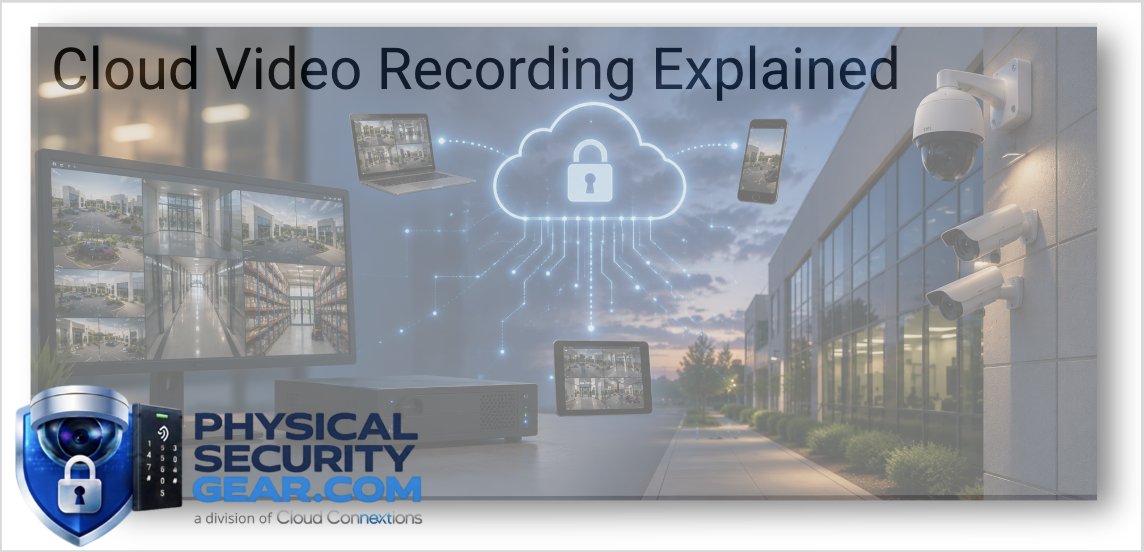
Cloud video recording stores surveillance footage securely in professionally managed cloud infrastructure rather than relying exclusively on equipment located inside your facility.
Authorized users can securely review recordings, manage cameras, search events, and administer the system through a web browser or mobile application from virtually anywhere.
Modern cloud platforms also automate many tasks that traditionally required local servers, including software updates, system health monitoring, backups, and ongoing platform improvements.
For organizations managing multiple locations, this centralized approach can dramatically simplify day-to-day administration.
What About On-Premise Recording?
On-premise recording continues to be an excellent solution for many organizations.
Video is stored locally on an NVR or dedicated recording appliance located within the building.
This approach can be attractive when organizations require:
- Large amounts of long-term storage
- Existing infrastructure investments
- Specialized compliance requirements
- Limited internet connectivity
- Internal management of all video assets
Like cloud platforms, on-premise systems continue to evolve with better cybersecurity, higher storage capacities, and improved remote access capabilities.
The decision isn't about old versus new.
It's about selecting the architecture that best fits your operational requirements.
What We See Most Often
The first question customers ask is usually:
"Which one is better?"
Our answer is almost always the same.
Neither.
The better question is:
"Which one fits the way your organization operates?"
For organizations with multiple offices, limited IT resources, and a desire for centralized administration, cloud recording often provides tremendous value.
For facilities with unique compliance requirements, large retention policies, or existing infrastructure investments, an on-premise or hybrid solution may make more sense.
Technology decisions should support business objectives—not the other way around.
Beyond Storage: Think About the Entire User Experience
Video storage is only one part of the conversation.
We encourage organizations to think about how they'll actually interact with the system every day.
Ask yourself:
- How often will administrators retrieve video?
- Who needs access to recordings?
- How quickly should incidents be investigated?
- Will multiple facilities share one platform?
- How much time does IT currently spend maintaining surveillance infrastructure?
- Will additional locations be added over the next several years?
Those answers often reveal which recording architecture provides the greatest long-term value.
Advisor's Note
One thing we've learned after designing surveillance systems for organizations across multiple industries is that buyers rarely regret choosing a platform that's easier to manage.
Security technology should reduce complexity—not create it.
When evaluating cloud, on-premise, or hybrid recording, don't focus solely on where the video is stored.
Consider how your team will use the system every day, how easily it can grow, and how much administrative effort it will require over its lifespan.
Those operational factors often have a greater impact on long-term success than storage location alone.
Questions We'd Ask Before Making a Recommendation
Every organization has different priorities, but our discovery process typically includes questions like:
- How many locations are involved?
- How long do you need to retain video?
- What are your cybersecurity requirements?
- How much internet bandwidth is available?
- Who will manage the system?
- Will AI analytics be used?
- How important is remote access?
- What growth do you anticipate over the next five years?
Understanding those answers allows us to recommend a recording strategy that aligns with your operational goals instead of forcing your organization to adapt to the technology.
The Bottom Line
Choosing between cloud, on-premise, and hybrid recording isn't simply a storage decision.
It's a business decision.
The right recording architecture should improve accessibility, simplify administration, support future growth, and fit naturally within your organization's workflows.
At Cloud Connextions and PhysicalSecurityGear.com, we begin by understanding how your business operates before recommending any platform.
Because when the foundation is built around your people, your processes, and your long-term objectives, selecting the right technology becomes much easier.
Continue Your Research
Continue exploring these related resources:
- Ultimate Guide to Commercial Video Surveillance
- What Makes a Commercial Security Camera Different?
- AI Security Cameras Explained
- 2MP vs. 4MP vs. 8MP Security Cameras
- Multi-Sensor Security Cameras Explained
- How to Choose the Right Commercial Security Integrator
- Budgeting a Commercial Physical Security Project