
Key Cards, Fobs, or Mobile Credentials: Which Access Credential Is Right for Your Business?
Posted by Ryan Pinke: Physical Security Gear on 9/15/2026
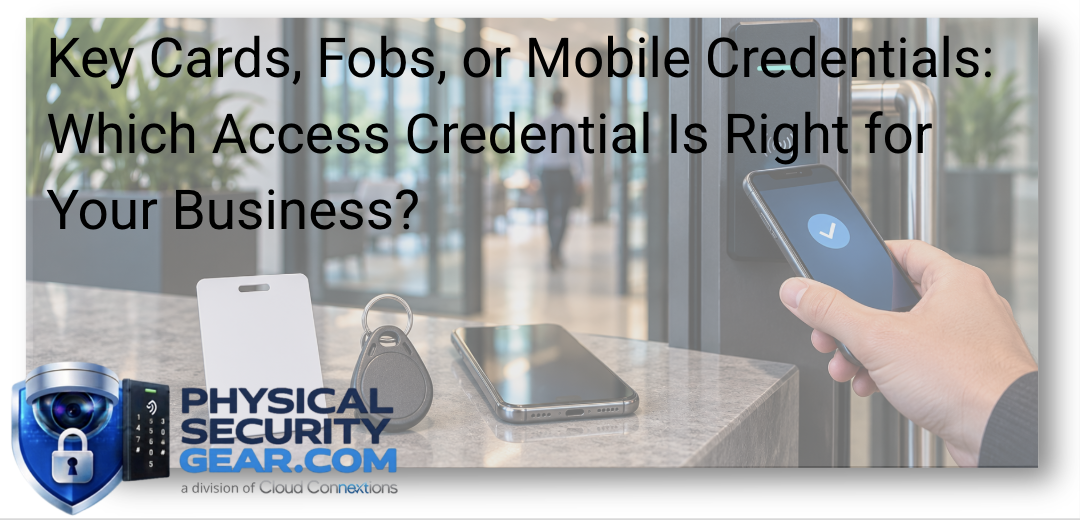
The Best Credential Strategy Is the One Your Organization Can Manage Consistently
Written by Ryan Pinke
When organizations begin planning access control, the conversation often gets reduced to a simple product question:
Should we use cards, fobs, or mobile credentials?
I think that is too narrow.
The better question is:
How do we want people to receive access, use it, change it, and eventually lose it?
That is where the credential decision starts becoming more strategic.
The card, fob, or phone is only the part the employee sees.
Behind it is an entire process involving onboarding, permissions, temporary access, lost credentials, offboarding, administration, security, and potentially multiple buildings or locations.
The right credential is the one that fits that larger workflow.
Start With the People, Not the Credential
Before deciding between cards, fobs, or mobile access, I want to understand who actually needs to enter the building.
That may include:
- Full-time employees
- Contractors
- Temporary workers
- Vendors
- Visitors
- Customers
- Delivery personnel
- Service teams
Those groups do not necessarily need the same experience.
A full-time employee who enters five days a week is very different from a contractor who needs access for three days.
A visitor coming for a meeting has different requirements than an employee who needs access to several offices.
That is why I would not force every person into one credential strategy simply for the sake of consistency.
The goal is controlled consistency, not unnecessary rigidity.
What Is an Access Credential?
An access credential tells the access control system that a particular person has permission to request entry.
Depending on the system, that may be:
- A key card
- A key fob
- A mobile credential
- Another supported physical or digital identifier
The user presents the credential to a compatible reader.
The access control system then determines:
- Who the credential belongs to
- Which doors that person can access
- When access is allowed
- Whether the credential is still active
That interaction happens in seconds.
The administrative decisions behind it can last for years.
Key Cards: Still a Very Practical Choice
Cards remain common for a reason.
They are familiar.
Employees understand them.
They can also serve another purpose when the organization wants the credential to function as visible identification.
That makes cards particularly practical in environments where employee badges are already part of the workplace culture.
I would consider cards when:
- Employees already wear ID badges
- Visible identification matters
- The organization has an established badge process
- Physical credentials are easy for the administrative team to issue
- Large groups of employees already use a card-based workflow
There is nothing outdated about using a card when it fits the organization.
The bigger issue is how well the credential is managed.
Cards get lost.
People forget them.
They can be shared.
And they can remain active longer than they should if nobody owns the offboarding process.
The management behind the card matters more than the shape of the card itself.
Fobs: Simple Without the Badge
Fobs can be a good fit when the organization wants a physical credential but does not need it to double as employee identification.
They are compact and easy to carry.
I see the appeal particularly for:
- Smaller teams
- Operational personnel
- Certain contractors
- Facilities where visible employee badges are unnecessary
- Users who already carry keys
But the same lifecycle questions still apply.
Who issues the fob?
Who disables it when it is lost?
What happens when someone changes roles?
Who removes access when the user leaves?
A fob may be simple for the user.
It still needs a disciplined administrative process behind it.
Mobile Credentials Change More Than the Door Experience
Mobile credentials tend to generate the most interest because they feel modern.
And for the right organization, they can be extremely practical.
Employees are already carrying smartphones.
That can reduce some of the administrative effort around distributing physical credentials and create a more digital experience.
But I would not choose mobile credentials simply because they are newer.
I would look at the broader implications.
For example:
- Are employee devices company-owned or personal?
- Is everyone comfortable using a personal phone for building access?
- What happens when someone changes phones?
- What happens when the battery is dead?
- Are there users without compatible devices?
- How will contractors be handled?
- How will visitors be handled?
- Who provisions and removes the credentials?
The user experience may be simpler.
The policy and administrative questions can actually become more important.
Ryan's Perspective: Don't Let the Credential Become an HR Problem, an IT Problem, and a Security Problem Separately
This is one area where I think organizations can create unnecessary complexity.
HR knows when someone starts or leaves.
Security controls building access.
IT may manage identities and mobile devices.
Facilities may own the physical access-control environment.
If all four departments have separate processes, the credential becomes harder to manage than it needs to be.
I would want to know:
What event starts the access process?
A new hire?
A department change?
A termination?
A contractor approval?
Then:
Who owns the next step?
The more clearly those responsibilities are defined, the easier the technology becomes to manage.
The product should support the process.
It should not become the process.
You May Not Need One Credential Type for Everyone
This is where I think mixed credential strategies can make a lot of sense.
An organization might use:
Mobile credentials for full-time employees
because those users are already part of the company's digital environment.
Physical cards for contractors
because those credentials are easy to issue and retrieve.
Temporary credentials for visitors
because access should expire automatically.
Fobs for a specific operational group
because that fits how those employees work.
That is not inconsistency.
It is designing access around different user groups.
The real requirement is that the administrative platform can manage those groups clearly.
Onboarding Is Where the Strategy Becomes Visible
When a new employee starts, what happens?
Does someone:
- Print a badge?
- Program a card?
- Hand over a fob?
- Create a mobile credential?
- Email several departments?
- Manually configure access to multiple buildings?
I would want the ideal process to be much clearer.
The organization should know:
- Which doors the employee needs
- When access starts
- Whether access varies by location
- Whether different roles receive different permissions
- Who approves those permissions
- Who actually provisions the credential
If every new employee requires a one-off process, scaling the system becomes difficult.
Field Note: Offboarding Matters More Than Most Organizations Expect
I pay a lot of attention to how access disappears.
An employee leaves.
A contractor finishes the project.
Someone loses a phone.
A fob disappears.
A person changes departments.
How quickly can access be removed or changed?
Traditional keys make this difficult because you may not know whether the key was copied or returned.
Electronic access control gives organizations much more control, but only if somebody actually uses that control.
A credential should not remain active simply because nobody remembered to disable it.
That is not a technology problem.
That is an ownership problem.
Visitors and Contractors Need a Different Conversation
Visitors and temporary users are where the credential strategy often becomes more complicated.
These individuals may only need:
- One entrance
- One floor
- One meeting area
- Access for a few hours
- Access during a limited date range
I would not want to give a visitor the same credential experience as a full-time employee unless there is a very good reason.
Temporary access may be more appropriate.
That access could:
- Begin at a specific time
- Expire automatically
- Be limited to certain doors
- Be tied to an approved visit
- Work alongside a visitor check-in process
If visitor workflows are part of the project, our Workplace Safety solutions include Guest & Check-In, Intercom & Announcements, Employee Safety, and Mailroom applications.
The larger point is that access should reflect the person's relationship with the organization.
The Reader Has to Support Where You Are Going
Credential strategy cannot be separated from door-reader selection.
If the organization wants mobile credentials in the future but installs readers today that cannot support that direction, the system may need unnecessary replacement later.
Before selecting readers, I would ask:
- Which credential types are required today?
- Which might be required later?
- Are existing credentials being retained?
- Are multiple facilities involved?
- Are exterior and interior doors using different hardware?
- Does the organization expect the credential strategy to evolve?
You can explore commercial Access Control solutions including controllers, credentials, readers, and wireless locks.
The goal is not to buy hardware for every possible future scenario.
It is to avoid making today's decision unnecessarily restrictive.
Best Practice: Standardize the Policy Before You Standardize the Credential
This is one of the most important distinctions I would make.
Organizations often say:
“We want one credential everywhere.”
That may be a reasonable goal.
But before deciding that, I would standardize the rules.
Who gets access?
Who approves it?
When does it expire?
How quickly is it removed?
How are contractors handled?
How are visitors handled?
How are lost credentials handled?
Once those policies are consistent, choosing the right credential becomes much easier.
If the policy is inconsistent, putting everyone on the same card will not fix the underlying problem.
Multiple Locations Change the Decision
A single office can tolerate a lot of manual processes.
A 20-location organization usually cannot.
Once the environment grows, I start thinking about:
- Central administration
- Location-specific permissions
- Consistent credential standards
- Regional administrators
- Temporary access
- Employee transfers
- Support
- Lost credentials
- New locations
- Lifecycle planning
This is where mobile credentials may become more attractive for some organizations.
It is also where a well-managed card program may remain perfectly appropriate.
The right answer depends on the operating model.
Security Is Bigger Than Card vs. Phone
The credential format gets a lot of attention because it is easy to see.
The security behind it matters more.
I would want to understand:
- How credentials are issued
- How users are authenticated
- How quickly lost credentials can be disabled
- Whether permissions can be limited
- How access schedules work
- Who can administer the system
- Whether activity is logged
- How administrators are removed
- How software and firmware are maintained
A modern-looking credential on top of a poorly managed access process is not a modern security strategy.
So Which Credential Would I Choose?
I would not choose one until I understood the users and the administrative model.
But generally:
I would lean toward key cards when:
The organization already has an established badge program, visible identification matters, and the physical credential fits existing workflows.
I would consider fobs when:
A simple physical credential is appropriate and visible identification is unnecessary.
I would look seriously at mobile credentials when:
The organization is comfortable with a digital-first access model, users already operate heavily from smartphones, and the administrative environment can support provisioning and offboarding cleanly.
I would use a combination when:
Different user groups clearly have different access needs.
That is often the most practical answer.
What I Would Want Answered Before We Choose
If I were helping an organization make this decision, I would want to know:
Who are the users?
Employees, contractors, visitors, or all three?
How many people are we managing?
Twenty users and 20,000 users are different problems.
Are badges already part of the workplace?
If so, replacing them may solve nothing.
Who owns onboarding and offboarding?
This affects the system more than many buyers realize.
Are personally owned smartphones acceptable for access?
Do not assume that they are.
Are multiple buildings involved?
Credential strategy gets more important as locations grow.
How often does temporary access happen?
This may significantly affect the best approach.
Where does the organization want to be in five years?
The reader and platform should not unnecessarily block that direction.
The Bottom Line
Cards, fobs, and mobile credentials can all work well.
The right choice depends less on which credential feels newest and more on how the organization wants to manage access throughout the entire user lifecycle.
I would start with:
Who needs access?
What should they be able to access?
How should that access be issued?
How should it change?
How quickly should it disappear?
Then choose the credential.
That approach creates a much stronger access-control strategy than starting with:
“Cards or phones?”
Know Which Credential Strategy You Want?
Explore commercial Access Control solutions at PhysicalSecurityGear.com, including:
- Access controllers
- Access credentials
- Door readers
- Wireless locks
Still Deciding?
Use the chat on our site and tell us:
- How many users you manage
- Whether they are employees, contractors, visitors, or a mix
- Whether badges are currently used
- How many locations are involved
- How onboarding and offboarding work today
- What you want to make easier
Those answers can help us narrow the credential strategy and supporting access-control hardware before you buy.
If the project involves multiple facilities or a larger access-control standard, mention that too. At that point, the credential is only one piece of a much bigger operating decision.
Continue Your Research
- What Do You Actually Need for a Commercial Access Control System?
- Ultimate Guide to Commercial Access Control
- Cloud Access Control Explained
- Why Cybersecurity Matters in Physical Security
- Ultimate Guide to Visitor Management
- Basic Intrusion vs. Advanced Intrusion vs. Perimeter Detection