
Microsoft Teams Rooms on Windows vs. Android: Which Should You Choose?
Posted by Ryan Pinke: Video Conference Gear on 9/16/2026
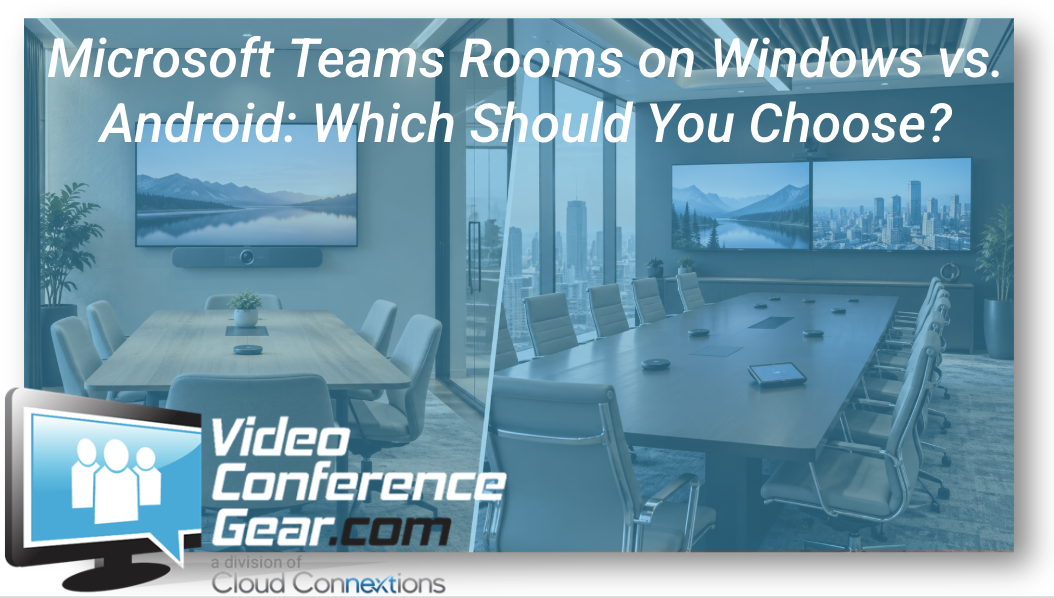
The Better Question Is Which Platform Fits the Environment You Have to Support
Written by Ryan Pinke
When an organization decides to standardize on Microsoft Teams Rooms, another decision usually follows pretty quickly:
Windows or Android?
I understand why buyers want a simple answer.
Pick the better platform. Build the rooms. Repeat.
I do not think the decision is that clean.
Both Windows and Android Teams Rooms can deliver the core experience most users care about: walk into the room, see the meeting, join it, communicate, and share content. Microsoft continues developing both platforms, although individual features can arrive at different times and some capabilities remain platform-specific.
So I would not start with:
“Which platform has more features?”
I would start with:
“Which platform fits the rooms, IT environment, management expectations, and long-term standard we are trying to build?”
That is a much more useful decision.
The User May Barely Notice the Difference
This is important.
The average employee walking into a conference room should not need to know whether the system behind the wall is running Windows or Android.
Both platforms are designed to provide a familiar Teams Room experience, including one-touch meeting join, Teams calling, content sharing, room calendars, and common meeting controls.
From the user's perspective, we want the technology to disappear.
They have a meeting at 10:00.
They walk in.
They press Join.
It works.
The bigger differences often matter more to the people designing, managing, supporting, and standardizing the rooms.
That is where I would focus the conversation.
Why Organizations Gravitate Toward Android
One of the biggest attractions of Teams Rooms on Android is simplicity.
Many Android-based Teams Rooms are delivered as appliance-style systems or video bars, consolidating much of the room experience into fewer components.
That can be very appealing for:
- Huddle rooms
- Small conference rooms
- Medium rooms
- Repeatable deployments
- Organizations trying to reduce room complexity
If I have 30 similar small rooms, there is real value in finding an architecture that is straightforward to install and easy for employees to understand.
That simplicity can affect more than the initial purchase.
It can reduce the number of components being mounted, connected, and supported.
For the right environment, that is a legitimate operational advantage.
You can explore our Microsoft Teams Room Solutions when comparing different room architectures.
Windows Often Gives You More Room to Engineer
Windows Teams Rooms tend to enter the conversation more heavily as requirements become broader or more specialized.
That might involve:
- Larger rooms
- More complex AV
- Multiple peripherals
- More advanced room control
- Specialized display configurations
- Installed audio
- Greater IT-management requirements
Microsoft's current feature comparison shows that both platforms share a significant amount of functionality, while Windows still supports some capabilities Android does not. Examples currently include Miracast, certain 21:9 front-of-room configurations, coordinated meetings, third-party custom room control, Microsoft Defender for Endpoint, and some deeper Pro Management capabilities.
That does not mean every customer needs those features.
It means the organization's requirements should drive the choice.
Ryan's Perspective: Don't Buy a Feature Matrix
This is probably the most important point I would make.
I would not select an enterprise room standard because Windows has three more checkmarks than Android on a comparison table today.
And I would not choose Android simply because the appliance architecture looks easier.
Feature matrices change.
Microsoft explicitly notes that features can roll out at different times across Windows and Android.
The more durable questions are:
What kinds of rooms are we building?
How does IT want to manage them?
How much flexibility do we need?
Which hardware ecosystem fits our requirements?
What happens when the next generation of products arrives?
Those answers have a longer useful life than today's feature count.
Room Architecture May Make the Decision for You
Sometimes this debate gets resolved by the physical room before we ever get deep into operating systems.
Consider a small eight-person conference room.
A certified Video Bar Solution may provide the camera, microphones, speakers, and Teams Room experience in a clean package.
If that solution covers the room comfortably, there may be very little reason to make the design more complicated.
Now consider a large boardroom.
Maybe we need:
- Dedicated cameras
- Ceiling microphones
- Distributed audio
- Multiple displays
- Additional room control
- More sophisticated signal distribution
Now architecture matters differently.
The platform decision should not happen in a vacuum.
Don't Force One Platform Into Every Room Just to Call It a Standard
This is where I think standardization gets misunderstood.
An organization may decide that Android is the preferred architecture for small and medium rooms while using Windows in larger or specialized spaces.
That does not automatically mean the standard has failed.
If employees still experience Teams consistently, IT understands the differences, and the support model is intentional, that can be a perfectly rational strategy.
The alternative is forcing the wrong architecture into certain rooms simply because someone decided every line on the equipment spreadsheet should match.
I care more about operational consistency than artificial hardware uniformity.
IT Management Deserves a Seat at the Table
This decision should not live exclusively with AV.
Microsoft supports management of both Teams Rooms on Windows and Android, and Microsoft has been moving Android-based Teams device management into the Teams Rooms Pro Management Portal as part of a broader effort to unify device management. That transition began in June 2026.
That makes the management story more unified than it once was.
But there are still differences in available management capabilities.
Microsoft's current comparison, for example, lists connected peripheral health monitoring, Remote Access, Autopilot plus Autologin, and one-time passcode support for Windows but not Android. Other capabilities, including device settings, update management, logs, incident management, health reporting, and role-based access control, are available across both.
For a smaller deployment, some of those distinctions may barely influence the decision.
For hundreds of rooms, they might.
That is why IT needs to be part of the conversation before the standard is approved.
Look at the Hardware Ecosystem Too
Windows versus Android is not just an operating-system decision.
It can also influence the devices available to you and how the overall room gets constructed.
Before choosing the platform, I would want to know:
- Which cameras fit the room?
- Which audio architecture is required?
- Is an all-in-one system realistic?
- Are existing peripherals being reused?
- Which manufacturers already exist in the environment?
- What does the organization's support team know?
- Are there specialized rooms that need exceptions?
The answer may point toward one platform naturally.
Existing Rooms Matter
If you are starting with a completely new building, you have freedom.
Most organizations are not.
They already have conference rooms.
They may have:
- Existing cameras
- Installed audio
- Displays
- Mounting
- Cabling
- Controllers
- Compute
- A mix of older Teams and Zoom rooms
That existing investment belongs in the conversation.
I would not recommend changing architecture simply because the organization has chosen a new standard without first asking what can still provide value.
Sometimes the right Teams Room refresh is almost entirely new.
Sometimes a large portion of the room can remain.
That assessment can materially change the cost of the project.
Think About the Rooms You Haven't Built Yet
This is where I tend to think farther out.
Suppose the organization has 15 rooms today but plans to open three offices over the next several years.
Now the platform decision becomes part of a larger operating model.
What happens when you add another 40 rooms?
How quickly can they be deployed?
Who supports them?
Can IT see them centrally?
How are updates handled?
How many room architectures does the support team need to understand?
What happens when a device reaches end-of-life?
What is the replacement path?
Those questions matter more to me than whether one platform wins an isolated feature comparison.
Don't Ignore Feature Differences Either
There is a balance here.
I do not want organizations buying from a checklist.
I also do not want them assuming Windows and Android are identical.
They are not.
For example, Microsoft's current commercial feature comparison shows both platforms supporting single and dual displays, smart camera controls, camera switching, Teams Casting, one-touch join, proximity join, QR-code meeting join, Zoom and Cisco Webex direct guest join, and SIP-based enhanced cross-platform meetings. Windows currently supports some additional capabilities, including Google Meet direct guest join, Miracast, and certain specialized room configurations.
Those differences should be evaluated against the organization's actual workflow.
If nobody needs a capability, its presence on the checklist should not drive the architecture.
If the company depends on it every day, it absolutely should.
The Platform Can Affect the Lifecycle Conversation
Conference rooms are not one-time purchases.
The room you deploy today will eventually need:
- Updates
- Support
- Replacement hardware
- New peripherals
- Platform changes
- Security updates
- Lifecycle planning
That is why I would also look at the manufacturer's hardware support path.
Especially with Android appliances, the device's Android version, certification, and manufacturer's support lifecycle become part of the long-term planning conversation.
With Windows rooms, compute and peripheral lifecycle decisions may be handled differently.
Neither model is automatically better.
The organization simply needs to understand what it is committing to.
Pilot the Platform the Same Way You Would Pilot the Room
If an organization is seriously considering Windows versus Android for a large deployment, I would not make the final decision exclusively in a conference room with the project team.
Put users in both environments if possible.
Let IT manage them.
Join the meetings employees actually attend.
Connect outside-platform meetings.
Share content.
Test the room controller.
See what happens when someone needs support.
Then ask two separate questions:
Do employees like using it?
and
Does IT like owning it?
Both answers matter.
A room standard has to serve the person having the meeting and the organization supporting it.
When I Would Lean Toward Android
I would give Android serious consideration when:
- Simpler appliance-style rooms fit the environment
- The organization has many similar small or medium spaces
- All-in-one video bars provide comfortable coverage
- Deployment simplicity has high value
- The required Teams features are supported
- The management model fits IT's expectations
For those applications, adding complexity simply because Windows offers additional capabilities may not provide much value.
When I Would Lean Toward Windows
I would look harder at Windows when:
- Room architecture is more complex
- Installed or modular AV is required
- Specialized configurations matter
- Advanced room control is needed
- Windows-specific Teams Rooms capabilities are important
- IT wants management functionality currently specific to Windows
- Large or unusual rooms require more flexibility
Again, that is not a declaration that Windows is “better.”
It is an application decision.
You May End Up With Both
For a larger organization, I would not be surprised if the right answer were:
Android for the repeatable small-room standard.
Android or Windows for medium rooms based on the room design.
Windows or another more modular architecture for larger and specialized spaces.
If that sounds less standardized, I would challenge that assumption.
If users have the same basic Teams experience and IT has intentionally approved and documented the architectures, you can still have a strong standard.
A standard should simplify the environment.
It should not restrict good design.
The Bottom Line
Microsoft Teams Rooms on Windows and Android can both provide strong collaboration experiences.
I would not choose between them based on which platform sounds newer, simpler, or more powerful.
Start with:
The rooms.
The users.
The required features.
The IT management model.
The hardware ecosystem.
The lifecycle.
Then decide whether Windows, Android, or a defined combination gives the organization the strongest long-term standard.
The objective is not to win a Windows-versus-Android debate.
It is to build Teams Rooms that employees can use confidently, and IT can support consistently for years.
Deciding Between Windows and Android Teams Rooms?
Tell us:
- How many rooms you are planning
- Approximate room sizes
- Existing hardware
- Whether video bars or modular systems are being considered
- Features that matter to your users
- How IT expects to manage the rooms
- Whether multiple locations are involved
We can help narrow the Teams Room architecture before you standardize on hardware.
Start by exploring:
If you are developing standards across multiple rooms or locations, Cloud Connextions can also help with room assessments, design, structured cabling, installation, deployment, lifecycle planning, and ongoing support.
Choose the platform that fits the environment you need to operate in, not simply the longest feature list today.