
Room Controller vs. Scheduling Panel: What Does Your Teams Room Actually Need?
Posted by Ryan Pinke: Video Conference Gear on 9/18/2026
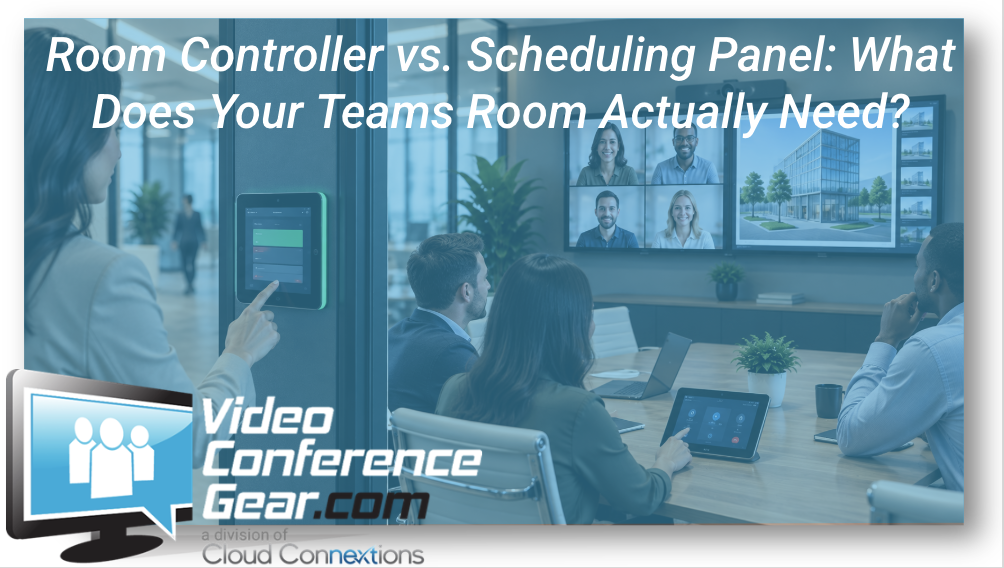
They May Look Similar, but They Solve Two Very Different Problems
Written by Ryan Pinke
When organizations begin planning Microsoft Teams Rooms, room controllers and scheduling panels sometimes get grouped together.
They are both touchscreens.
They may come from the same manufacturer.
They may even look similar.
But they serve very different purposes.
A room controller helps people operate the meeting once they are inside the room.
A scheduling panel helps people understand and manage the room before they walk in.
That distinction sounds simple, but it matters when you are designing a consistent meeting-room experience across an office or an entire organization.
For me, the better question is not:
“Do we need a controller or a scheduler?”
It is:
“What should happen from the moment someone looks for a room until the meeting is over?”
Once you define that experience, the hardware decisions become much easier.
The Room Controller Lives Inside the Meeting
A room controller is typically positioned inside the conference room.
It gives users a familiar place to interact with the Teams Room system.
Depending on the room and system, employees may use it to:
-
Join a scheduled meeting
-
Start a meeting
-
Add participants
-
Mute or unmute
-
Control volume
-
Manage camera functions
-
Share content
-
End the meeting
That makes the controller part of the actual meeting workflow.
And from a user-experience standpoint, I think that matters considerably.
Employees should not have to walk into a conference room and start searching for a remote control, wondering which button turns on the display, or asking how to join the call.
The room should tell them what to do.
You can explore Room Controllers & Schedulers when planning that interface.
The Scheduling Panel Solves the Problem Outside the Room
A scheduling panel serves a different purpose.
It is usually positioned outside the conference room and helps employees understand things like:
-
Is the room available?
-
Is it currently occupied?
-
What meeting is scheduled next?
-
Can I reserve the room?
-
How long is it available?
That may not sound as important as the camera or audio system inside the room.
Until you have employees walking around an office trying door handles to find an open conference room.
The meeting-room experience starts before the meeting.
If someone cannot easily locate and reserve the right space, the room technology inside is solving only part of the problem.
Ryan's Perspective: Don't Separate the Room From the Workplace Around It
One of the things I would avoid is treating the conference room like an isolated technology project.
The camera works.
The microphones work.
The display looks good.
The Teams Room joins correctly.
Great.
But how did the employee find that room?
How did they know it was available?
Was the calendar accurate?
Did someone occupy it without reserving it?
Did the previous meeting run over?
Does the experience work the same way in another office?
Those issues may not be AV problems, but they absolutely affect how people experience the meeting environment.
When you start thinking that way, the controller and scheduler stop looking like accessories.
They become parts of the same workflow.
Do You Need a Room Controller?
For a dedicated Microsoft Teams Room, I generally want users to have an obvious and predictable way to operate the room.
A controller can provide that.
The exact device and configuration will depend on the Teams Room solution being deployed, but the objective is consistent:
Make the meeting easy to operate without requiring the user's laptop to become the control system.
That's one of the reasons dedicated Microsoft Teams Room Solutions can create such a different experience from a basic laptop-driven conference room.
The room itself knows how to be a meeting room.
Does Every Room Need a Scheduling Panel?
Not necessarily.
This is where I would avoid turning standardization into automatic purchasing.
A heavily used conference room along a busy office corridor may benefit significantly from a scheduling panel.
A small focus room used informally by three employees may not.
I would look at:
-
How frequently the room is reserved
-
How many people share the space
-
Whether rooms are often difficult to find
-
Whether employees regularly walk around looking for availability
-
How many conference rooms exist in that location
-
Whether the company wants a consistent scheduling experience
A scheduling panel should solve a real workplace problem.
If nobody needs the information it provides, adding one because it appears on the standard equipment list is not automatically an improvement.
Where Scheduling Panels Become Much More Valuable
As the number of rooms increases, scheduling becomes more important.
Imagine an office with two conference rooms.
People probably know what is available.
Now imagine a headquarters with:
-
25 meeting rooms
-
Multiple floors
-
Different room sizes
-
Huddle rooms
-
Boardrooms
-
Training spaces
-
Shared work areas
Now room selection becomes part of the employee experience.
A scheduling panel can help someone make a quick decision without opening a laptop or walking into an occupied meeting.
At scale, those small friction points add up.
The Controller Should Feel Familiar Everywhere
This is one of the areas where I think standardization is especially valuable.
The hardware behind the room may change.
A small room may use a video bar.
A larger room may use separate cameras and installed audio.
But I would still want the person operating the meeting to feel like they understand the environment.
That means maintaining consistency where possible around:
-
Meeting join
-
Content sharing
-
Volume
-
Mute
-
Camera control
-
Basic navigation
The room controller is one of the most visible ways to create that familiarity.
Users should not need a cheat sheet because they walked into a larger conference room.
Placement Matters More Than It Seems
Even the right controller can become frustrating if it is positioned poorly.
I want to think about where the meeting usually begins.
Is the controller easy to reach from the natural meeting leader position?
Does someone have to stand up and walk around the table?
Is it permanently mounted?
Does the placement create clutter?
Could it easily be moved somewhere users cannot find it?
These are small details during design.
They become repeated annoyances once the room is used every day.
The same applies to scheduling panels.
They need to be visible at the point where someone is deciding whether to enter or reserve the room.
Technology should appear where the decision happens.
A Scheduler Does Not Replace the Controller
Because the devices can look similar, buyers sometimes assume one can simply perform the job of the other.
I would think about them as two separate moments.
Outside the room:
The scheduling panel answers:
“Can I use this room?”
Inside the room:
The controller answers:
“How do I run this meeting?”
When both problems exist, you may need both devices.
When only one exists, there may be no reason to buy both.
That is a much better way to think about the decision than comparing screen sizes and mounting options.
What About BYOD Rooms?
This conversation can look different in a BYOD or Cross-Platform Room.
If the user's laptop is driving the meeting, the laptop itself may handle many of the controls.
That can reduce the role of a dedicated room controller depending on the system architecture.
But the room may still benefit from a scheduling panel outside.
Again, separate the two workflows.
How does the employee find and reserve the room?
How do they operate the meeting once they are inside?
Those questions should be answered independently.
Video Bars Can Simplify the Controller Decision
Many Video Bar Solutions are designed as part of a simplified room architecture.
That can make the controller experience more straightforward because the system is being designed as one integrated room rather than a collection of unrelated components.
For small and medium spaces, that can be a real advantage.
Fewer decisions.
Fewer devices.
More repeatability.
But I would still evaluate whether the controller and room workflow make sense for the users rather than simply accepting whatever comes packaged with the system.
Don't Let a Beautiful Room Become Hard to Use
I have seen organizations spend heavily on cameras, displays, furniture, acoustic treatment, and room finishes, then give very little attention to the interface employees touch every day.
That is backwards.
A technically impressive room can still feel poorly designed if someone cannot figure out how to start the meeting.
The controller is often where the user forms their opinion about the entire room.
If the experience is obvious, the technology disappears.
That is what we want.
Scheduling Is Also a Utilization Question
There is another reason scheduling panels can become valuable across larger environments.
They can be part of a broader conversation about how rooms are actually being used.
Organizations may have spaces that are:
-
Constantly booked
-
Rarely used
-
Too large for the meetings taking place
-
Occupied without reservations
-
Difficult for employees to locate
The scheduling experience alone does not solve every utilization problem.
But once an organization begins managing many rooms, visibility into when and how those spaces are used becomes more valuable.
That is when room technology starts intersecting with workplace planning.
One Office and Fifty Offices Are Different Decisions
A five-room office can survive with informal habits.
Employees know where the rooms are.
They know which one is usually available.
Someone can walk ten steps and check.
Now expand that to dozens of locations.
Different office layouts.
Different scheduling practices.
Different controllers.
Different naming conventions.
Different user experiences.
That is where inconsistency starts creating unnecessary friction.
For larger organizations, I would think about developing standards around:
-
Room naming
-
Scheduling
-
Controller experience
-
Room categories
-
Meeting platforms
-
Support
-
Device management
-
Installation
-
Lifecycle
The goal is not to make every office identical.
It is to make the experience understandable wherever employees work.
Think Beyond the Device You Are Buying Today
Controllers and scheduling panels are easy to think of as individual hardware purchases.
I would look farther ahead.
If the organization is building 40 Teams Rooms, ask:
Will the same interface still make sense across the environment?
Can IT support it?
Does it fit the room standards?
How will replacements be handled?
Will new locations use the same approach?
What happens when the hardware eventually reaches end-of-life?
That is the difference between buying a touchscreen and building a room standard.
A Practical Standard Might Look Like This
You do not need scheduling panels everywhere to create consistency.
An organization might decide:
Small focus rooms: simple room experience, scheduling panel only where demand requires it.
Standard conference rooms: dedicated Teams Room controller and scheduling panel.
Large meeting rooms: consistent controller experience with architecture appropriate to the room.
Specialty spaces: designed around the specific workflow.
That gives employees consistency without forcing equipment into spaces where it provides little value.
The Bottom Line
A room controller and a scheduling panel may look similar, but they solve different problems.
The controller helps people operate the meeting.
The scheduler helps people find and manage the room.
Some spaces need both.
Some may only need one.
The decision should start with the employee workflow, not the product list.
I would ask:
How does someone find the room?
How do they know it is available?
How do they reserve it?
How do they start the meeting?
Does that experience feel familiar in every location?
If those questions have good answers, you are much closer to building meeting spaces people can use without thinking about the technology.
Trying to Decide What Your Rooms Need?
Tell us:
-
How many conference rooms you have
-
How employees reserve them today
-
Whether Teams Rooms are already installed
-
Room sizes and types
-
Whether users struggle to find available rooms
-
How meetings are controlled today
-
Whether you are standardizing one office or multiple locations
We can help determine where controllers, scheduling panels, or both make sense before you start buying hardware.
Explore:
For larger deployments, Cloud Connextions can also help develop room standards, plan the user experience, design and install the rooms, handle structured cabling, and support multi-location rollouts.
The best room technology is the technology employees understand before anyone has to explain it.