
Small, Medium, or Large Teams Room: What Actually Changes?
Posted by Ryan Pinke: Video Conference Gear on 9/14/2026
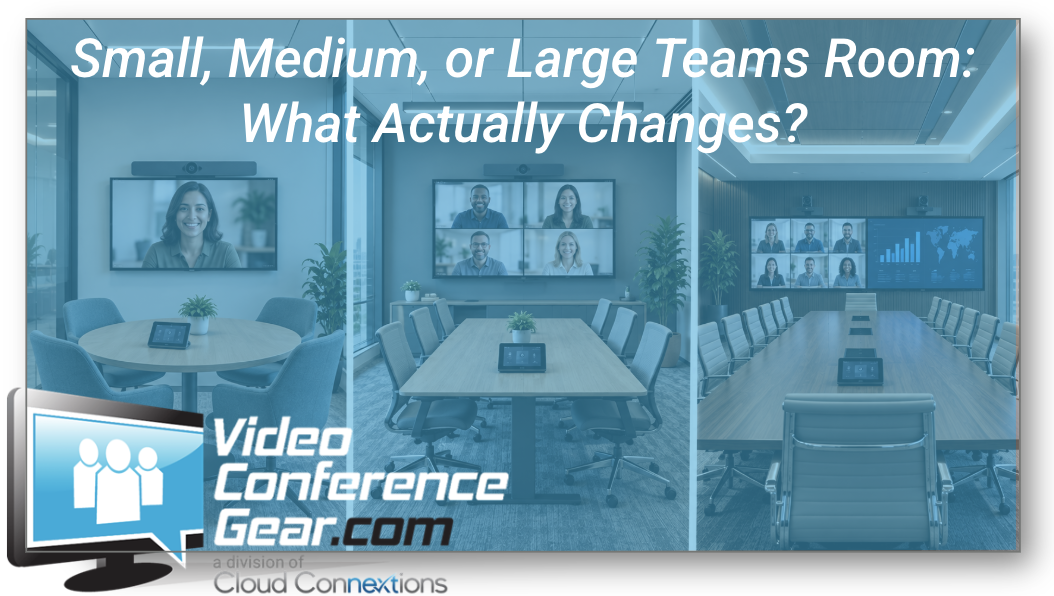
Room Size Changes More Than the Equipment List
Written by Ryan Pinke
Organizations often start planning Microsoft Teams Rooms by sorting spaces into three categories:
Small. Medium. Large.
That sounds simple enough.
But room size affects much more than which hardware bundle you buy.
As the room grows, so do the expectations around:
- Camera coverage
- Audio pickup
- Speaker coverage
- Display visibility
- Content sharing
- Control
- Cabling
- Support
- Installation
- Future flexibility
The bigger mistake is assuming the only thing that changes is the size of the camera or display.
It is really the entire room experience that needs to scale.
Standardize the Experience, Not the Hardware
This is the first principle I would establish if an organization is building more than a few Teams Rooms.
Users should not need to relearn the room every time they walk into a different space.
The experience should feel familiar.
They should know:
- How to join
- How to share content
- How to mute
- How to control the camera
- How to end the meeting
- Where to go for help
That does not mean every room needs the same equipment.
A four-person huddle room and a 20-person boardroom should not be engineered identically just because both use Microsoft Teams.
The standard should be the experience.
The hardware should fit the room.
Small Teams Rooms: Simplicity Usually Wins
Small rooms tend to be the easiest environments to standardize.
These may include:
- Huddle rooms
- Small conference rooms
- Focus spaces
- Rooms designed for two to six participants
In a space like this, an all-in-one Video Bar Solution can often handle most of the room.
That may include:
- Camera
- Microphones
- Speakers
- Native room functionality
- Content sharing
The appeal is obvious.
Fewer components.
Cleaner installation.
Simpler support.
More repeatable deployment.
For organizations with dozens of small rooms, that consistency can have real operational value.
Small Does Not Mean “Anything Will Work”
This is where I would still be careful.
A small room can have:
- A very wide table
- A shallow layout
- Difficult lighting
- Glass walls
- Poor acoustics
- Users sitting unusually close to the display
So even in a huddle room, the design should still match the space.
A camera with an appropriate field of view matters.
The display still needs to be mounted correctly.
The room controller still needs to be convenient.
The goal is simplicity without treating the room as generic.
Medium Rooms Are Where Design Starts Getting More Interesting
Medium conference rooms are often where organizations start discovering the limits of a one-size-fits-all standard.
These rooms may have:
- Longer tables
- More participants
- Greater camera distance
- More demanding audio requirements
- Larger displays
- More varied seating
This is the point where I start paying much closer attention to how the room actually performs.
A video bar may still be an excellent fit.
But I would want to know:
Can it comfortably cover the entire room?
Not barely.
Comfortably.
That distinction matters.
Ryan's Perspective: Don't Build Your Standard Around Maximum Specifications
This is one of the easiest ways to create a standard that looks efficient on paper but becomes frustrating in real use.
If a product is technically rated for the upper end of your medium-room size, that does not necessarily mean I would design every medium room around that maximum.
Rooms change.
Tables change.
Seating increases.
Furniture gets rearranged.
The better standard leaves some room for reality.
If every system is operating at the edge of its intended coverage, support issues tend to show up later.
I would rather have fewer room standards that work comfortably than one universal standard that is constantly being stretched.
Camera Coverage Changes With Distance
As rooms grow, camera requirements change quickly.
In a small room, the camera may be relatively close to everyone.
In a larger room, the farthest participant may be significantly farther from the front wall.
Now we need to think about:
- Field of view
- Framing
- Participant distance
- Zoom capability
- Tracking
- Camera position
You can explore Video Conferencing Cameras when the room requires something beyond the camera integrated into a video bar.
The key is not simply seeing everyone.
It is making sure remote participants can actually engage with the people in the room.
Audio Usually Becomes More Important as the Room Grows
People notice bad video.
They struggle to work through bad audio.
As tables get longer and more people enter the room, microphone coverage can become one of the biggest design considerations.
In a larger space, I may be looking at:
- Tabletop microphones
- Ceiling microphones
- Audio arrays
- Distributed speakers
- Multiple pickup zones
You can explore Conference Room Audio for tabletop, overhead, array, wireless, and USB audio options.
There is not one universally correct architecture.
The room should tell us what it needs.
Large Rooms Are Usually a Different Architecture
Once we move into larger conference rooms, boardrooms, training spaces, or more complex environments, the design often becomes modular.
That may involve separate:
- Cameras
- Microphones
- Speakers
- Room compute
- Controllers
- Displays
- Signal distribution
- Supporting infrastructure
The reason is not that modular technology is automatically better.
It is that larger rooms usually create more specialized requirements.
You may need one camera for participant framing.
Another for a presenter or whiteboard.
Ceiling audio.
Multiple displays.
More sophisticated content-sharing.
Different control requirements.
At that point, trying to make one all-in-one product do everything can become the less simple option.
Displays Scale With the Room Too
Display decisions tend to get less attention than camera and audio, but they are just as important to the user.
As the room grows, ask:
- Can everyone see shared content?
- Can everyone comfortably see remote participants?
- Is one display enough?
- Would two displays improve the experience?
- How far away is the last seat?
- Is the current mounting height appropriate?
You can explore Collaboration Room Displays when display replacement is part of the room design.
A large room with an undersized display can feel poorly designed even if everything else works perfectly.
One Display or Two?
There is no rule that says a larger Teams Room automatically needs dual displays.
But the larger and more collaborative the space becomes, the more valuable additional screen real estate can become.
One display may need to show:
- Remote participants
- Shared content
- Meeting controls
- Other collaboration information
Two displays can create more flexibility.
But they also add:
- Cost
- Wall space
- Installation complexity
- Cabling
Again, the goal should be usefulness.
Not hardware count.
Controllers Should Feel Familiar Across Every Room
This is one place where consistency matters a lot.
The user may not care whether the small room has an all-in-one bar and the large room has a modular camera and ceiling audio system.
They do care whether the controls suddenly feel completely different.
That is why the Room Controller experience deserves attention.
If possible, I want users to feel like they understand the room before the meeting starts.
That reduces training.
It reduces support calls.
And it makes the technology fade into the background.
That is usually a sign of a good room.
Scheduling Is Part of the Experience Too
Room scheduling often becomes more important as organizations build larger fleets of collaboration spaces.
If employees have to wander hallways looking for an available room, the technology inside those rooms is only solving part of the problem.
Scheduling panels can help provide:
- Room availability
- Reservation workflows
- Consistency across locations
- Better visibility into room use
Again, that is not necessarily required in every space.
But it should be considered as part of the overall meeting-room experience.
What Changes Behind the Wall?
As room complexity grows, infrastructure matters more.
A small room may be fairly straightforward.
A larger modular room may require:
- More network connections
- Additional power
- HDMI distribution
- USB extension
- Ceiling audio cabling
- Control cabling
- Display connectivity
- More deliberate equipment placement
This is where teams sometimes underestimate the difference between buying hardware and building a room.
Structured cabling and infrastructure should be part of the room standard, not discovered halfway through installation.
Small, Medium, and Large Should Not Be Based on Square Footage Alone
This is an important distinction.
Two rooms with the same dimensions can require different architectures.
One may have:
- A short table
- Six participants
- Straightforward acoustics
- One display
Another may have:
- Ten participants
- A longer table
- Glass walls
- Difficult acoustics
- Dual-display requirements
Technically, they may be the same size.
Operationally, they are different rooms.
That is why I prefer thinking in terms of room function and coverage requirements, not just square footage.
A Better Way to Define Room Standards
If an organization is developing Teams Room standards, I would probably group spaces based on more than size.
For example:
Small Standard
Designed around:
- Limited seating
- Short participant distance
- Simple audio
- Single display
- Repeatable deployment
Medium Standard
Designed around:
- Greater participant distance
- More camera and audio scrutiny
- Larger display needs
- More flexible architecture
Large Standard
Designed around:
- Modular camera and audio
- Greater control
- Multiple displays where appropriate
- More infrastructure
- More specialized installation
Those standards can evolve as the organization learns from real use.
That is the part I think often gets overlooked.
A standard should not be treated as permanent simply because it was approved three years ago.
Pilot Before You Scale
If you are planning a significant number of rooms, I would test the experience before rolling it out broadly.
Build one.
Use it.
Put real employees in it.
See where they struggle.
Have IT support it.
Listen to the audio.
Look at the camera framing.
Test outside-platform meetings.
Check content sharing.
Then decide whether that becomes the standard.
A successful pilot is not simply:
“The equipment turned on.”
The real question is:
“Would we want 50 rooms to work exactly like this?”
That is a much better standard.
When Standardization Becomes an Operating Decision
With one room, you are choosing hardware.
With 50 rooms, you are building an environment your organization will have to support for years.
Now I care about:
- Repeatability
- Support
- Device management
- Replacement cycles
- Spare equipment
- Training
- Installation standards
- Cabling
- Lifecycle
- User consistency
That is why larger deployments should not be treated as 50 separate purchasing decisions.
They should be treated as a room strategy.
Trying to Size a Teams Room?
If you are not sure whether your space belongs in a small, medium, or large architecture, do not start by guessing from square footage.
Send us:
- Room dimensions
- Table dimensions
- Seating capacity
- Distance from the camera to the farthest participant
- Existing camera and audio
- Display size
- Primary meeting platform
- Anything users dislike about the room today
We can help narrow the room architecture before you start comparing individual products.
You can also explore:
Planning Several Rooms?
That is where I would step back from the individual products and define the standards first.
Cloud Connextions can help with:
- Small, medium, and large room standards
- Existing room assessments
- Camera and audio design
- Hardware selection
- Structured cabling
- Installation
- Multi-location deployment
- Lifecycle planning
- Managed services
- Ongoing support
The goal is not to make every room identical.
The goal is to make every room feel predictable to the user while still giving each space the technology it actually needs.