
Video Bar or Modular Teams Room? How to Choose the Right Architecture
Posted by Doug Beck: Video Conference Gear on 9/13/2026
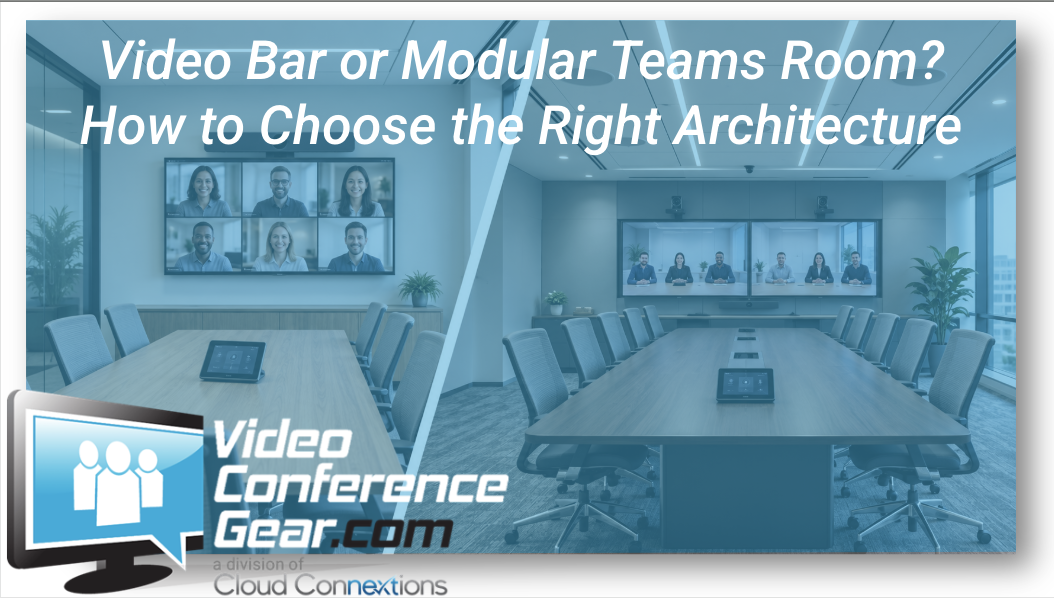
The Right Microsoft Teams Room Starts With the Room, Not the Hardware
Written by Doug Beck
Once an organization decides to build a Microsoft Teams Room, another question usually comes right behind it:
Should we use an all-in-one video bar or build the room with separate components?
I would not answer that question based on which option has the shortest equipment list.
And I definitely would not answer it based only on room capacity.
I want to know what the room actually looks like.
How long is the table?
How far away is the last participant?
Where are people sitting?
How is the room used?
What are the acoustics like?
What already exists?
A video bar can be an excellent solution in the right room.
A modular Teams Room can be worth the additional complexity when the room demands it.
The mistake is assuming one architecture belongs everywhere.
What Do We Mean by Video Bar?
A Video Bar Solution combines several room functions into one device.
Depending on the system, that can include:
- Camera
- Microphones
- Speakers
- Video processing
- Native room functionality
For the right application, I really like that simplicity.
With fewer separate components to mount, connect, configure, and support.
In a small or medium conference room with a typical table layout and reasonable acoustics, that can create a very clean room.
Walk in.
Start the meeting.
Everybody can be seen.
Everybody can be heard.
That is exactly what we want.
Where I Start Getting Careful With Video Bars
The problem comes when an organization likes that simplicity so much that the video bar becomes the answer before anyone looks at the room.
A product may technically be rated for a certain room size.
That does not automatically mean I would design the room around the edge of that specification.
If I have a long conference table and participants sitting a significant distance from the front wall, I am going to look closely at both camera and microphone performance.
If the room has difficult acoustics, an unusual seating layout, or people frequently moving around the space, that changes the conversation too.
My concern is not:
“Can we make the video bar work?”
It is:
“Will this still be a good room experience when twelve people are sitting in here trying to have an important meeting?”
Those are different standards.
Doug's Rule: Don't Design at the Edge of the Product's Capability
This is probably the biggest thing I would tell someone trying to choose between the two approaches.
I like some margin.
If the room barely fits the coverage assumptions of an all-in-one system on paper, I would think carefully before making that product the standard.
Conference rooms change.
Furniture moves.
People add chairs.
Someone decides the room should hold 14 people instead of 10.
The person at the far end still needs to be heard.
The camera still needs to provide useful framing.
I would rather design a room that comfortably handles the application than one that only works under perfect conditions.
When a Video Bar Usually Makes Sense
I tend to look hardest at video bars when I have:
- Small or medium rooms
- Typical rectangular tables
- Predictable seating
- Straightforward audio requirements
- Reasonable participant distance
- A desire for simpler deployment
- A need for repeatable room designs
They can be particularly attractive when an organization has a number of similar spaces.
If I can create a solid small-room standard using a video bar and repeat it across several offices, that can simplify purchasing, deployment, training, and support.
That is a legitimate advantage.
But the rooms still need to be similar enough for the standard to make sense.
When I Start Leaning Modular
A modular room separates some of the major components.
Instead of relying on one device to handle everything, the room may use dedicated:
- Cameras
- Conference Room Audio
- Room compute
- Speakers
- Microphones
- Controllers
- Displays
That adds components.
It can also give us much more control over the design.
I start leaning this way when I see things like:
- Long conference tables
- Larger rooms
- Participants sitting farther from the display
- Difficult acoustics
- Ceiling microphones
- Distributed speakers
- More demanding camera coverage
- Multiple displays
- Boardroom layouts
- Training or multipurpose spaces
- Existing installed AV worth preserving
At that point, the ability to choose the right camera and audio system independently may matter much more than keeping the equipment list short.
The Camera Is Often Where the Difference Becomes Obvious
Think about the participant at the far end of the table.
Can the camera provide a useful image of that person?
Not just see that someone is sitting there.
Actually provide a useful conferencing image.
That is where distance, framing, optical performance, field of view, and room layout become important.
A wide-angle camera may be exactly what I want in a shallow huddle room.
That same approach may not be what I want in a long boardroom.
This is why the “best camera” question rarely has one answer.
The room decides.
Audio Can Push a Room Toward Modular Faster Than Video
People often focus heavily on camera quality because video is easy to compare.
Audio can be less forgiving.
If someone cannot be heard clearly, the meeting breaks down quickly.
I would pay close attention to:
- Distance from microphones
- Table length
- Room acoustics
- Ceiling height
- Reflective surfaces
- Number of participants
- Whether people move around
- Whether tabletop equipment is acceptable
A video bar may provide excellent audio in the room it was designed to serve.
Once we stretch beyond that application, adding a separate audio architecture may be the better decision.
And once we are installing separate microphones and speakers anyway, the argument for keeping everything else inside one bar may become less important.
Don't Replace Good Installed Audio Just to Get a Simpler Diagram
This comes up during room refreshes.
An organization may already have a well-designed ceiling microphone and speaker system.
If it works well, I want to know whether we can use it.
I would not automatically remove good installed audio simply because an all-in-one Teams Room package looks cleaner on paper.
Sometimes the better room is:
New Teams Room compute.
New camera.
Existing audio.
Existing displays.
That may not create the shortest bill of materials, but it can create the better investment.
One Video Bar Everywhere Is Not Really Standardization
This is another misconception I would avoid.
Standardizing your Teams Rooms does not necessarily mean installing the same hardware in every space.
You might have:
Small rooms: all-in-one video bar.
Medium rooms: larger video bar or modular architecture depending on dimensions.
Large rooms: modular camera and audio.
From the employee's perspective, those rooms can still feel consistent.
They walk in.
They see the familiar Teams interface.
The controller behaves predictably.
Joining and sharing work the same way.
The equipment behind the experience can change.
That is good standardization.
What About BYOD?
This is also worth considering before finalizing the architecture.
Even if Teams is your primary platform, do users regularly receive meetings from customers or partners on other platforms?
Do they expect to plug in a laptop occasionally?
If so, make sure the room architecture supports the workflow you actually need.
You can explore BYOD & Cross-Platform Solutions if laptop-based conferencing remains a meaningful part of how the room is used.
I would rather address that requirement during design than have employees creating their own workaround later.
Look at the Display Before You Decide the Room Is Finished
A Teams Room is not just camera and audio.
The display can completely change the experience.
I want to know:
- How far away is the farthest participant?
- What kind of content gets shared?
- Do remote participants need significant screen space?
- Does one display make sense?
- Would two be more useful?
- Is the current display worth keeping?
You can explore Collaboration Room Displays when the room refresh includes the visual side of the experience.
There's no benefit to building a great camera and audio system if half the room cannot comfortably see what is being presented.
Before You Choose, Give Us the Room
If you are stuck between a video bar and a modular Teams Room, this is exactly the kind of decision where a few room details can save a lot of guessing.
Send us:
- Room dimensions
- Table dimensions
- Seating capacity
- Distance from the front display to the farthest participant
- Existing camera or audio equipment
- Primary meeting platform
- Anything users dislike about the room today
With that information, we can start eliminating architectures that do not fit.
You can also explore our broader Microsoft Teams Room Solutions and Complete Room Solutions.
Want to See or Hear the Difference Before You Decide?
Some differences are much easier to understand in a real conference room than on a product page.
If we have the product or a comparable solution operating in one of our room environments, we may be able to show you:
- Camera framing
- Field of view
- Participant distance
- Microphone performance
- Audio differences
- Controller workflow
- Video bar versus component-based approaches
If the exact product is not available, our team can often walk through a comparable setup and explain where the practical differences start to matter.
Use the chat on our site and tell us what you are comparing.
When the Project Becomes Bigger Than One Room
For one room, this may simply be a hardware decision.
For 20 rooms, I would start looking at the environment differently.
Now the questions become:
Which spaces can share the same architecture?
Which rooms require something different?
What equipment can be reused?
What should become the small-room standard?
What belongs in medium rooms?
Which rooms need modular design?
What structured cabling is required?
Who installs and supports all of it?
That is where Cloud Connextions can help move beyond the individual product purchase into room standards, design, structured cabling, installation, multi-location deployment, lifecycle planning, and ongoing support.
The Bottom Line
I like video bars.
I also like modular rooms.
Neither is automatically the better Microsoft Teams Room architecture.
If the room is appropriately sized, the seating is predictable, and an all-in-one system comfortably handles the camera and audio requirements, a video bar can be a very clean solution.
When the room starts asking one device to do too much, I would stop trying to preserve simplicity and build the system the space actually needs.
The goal is not the fewest components.
The goal is the simplest room that reliably delivers the experience your users need.
Trying to Decide Between a Video Bar and Modular Room?
Don't start by comparing ten different kits.
Send us the room dimensions, seating layout, existing equipment, and what you need the space to do.
We'll help you narrow down whether an all-in-one Video Bar, a modular Microsoft Teams Room, or another Room Solution makes the most sense before you buy.
Already know which direction you are going?
Start with: