
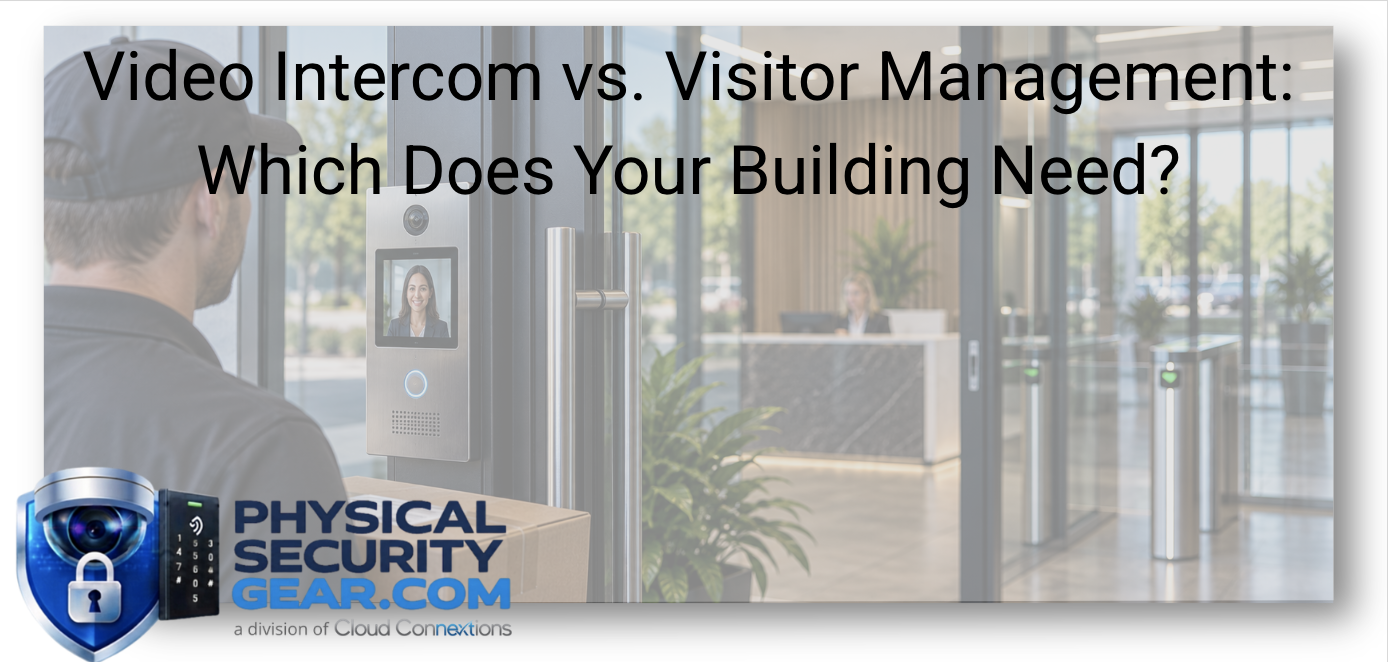
Video Intercom vs. Visitor Management: Which Does Your Building Need?
Posted by Ryan Pinke: Physical Security Gear on 9/19/2026
Start With the Visitor Experience You Want to Create
Written by Ryan Pinke
A visitor arrives at your building.
What happens next?
Can they walk straight into the lobby?
Do they stop at a locked entrance?
Does someone need to verify who they are?
Are they expected?
Does a host know they have arrived?
Do they need temporary access beyond reception?
And what happens when they leave?
Those questions matter more to me than starting with:
“Do we need a video intercom or visitor management?”
The technology should support the entry process the organization wants to create.
A video intercom and a visitor-management system solve different parts of that process.
Sometimes one is enough.
Sometimes both make sense.
The first step is defining what should happen from the moment someone arrives until the moment their access ends.
Start With Policy Before Product
I would not choose the technology solution until I understand how the organization wants visitors handled.
That means answering questions like:
- Is the exterior entrance normally locked?
- Is reception always staffed?
- Are most visitors expected?
- Do contractors follow a different process?
- Do visitors need access beyond the lobby?
- Are deliveries handled separately?
- What happens after business hours?
- Who is responsible for approving entry?
- Who owns the visitor once they are inside?
- When should temporary access end?
Those answers reveal whether the real problem is the verification at the door, management of the visit, or both.
Video Intercom Solves the Moment at the Door
A video intercom is primarily about deciding whether someone should be allowed through a secured entrance.
The visitor arrives.
They initiate contact.
Someone inside the organization can see them, speak with them, determine why they are there, and decide whether their entry should be granted, or not.
The core question is:
“Who is standing at the door right now, and should we let them in?”
That can be especially valuable when:
- The entrance stays locked
- Reception is not always staffed
- Employees currently walk to the door to admit people
- Vendors arrive at secondary entrances
- Contractors arrive after hours
- Loading docks or gated areas require communication
- The organization wants another layer before someone reaches the lobby
You can explore our Workplace Safety solutions including Intercom & Announcements, Guest & Check-In, Employee Safety, and Mailroom applications.
Visitor Management Solves a Different Problem
Visitor management is broader.
It is not only concerned with the person standing outside.
It is concerned with the entire visit.
That may include:
- Registration
- Host approval
- Check-in
- Check-out
- Visitor identification
- Temporary access
- Policies
- Contractor workflows
- Record keeping
- Multi-location visitor processes
The question becomes:
“Who is visiting, who approved the visit, what should they be allowed to do, and when does that permission end?”
That is a very different responsibility from simply unlocking the front door.
Ryan's Perspective: Separate Entry Approval From Visit Management
I think this distinction is important because organizations often combine several responsibilities into one vague “visitor process.”
But there are really multiple decisions happening.
First:
Should this person enter the building at all?
Then:
What should happen once they are inside?
Then, in some environments:
Where should they be allowed to go?
Then:
When should that access end?
Those decisions may involve different systems and different people.
A video intercom may handle the first.
Visitor management may handle the second.
Access control may help enforce the third and fourth.
Once you separate those responsibilities, the architecture becomes much clearer.
What If You Already Have a Receptionist?
A staffed front desk does not automatically eliminate the need for an intercom or visitor-management platform.
I would look at what happens before the visitor reaches reception.
If anyone can simply enter the lobby, then reception is the first real security boundary.
That may be perfectly acceptable for the organization.
Or it may not be.
If the organization wants more control at the exterior entrance, a video intercom can create another decision point before someone enters.
Visitor management can then handle what happens once the person reaches reception.
Those systems aren't duplicating each other.
They are solving two different steps.
What If Reception Isn't Always Staffed?
This is where the workflow can break down quickly.
Many buildings do not have someone sitting at the entrance every minute of the day.
When reception is unattended, what happens?
Do visitors wait outside?
Do employees leave meetings to walk to the door?
Does someone prop the entrance open?
Do vendors wander until they find an employee?
Do deliveries end up in whichever location is convenient?
Those workarounds are usually a sign that the process does not fit the building.
A connected intercom may allow someone elsewhere in the building, or even at another location depending on the platform, to communicate with the visitor.
Visitor-management tools can help notify the host and formalize the check-in process.
The goal should be a process people actually use.
Don't Make the Secure Process Harder Than the Workaround
This is one thing I would pay close attention to.
If the official visitor process takes ten minutes but an employee can simply open a side door and wave someone through, eventually the side door becomes the real process.
Technology alone does not fix that.
The secure workflow needs to be practical.
Employees should not feel like they have to defeat the system to get a contractor inside.
Visitors should not be standing outside trying to figure out which phone number to call.
A good system should reduce ambiguity.
Access Control Starts Where Visitor Management Stops
Once a visitor has been approved, another question appears:
Where should they actually be allowed to go?
That is where Access Control becomes part of the conversation.
An access-control system may manage:
- Exterior doors
- Interior restricted areas
- Temporary credentials
- Access schedules
- Specific floors
- Different permission levels
For example, a contractor may need access to:
- One entrance
- One mechanical room
- Only between 8:00 AM and 2:00 PM
- Only for three days
That is very different from giving the person an employee credential or leaving a door unlocked.
The technology allows access to match the actual need.
Temporary Access Should Actually Be Temporary
This is one of those operational details that becomes much more important as an organization grows.
A contractor receives access.
When does it expire?
A visitor gets a credential.
Who makes sure it stops working?
A vendor returns next month.
Does someone reuse an old credential?
I would want temporary access to be intentional.
That means defining:
- Who approved it
- Which locations are included
- When access begins
- When it ends
- Who can extend it
- How quickly it can be revoked
A sophisticated access-control system does not help much if temporary permissions quietly become permanent.
Video Adds Context, Not Just More Coverage
Video can also strengthen the entry process.
Around visitor and reception areas, video may help answer:
- Who approached the building?
- Who actually entered?
- Did someone follow behind them?
- What happened during a disputed interaction?
- Was a delivery made?
- Which entrance did someone use?
You can explore Video Security solutions when visual context adds value to the workflow.
The point is not to put a camera at every visitor touchpoint.
The point is to use video where seeing the event improves the organization's ability to verify or investigate what happened.
The Visitor Workflow May Be Different for Every User Type
Another reason I would not build one generic visitor process is that a job candidate, contractor, delivery driver, and customer may all require different treatment.
Consider:
Customer
May be expected, hosted, and remain primarily in public areas.
Contractor
May need temporary access to restricted parts of the facility.
Vendor
May arrive repeatedly but only need limited access.
Candidate
May need a simple check-in and host notification.
Delivery Driver
May not need building access at all.
Those are different workflows.
Trying to force every visitor through the same process often creates unnecessary friction.
Deliveries Are a Good Example
Deliveries often expose whether the entry process has actually been thought through.
Does the driver need to enter?
Or could the organization use:
- Video intercom
- A designated delivery area
- Mailroom management
- Notifications
- Video coverage
- Controlled access only when necessary
Our Workplace Safety solutions also include Mailroom applications that can support package and delivery workflows.
Sometimes the safest and simplest answer is not giving the visitor more access.
It is designing the process so they do not need it.
After Hours Is Where Weak Workflows Usually Show Up
A visitor process can look perfectly good at 10:00 AM when reception is staffed.
What happens at 7:30 PM?
The door may now be locked.
Reception is gone.
A maintenance contractor arrives.
An employee is still working upstairs.
Who responds?
How is the contractor verified?
Should they have temporary access?
How does that access expire?
This is why I would test the visitor process against the least convenient scenario, not just the normal one.
If the workflow only works when the right person happens to be sitting at the front desk, it is probably not complete.
One Location Can Be Informal. Fifty Locations Usually Cannot.
A small organization may have one receptionist who recognizes nearly everyone.
That can work.
Now imagine 30 or 50 buildings.
Different reception coverage.
Different contractor processes.
Different badges.
Different visitor logs.
Different rules for after-hours access.
At that scale, inconsistencies become difficult to manage.
This is where I start thinking about:
- Common visitor policies
- Central administration
- Consistent approval workflows
- Location-specific permissions
- Temporary access standards
- Reporting
- Host notifications
- Access expiration
- Support
Standardization does not mean every building needs identical hardware.
It means the organization has a predictable way to handle the same type of visitor wherever they arrive.
Standardize the Visitor Policy Before the Technology
This is the same principle I would use in other security areas.
Before choosing one intercom or one visitor-management platform across every location, define the policy.
Who needs verification?
Who may enter without approval?
How are contractors handled?
What happens after hours?
What documentation matters?
Who can issue temporary access?
How long can it last?
What happens if someone does not check out?
Once those decisions are clear, evaluating technology becomes much easier.
Otherwise, the organization may simply be automating an inconsistent process.
Do You Actually Need Both?
For some organizations, yes.
Imagine a secured corporate office.
A visitor arrives.
Step 1: Intercom
The visitor communicates with the organization before the door is opened.
Step 2: Entry
The visitor is approved and admitted.
Step 3: Visitor Management
The visitor checks in and the host is notified.
Step 4: Access Control
Temporary access is issued if the visitor needs to move beyond the lobby.
Step 5: Expiration
That access ends automatically when the visit is over.
Each technology has a clear responsibility.
The goal is not to stack products.
It is to create one coherent entry experience.
What I Would Want to Understand Before Making the Decision
If an organization asked whether it needed video intercom, visitor management, or both, I would start with these questions:
Is the entrance locked?
If yes, how do visitors currently request entry?
Is reception consistently staffed?
If no, who handles arrivals when it is unattended?
Are most visitors expected?
This affects how much pre-registration matters.
Do visitors need access beyond reception?
If yes, access control becomes much more important.
How common are contractors and vendors?
Temporary access may be a significant part of the workflow.
What happens after hours?
This is often where the real need becomes visible.
Are multiple locations involved?
A local process and an enterprise standard are different decisions.
What are employees doing today that they should not have to do?
Walking to the door? Sharing credentials? Propping doors open?
That last question can reveal a lot.
The Bottom Line
Video intercom and visitor management solve related but different problems.
A video intercom helps manage the decision at the entrance.
A visitor-management system helps manage the visit.
Access control can determine where that person is allowed to go.
Video can provide useful context around the event.
For some organizations, one system may solve the problem.
For others, the stronger approach connects several pieces.
I would not start with:
“Which product do we need?”
I would start with:
“What should happen from the moment someone arrives until the moment their access ends?”
Once that process is clear, the technology decision becomes much easier.
Where Does Your Visitor Process Break Down?
If visitors, vendors, contractors, or deliveries are creating friction or security gaps, tell us how the process works today.
Helpful details include:
- Whether the entrance is locked
- Whether reception is always staffed
- Who normally arrives at the building
- Whether visitors need temporary access
- What happens after hours
- Whether multiple locations are involved
- What employees are currently doing to work around the process
We can help identify whether the real need is intercom, visitor management, access control, video, or a combination before you start buying technology.
Depending on the workflow, you can also explore:
The product should follow the visitor process, not define it.
Continue Your Research
- Ultimate Guide to Visitor Management
- What Do You Actually Need for a Commercial Access Control System?
- Key Cards, Fobs, or Mobile Credentials: Which Is Right for Your Business?
- How Should You Secure Deliveries, Loading Areas, and Employee Entrances?
- What Happens After Someone Tries to Enter After Hours?
- Why Cybersecurity Matters in Physical Security