
What Happens After Someone Tries to Enter After Hours?
Posted by Ryan Pinke: Physical Security Gear on 9/17/2026
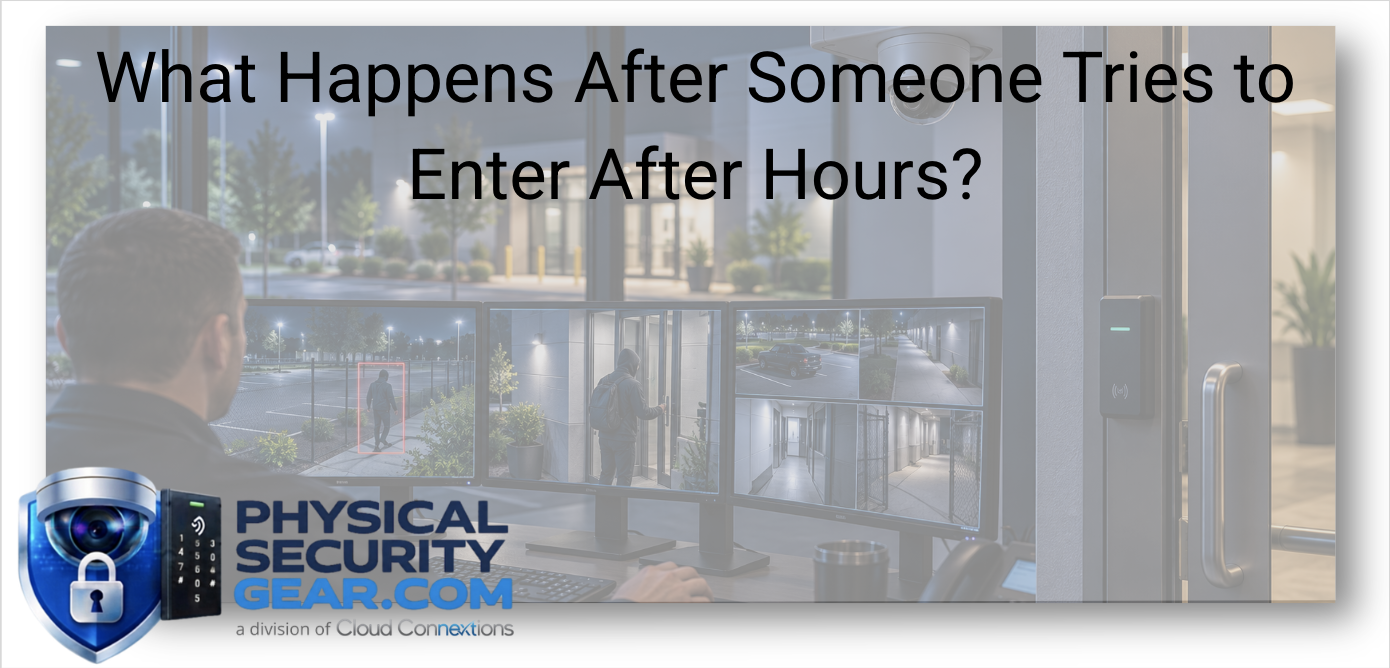
The Real Value of Physical Security Is What Your Organization Can Do After an Event Is Detected
Written by Ryan Pinke
Someone tries to enter your building at 2:00 AM.
What happens next?
That question sounds simple, but it exposes a lot about how well a physical-security environment is actually designed.
Does someone receive an alarm?
Can they see which door was involved?
Do they know whether an authorized credential was used?
Can they immediately pull up video?
Does the event go to Security, Facilities, a site manager, or somebody else?
And perhaps most importantly:
Does that person know what they are expected to do?
I think organizations spend a lot of time evaluating cameras, access control, sensors, alarms, and analytics individually.
The bigger opportunity is making sure those systems work together to provide the information needed to make a good decision when something actually happens.
Detection matters.
Response is where the system proves its value.
Start With the Business Event, Not the Device
Imagine someone approaches a restricted employee entrance after hours.
There are several pieces of information I may want.
Was activity detected before the person reached the building?
That may come from intrusion or perimeter detection.
Was the door opened?
A door contact or access-control system may tell us.
Was a valid credential presented?
Access control can provide that context.
Who was actually there?
That is where video becomes important.
Is this normal activity or something that requires escalation?
Now we are no longer talking about one security device.
We are talking about a response workflow.
That is the distinction I think organizations should understand before investing heavily in additional technology.
The First Decision Is How Early You Want to Know
Different organizations have very different definitions of an after-hours security event.
For a professional office, the priority may simply be knowing when a locked door or window is opened.
A warehouse may care about activity around loading docks or outdoor inventory.
A large commercial campus may want awareness before someone ever reaches a building.
That means detection could begin with:
- Door and window contacts
- Interior motion
- Advanced intrusion devices
- Exterior sensors
- Perimeter detection
- Other connected alarm technologies
You can explore commercial Alarm and Intrusion solutions, including Basic Intrusion, Advanced Intrusion, and Perimeter Detection.
The important decision is not whether the organization can deploy all of those layers.
It is determining where the risk becomes meaningful enough that someone needs to know about it.
Not Every After-Hours Entry Is an Intrusion
This is where access control becomes valuable.
People legitimately enter buildings outside normal business hours all the time.
A manager may come in early.
A maintenance technician may be scheduled overnight.
A contractor may have approved temporary access.
A healthcare, manufacturing, hospitality, or logistics environment may operate well beyond a traditional workday.
So an alert that says:
“Rear door opened at 2:00 AM”
does not give me enough information.
I also want to know:
Was that access authorized?
A connected Access Control system can provide context such as:
- Which credential was presented
- Which user it belongs to
- Whether the credential was authorized
- Which door was accessed
- When the event occurred
- Whether the door opened without a valid access event
Now the organization has something much more useful than a generic door alarm.
Ryan's Perspective: Context Should Reduce Decisions, Not Create More of Them
One thing I would want from a modern security environment is the ability to reduce the number of questions a person has to answer during an event.
If someone receives an alert and then has to log into one system for access control, another for cameras, another for alarms, and call a site manager to determine whether someone was supposed to be there, we have created a lot of friction at exactly the wrong time.
The better experience is:
Here is the event.
Here is the location.
Here is the access context.
Here is the video.
Here is who needs to respond.
That does not mean every organization needs one giant platform.
It means the systems and operating process should be designed around how the organization needs to make decisions.
Video Answers the Question the Alarm Cannot
An alarm may tell us that something happened.
Video can help tell us what actually happened.
That distinction is important.
The person at the employee entrance may be:
- An employee
- A contractor
- A delivery driver
- An unauthorized visitor
- Someone following an authorized employee through the door
- Someone attempting forced entry
Those scenarios may produce very different responses.
Well-positioned cameras around:
- Employee entrances
- Main entrances
- Loading docks
- Parking areas
- Restricted interiors
- Vehicle entrances
- Exterior areas
can provide context that changes how an event is understood.
You can explore commercial Video Security solutions when video verification is part of the response plan.
I would not add video simply because an alarm exists.
I would add it where seeing the event materially changes the decision that follows.
Camera Placement Matters More During an Incident Than During a Demo
It is easy to look at a camera feed during installation and say:
“We can see the door.”
That is not the same thing as having useful investigative video.
If an incident occurs, can you:
- Identify the person?
- See whether someone followed them inside?
- Understand what happened immediately before the event?
- Capture a vehicle if one was involved?
- See the direction of travel afterward?
That is why the job of the camera matters.
A camera providing general awareness around a parking lot has a different responsibility than a camera intended to identify someone at a controlled entrance.
The objective is not just to have video attached to the event.
It is to have the right video attached to the event.
Who Owns the Alert?
This is one of the questions I think gets addressed too late.
If an alarm occurs at 2:00 AM, who owns it?
Security?
Facilities?
The local site manager?
Corporate operations?
A monitoring provider?
Someone in IT?
The answer might be different depending on the location and type of event.
That is fine.
What I do not want is ambiguity.
An organization may have excellent technology and still have a weak response because everyone assumes somebody else is watching.
Before deployment, I would establish:
- Who receives each type of alert
- Who owns the initial decision
- What requires escalation
- Who becomes involved next
- What happens if the primary responder is unavailable
Those are operational decisions.
The technology should support them.
Stop Treating Every Alert Like the Same Event
A door opening at 2:00 PM and the same door opening at 2:00 AM should not necessarily create the same response.
Neither should:
- Motion in a public lobby
- Motion in a pharmaceutical storage area
- A vehicle entering a normal parking lot
- A vehicle entering a restricted yard
- An authorized employee entering late
- A door forced open with no credential event
Context should determine severity.
That may include:
- Time of day
- Location
- User authorization
- Access-control activity
- Video
- Type of alarm
- Business hours
- Property risk
- Whether the event is expected
This is where physical security moves beyond installing sensors and starts becoming an operational system.
Alert Fatigue Is a Business Problem Too
More notifications can feel like more security.
They are not the same thing.
If a team receives constant low-value alerts, people eventually learn that most of them do not matter.
That creates risk.
I would rather see an organization receive fewer, better-qualified events than create a flood of notifications nobody can realistically investigate.
Ask:
Which events genuinely require action?
Which events only need to be logged?
Which require video verification first?
Which need immediate escalation?
Which can wait until the next business day?
That prioritization should be intentional.
Different Areas Deserve Different Response Standards
The entire property does not carry equal risk.
Consider an employee entrance.
The organization may care about:
- Whether a credential was used
- Whether the user was authorized
- Whether someone tailgated
- Whether the door remained open
Now consider a loading yard.
The priorities may be:
- People entering after hours
- Vehicle activity
- Inventory exposure
- Unauthorized loading activity
- Early perimeter detection
Then consider a public lobby.
Activity there may be expected for much longer portions of the day.
Trying to apply one identical rule across all three areas creates either too many alerts or not enough protection.
The response should match the business risk.
A Layered Security Event Might Look Like This
Imagine a distribution facility after hours.
Someone enters a restricted exterior storage area.
Perimeter detection identifies the activity.
A nearby camera provides video showing a person moving toward the building.
The person approaches an employee entrance.
No approved credential is presented.
The door is manipulated.
The system generates a higher-priority event.
The appropriate responder receives:
- Location
- Time
- Intrusion event
- Access-control status
- Relevant video
That person now has much better information for deciding what to do.
The value is not simply that five different security technologies were installed.
The value is that the layers worked together to create a more informed response.
Communication May Be Part of the Response
Some environments also benefit from being able to communicate during an event.
That might mean:
- Speaking with someone at an entrance
- Asking why they are there
- Providing instructions
- Making an announcement
- Communicating with employees during an incident
Intercom and announcement tools can become another layer when communication improves the response.
Our Workplace Safety solutions include Intercom & Announcements, Employee Safety, Guest & Check-In, and Mailroom applications.
Again, I would not add communication technology simply because it is available.
The question is whether it changes what the organization can do when something happens.
One Location and Fifty Locations Are Different Response Problems
For one building, the site manager may know every employee, vendor, delivery schedule, and unusual activity pattern.
At 50 locations, that model becomes much harder to scale.
Now I start thinking about:
- Centralized visibility
- Common event categories
- Location-specific escalation rules
- Consistent access policies
- Central administration
- Regional ownership
- Standard response procedures
- Video and alarm verification
- Audit history
- Support
This is where standardization matters.
Not every building needs identical sensors or cameras.
But the organization should know what a high-priority intrusion event means regardless of where it happens.
Standardize the Response Before You Standardize the Hardware
This is probably the biggest point I would make for a multi-location organization.
Companies often start by asking:
“Which camera should become our standard?”
or:
“Which access-control platform should we deploy everywhere?”
Those are important questions.
But first I would define:
What events matter?
How do we classify them?
Who owns them?
What context is required?
When do they escalate?
How quickly should someone respond?
Then the technology standard has something meaningful to support.
Otherwise, you can end up with identical hardware in every building and completely different security outcomes.
Work Backward From the Incident
Before buying another sensor, camera, or alarm device, imagine the incident has already happened.
Then ask:
What would we wish we knew?
Maybe:
Who was there?
Was the person authorized?
Where did they come from?
Was a vehicle involved?
How long were they on the property?
Which door did they approach?
Did anyone else enter?
What happened next?
Who needed to know?
That exercise often tells you exactly which layers of technology deserve investment.
What I Would Want Defined Before Deployment
For a larger physical-security environment, I would want clarity around five things.
1. The Events That Matter
Not every motion event or door opening deserves escalation.
Define the important scenarios.
2. The Context Required
Does the responder need access-control data, video, location, analytics, or some combination?
3. Ownership
Someone needs to own the event.
4. Escalation
Determine when the event becomes someone else's responsibility.
5. Follow-Through
What happens after the event is resolved?
Is it documented?
Reviewed?
Used to adjust security policies?
That last piece matters.
An incident can teach the organization something about the environment if someone is responsible for learning from it.
The Bottom Line
A strong physical-security system does not stop at:
“Something happened.”
It should help answer:
What happened?
Was it authorized?
Can we verify it?
Who needs to know?
What should happen next?
That may require:
- Intrusion detection
- Perimeter detection
- Access control
- Video verification
- Communication tools
- Meaningful alerting
But the technology should follow the response strategy.
Not the other way around.
For me, the objective is not to build a security environment with the largest number of connected devices.
It is to give the right people enough information to make the right decision quickly when something actually happens.
Know Which Layer Needs Attention?
Explore:
Building a Broader Security Response?
Use the chat on our site and tell us:
- What type of facility you operate
- Which after-hours events concern you most
- Which security systems are already installed
- Who currently receives alerts
- Whether multiple locations are involved
- What information your team wishes it had during an incident
Those answers can help determine whether the opportunity is better detection, better video context, access-control integration, improved alerting, or a more coordinated combination of those systems.
The right next step may not be another device.
It may be connecting the technology you already have to a clearer response strategy.
Continue Your Research
- Basic Intrusion vs. Advanced Intrusion vs. Perimeter Detection
- What Do You Actually Need for a Commercial Access Control System?
- How Many Security Cameras Does My Building Actually Need?
- Why Cybersecurity Matters in Physical Security
- Ultimate Guide to Commercial Video Surveillance
- How to Secure Deliveries, Loading Areas, and Employee Entrances