
When Is Video Bar Audio Enough?
Posted by Doug Beck: Video Conference Gear on 9/17/2026
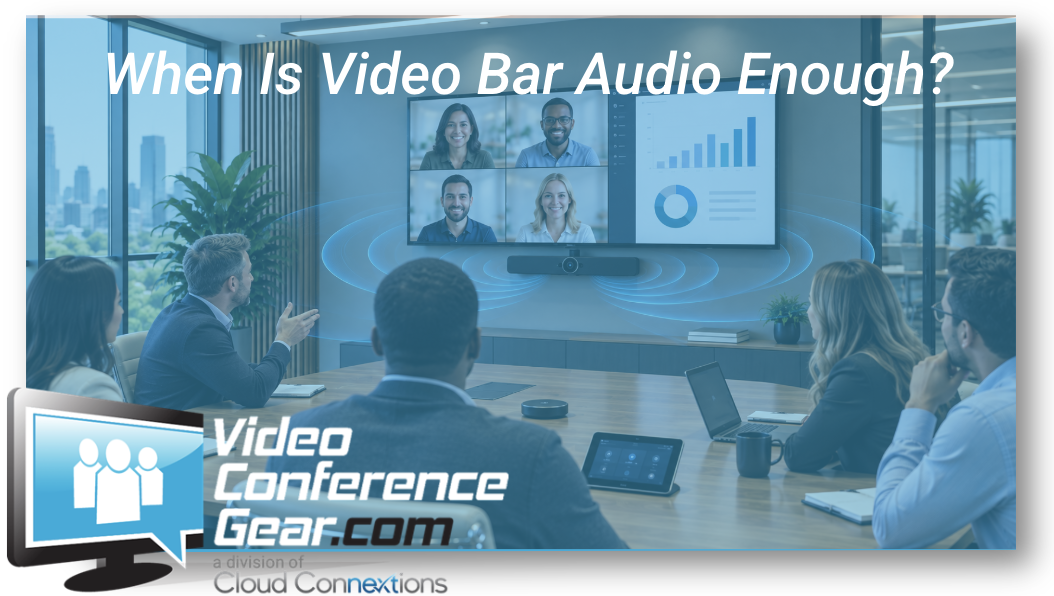
And When Does Your Conference Room Need More?
Written by Doug Beck
One of the things I liked about selling video bars was how much they simplified the room.
Camera.
Microphones.
Speakers.
Sometimes the room platform itself.
One device can solve a lot of problems.
But there is a point where simplicity starts becoming compromise.
I have talked with plenty of buyers who looked at the microphone pickup specification on a video bar and assumed that meant everyone inside that distance would sound equally good.
That is not really how conference rooms behave.
A microphone may technically pick someone up from across the room.
The better question is:
Will the person at the far end still sound clear enough that nobody on the remote side has to work to understand them?
That is the standard I care about.
Start With the Room, Not the Pickup Number
When I am evaluating whether video bar audio is enough, I want to know a few things right away.
How long is the table?
How far is the last person from the bar?
How many people normally use the room?
Are they seated the entire time?
Does the room have a lot of glass or hard surfaces?
Is there carpeting or acoustic treatment?
Do people regularly complain that the far side of the room is hard to hear?
Those details tell me much more than one number on a product page.
Where Video Bar Audio Can Work Really Well
For many small and medium rooms, integrated audio can be exactly the right answer.
Think about a typical conference room with:
-
Predictable seating
-
A relatively short table
-
Reasonable acoustics
-
Participants facing the front of the room
-
No unusual presentation requirements
In that environment, a good Video Bar Solution can provide a very clean room.
You eliminate separate microphones.
You eliminate separate speakers.
You simplify cabling.
You reduce the number of components IT needs to support.
When the room comfortably fits the application, I like that approach a lot.
Doug's Rule: I Don't Want the Farthest Seat to Be the Compromise Seat
When I was selling conference-room solutions, one of the things I learned quickly was that the room often works differently depending on where you sit.
The people nearest the video bar may sound great.
The person at the opposite end may not.
That is why I would test the room from the farthest reasonable seat.
Not from the middle.
Not standing directly underneath the device.
Sit where the person with the worst microphone position is going to sit.
Talk normally.
Do not project your voice.
If that person sounds clear and natural on the remote side, the integrated audio may be doing its job.
If everyone keeps saying:
“Can you repeat that?”
we need to rethink the design.
Pickup Distance Is Not the Same as Meeting Quality
This distinction is important.
A microphone can detect speech from a certain distance without giving you the experience you actually want.
Room conditions matter.
So do:
-
Speaker direction
-
Background noise
-
HVAC
-
Reverberation
-
Table reflections
-
Glass
-
Ceiling height
-
Participant position
A specification can help narrow products.
It should not replace evaluating the actual room.
Audio Problems Show Up Faster Than Video Problems
People will tolerate a camera image that is not perfect.
They will struggle through a meeting where they cannot hear.
That is why I often pay more attention to audio than buyers expect.
If someone is slightly smaller on screen, the meeting can continue.
If half the room sounds distant or inconsistent, communication starts breaking down.
People repeat themselves.
Remote participants interrupt.
Everyone talks louder.
That is not a good meeting experience.
When I Start Questioning Integrated Audio
There are a few things that make me look harder at whether a video bar should be responsible for the entire room.
A long conference table is one.
So is a larger participant count.
I also pay attention when:
-
The room has difficult acoustics
-
People sit well beyond the primary table area
-
Participants move around during meetings
-
Presenters stand away from the table
-
The ceiling is unusually high
-
The room is wide rather than deep
-
Glass or hard surfaces create significant reflections
-
Remote participants already complain about audio
At that point, the question becomes:
Are we still using the simplest solution, or are we forcing a simple product into a room that is no longer simple?
Table Length Matters More Than Seat Count
A ten-person room can be easy.
Another ten-person room can be difficult.
The difference may simply be the table.
Ten people around a relatively compact table may all stay within comfortable microphone range.
Put those same ten people around a very long boardroom table and the audio problem changes.
That is why I would not size audio based only on:
“This room seats ten.”
I want the dimensions too.
Room Acoustics Can Change the Answer Completely
Two rooms with identical dimensions can sound completely different.
One has:
-
Carpet
-
Acoustic ceiling
-
Fabric chairs
-
Soft finishes
The other has:
-
Glass walls
-
Polished concrete
-
Hard ceilings
-
Minimal furniture
The second room may create much more reverberation.
That affects what the microphones hear.
A video bar that performs very well in one environment may struggle more in the other.
Sometimes improving the room itself can help.
Sometimes the audio architecture needs to change.
Usually, I want to understand both before adding more hardware.
When Separate Audio Starts Making Sense
Once the integrated microphones are no longer comfortably covering the participants, I start looking at other options.
That may include:
-
Tabletop microphones
-
Ceiling microphones
-
Audio arrays
-
Wireless microphones
-
Distributed speakers
-
A more complete room audio system
You can explore Conference Room Audio Solutions when the room needs something beyond the audio built into a video bar.
The goal is not to make the system more complicated.
It is to make everyone sound consistent.
Tabletop Audio Can Be a Practical Next Step
There are plenty of rooms where adding microphones closer to participants solves the problem without creating an elaborate installed-audio system.
Tabletop audio can make sense when:
-
The table layout is predictable
-
Equipment on the table is acceptable
-
Participants are spread farther from the front of the room
-
The organization wants relatively straightforward deployment
The tradeoff is obvious.
You gain microphone proximity.
You also put more equipment on the table.
For some companies, that is perfectly fine.
For others, especially executive or high-design spaces, keeping the table clean matters.
That leads to another architecture.
Ceiling Audio Can Solve a Different Problem
In larger or more polished rooms, overhead audio can be extremely useful.
Microphones and speakers can be moved away from the table while still providing coverage throughout the room.
That can be attractive for:
-
Boardrooms
-
Larger conference rooms
-
Flexible spaces
-
Rooms where participants move
-
Spaces where tabletop clutter is undesirable
You can explore Overhead Audio when the room calls for that approach.
Ceiling audio is not automatically better.
It simply solves a different problem.
Audio Arrays Can Help Create More Intentional Coverage
There are also situations where an audio-array approach gives us more control over what the room hears.
That can be useful when participant locations are more spread out or when the room requires coverage beyond the typical video-bar application.
Explore Audio Array Solutions when a more distributed approach makes sense.
Again, the decision should start with the room.
Not the category.
Don't Add Microphones Just Because You Can
This is the opposite mistake.
A buyer worries the integrated audio may not be enough, so extra microphones get added before anyone confirms there is actually a problem.
That can add:
-
Cost
-
Cabling
-
Configuration
-
Table clutter
-
Support requirements
without materially improving the meeting.
If the video bar comfortably handles the room, let it.
Simplicity has value.
The challenge is knowing when the room has crossed the line where simplicity begins hurting performance.
Test Normal Conversation, Not the Demo Voice
This is one practical thing I would recommend.
When people test conference-room audio, they often speak louder than they normally would.
They know someone is listening.
They are standing up.
They project.
That can make a marginal room sound better than it will during actual meetings.
Instead, sit down.
Turn slightly away from the microphone.
Look at another person across the table.
Talk the way you normally would.
That is the test that matters.
People Move More Than the Floor Plan Suggests
Room drawings show chairs.
Meetings involve people.
Someone stands to present.
Another person turns toward a colleague.
Someone moves to a whiteboard.
A participant joins from a chair along the wall.
If those behaviors are normal, the audio design should account for them.
The system does not need perfect coverage in every square inch of the room.
But it should support how the room is actually used.
Video Bar Audio and Modular Audio Can Coexist
Another thing buyers sometimes assume is that choosing a video bar means you must rely exclusively on its integrated microphones and speakers.
That is not always the case.
Depending on the product and room architecture, there may be options for expanding audio or integrating additional components.
The important thing is to verify compatibility before purchase.
If you know the room may need expanded audio, that should be part of the product-selection conversation from the beginning.
That is much better than discovering after installation that the architecture cannot expand the way you expected.
Don't Forget About the Remote Side
A common audio mistake is evaluating only what the people sitting in the room hear.
That is half the meeting.
Ask the remote participants too.
Does everyone in the room sound equally clear?
Can they tell who is speaking?
Does someone at the far end sound noticeably quieter?
Is there echo?
Does the audio change dramatically when several people talk?
The remote participant often gives you the most useful evaluation of the room.
What If the Existing Audio Is Already Good?
Keep it.
This comes up frequently during Teams Room and conference-room refreshes.
Maybe the organization already has:
-
Ceiling microphones
-
Installed speakers
-
DSP
-
Existing cabling
-
A room audio system that works very well
I would not remove good audio just because a new video bar includes microphones and speakers.
That is where the overall room architecture should be reconsidered.
Maybe the right answer is:
New camera.
New Teams Room system.
Existing audio.
Existing displays.
The fact that one device can replace several others does not mean it always should.
Small, Medium, and Large Rooms Need Different Expectations
For a small room, I would usually try very hard to keep the architecture simple.
For a medium room, I would evaluate the limits more carefully.
For a large room, I am much less likely to begin with the assumption that one front-of-room device should handle all audio.
That is not a strict rule.
It is a practical starting point.
Room size, table length, acoustics, and use matter more than the category label.
When Standardizing Multiple Rooms
This becomes especially important when organizations start building room standards.
You may decide:
Small rooms: video bar audio by default.
Medium rooms: video bar audio where coverage is comfortable, expanded audio where required.
Large rooms: dedicated or distributed audio architecture.
That is a much better standard than:
“We use this video bar everywhere.”
Standardization should make rooms easier to support.
It should not give remote participants consistently bad audio in the name of hardware consistency.
Before You Buy, Give Us the Room
If you are trying to determine whether integrated video-bar audio is enough, send us:
-
Room dimensions
-
Table length
-
Seating capacity
-
Distance from the video bar to the farthest participant
-
Ceiling height
-
A basic description of the room surfaces
-
Whether participants move around
-
Existing audio equipment
-
Anything remote participants complain about today
Those details can usually tell us quite a bit.
You can start with:
Want to Hear the Difference?
Audio is one of the hardest conference-room decisions to make from a product page.
If we have a relevant product or comparable setup available in one of our conference rooms, we may be able to demonstrate the difference live.
That could mean comparing:
-
Integrated video-bar audio
-
Tabletop microphone approaches
-
Overhead audio
-
Audio arrays
-
Different microphone distances
If the exact product is not available, our team can often use a comparable setup to explain where the practical differences begin to matter.
Use the chat on our site and tell us what you are comparing.
The Bottom Line
Video bar audio can be excellent.
For the right room, it is one of the reasons all-in-one systems are so attractive.
I would use it when the integrated microphones and speakers comfortably cover the people and the way the room is used.
I would start looking beyond it when the farthest participants become difficult to hear, room acoustics work against the system, people regularly move outside the primary coverage area, or the space simply demands more intentional audio.
Do not add audio complexity before the room needs it.
But do not keep stretching the video bar just because it is convenient either.
The simplest solution is only the best solution when everyone can still hear each other.
Not Sure if Your Video Bar Can Cover the Room?
Send us the room dimensions, table length, number of seats, and the video bar you are considering.
We can help determine whether integrated audio is likely to be enough or whether it makes sense to look at a different audio architecture before you buy.
For larger room projects, Cloud Connextions can also help with audio design, room assessments, structured cabling, installation, complete room systems, and multi-location standards.
Start with the farthest person in the room. If they sound good, you are probably heading in the right direction.