
Zoom Rooms vs. Microsoft Teams Rooms vs. Google Meet Rooms: What’s Actually Different?
Posted by Video Conference Gear on 9/4/2026
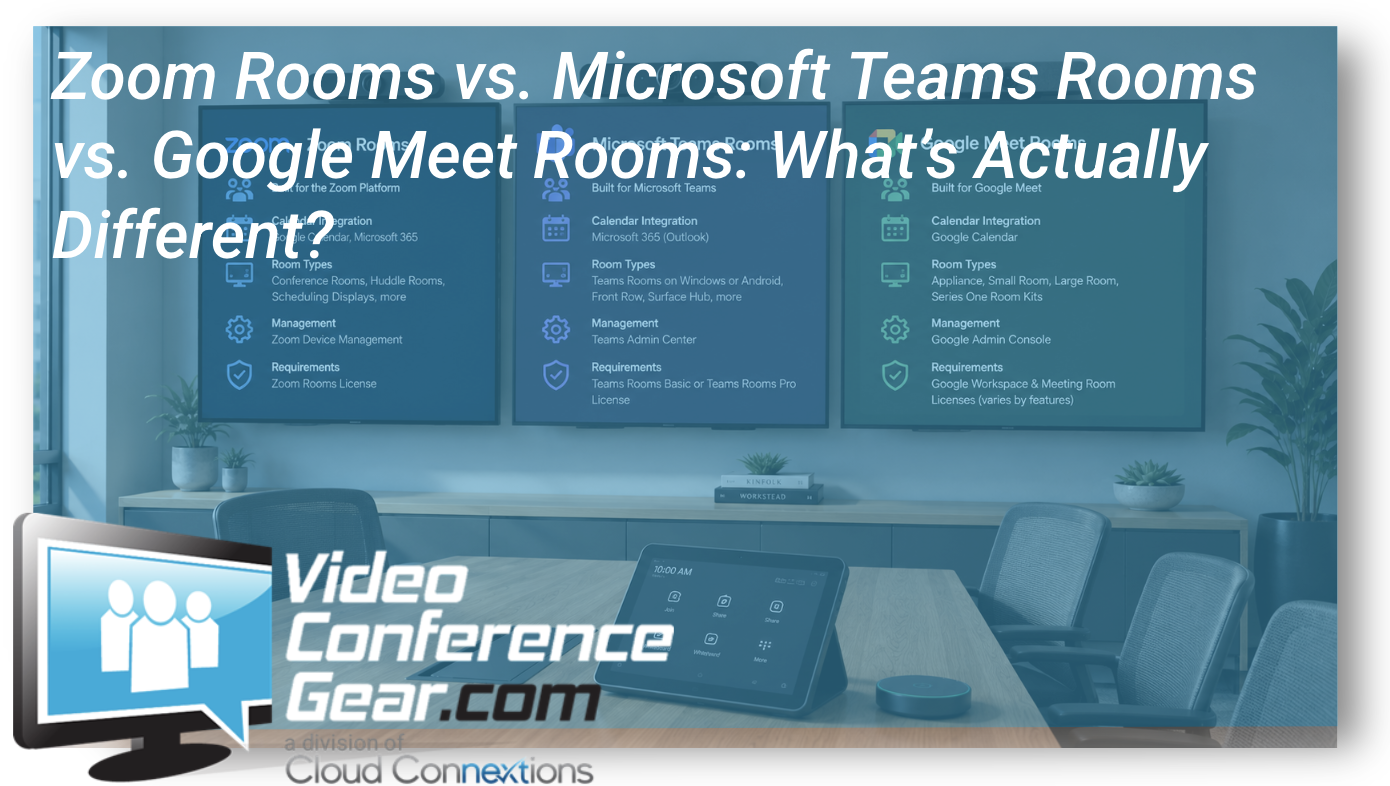
If you are planning new conference rooms, refreshing older spaces, or reconsidering your collaboration platform, you will probably encounter the same three names repeatedly:
Zoom Rooms. Microsoft Teams Rooms. Google Meet hardware.
At a glance, they can look very similar.
Each can provide a dedicated conference room experience with cameras, microphones, speakers, displays, room controls, calendars, and one-touch meeting access.
The important differences appear when you look beyond the hardware.
Your meeting platform affects how employees schedule meetings, how rooms are managed, which hardware makes sense, how outside meetings are handled, what licensing is required, and how naturally the conference room fits into the rest of your organization's technology environment.
So which platform is best?
That is usually the wrong question.
A better one is:
Which room platform best supports the way your organization already works and where it wants to go?
Microsoft Teams Rooms: Built Around the Microsoft Environment
For organizations heavily invested in Microsoft 365 and Teams, Microsoft Teams Rooms can create a very natural extension of the desktop Teams experience.
A dedicated Teams Room presents the room calendar and scheduled meetings directly on the room controller, with one-touch access to join upcoming meetings. Microsoft offers Teams Rooms on both Windows and Android platforms, although individual features can differ or become available at different times between those platforms.
That distinction is worth understanding when selecting hardware.
Two products may both carry Microsoft Teams Rooms certification but use different underlying architectures. One may be a Windows-based room system with separate compute. Another may be an Android-based appliance with much of the room technology integrated into a video bar.
Both can provide a Teams Rooms experience, but deployment, management, available features, peripherals, and future expansion may differ.
Microsoft also requires Teams Rooms licensing for shared meeting devices. Teams Rooms Basic and Teams Rooms Pro currently serve different deployment and management needs.
Microsoft Teams Rooms may be especially attractive when:
- Teams is already the primary collaboration platform
- Microsoft 365 drives company communication
- Outlook and Exchange are central to scheduling
- IT wants dedicated room experiences instead of laptop-driven meetings
- Standardization and centralized management are priorities
- The organization wants hardware specifically certified for Teams
The key is not simply buying a Teams-certified camera.
It is determining which complete room architecture best supports the organization.
Zoom Rooms: A Conference Room Platform Built Around Zoom
Zoom Rooms follows a similar dedicated-room concept but centers the room experience around the Zoom platform.
A Zoom Room can display scheduled meetings, provide room controls, start instant meetings, and allow participants to join scheduled meetings directly from a controller. Zoom supports calendar integrations including Google Calendar and Microsoft Office 365, allowing rooms to display scheduled meetings from those environments.
Zoom Rooms also supports several types of deployments and room functions, including shared conference rooms, scheduling displays, digital signage, Zoom Rooms for Touch, whiteboarding applications, and other configurations. Some advanced functionality depends on Zoom Rooms licensing.
Administrators can also manage Zoom Room devices through Zoom Device Management, which provides centralized management capabilities through the Zoom web portal.
Zoom Rooms may be particularly attractive when:
- Zoom is the organization's dominant meeting platform
- Employees and customers are already comfortable with Zoom
- The organization needs flexible calendar integration
- Zoom's room features align closely with meeting workflows
- Existing Zoom Rooms infrastructure is already deployed across locations
- IT wants centralized Zoom-based room and device management
Again, the underlying hardware matters.
Zoom Rooms can run on room computers or dedicated appliances from supported manufacturers, which means two Zoom Rooms may deliver a similar user experience while using substantially different hardware behind the scenes.
Google Meet Rooms: Closely Connected to Google Workspace
Google Meet hardware takes another approach centered around Google Workspace and Google Calendar.
When a meeting is scheduled in Google Calendar and the conference room is included, the meeting can appear directly on the Meet hardware display for users to join. Google offers room hardware ranging from smaller all-in-one systems to kits designed for larger conference spaces.
Google also works with hardware manufacturers through its certification program, testing approved peripherals for areas including quality, reliability, and interoperability.
Google Meet hardware can operate on different underlying platforms, including ChromeOS and OEM-provided AOSP devices. Google notes that administration and available capabilities can differ depending on the platform selected.
Google Meet hardware may make sense when:
- Google Workspace is the organization's primary productivity environment
- Google Calendar drives room scheduling
- Google Meet is already the dominant meeting platform
- IT wants a dedicated, straightforward meeting-room experience
- The organization is already heavily invested in Google's ecosystem
For a Google Workspace organization, moving employees into a completely different room workflow may introduce unnecessary complexity.
That is why the productivity platform already used across the organization should be part of the room-design discussion.
What About Meetings From Other Platforms?
This is where the conversation gets more interesting.
Very few companies communicate exclusively with themselves.
A Teams organization receives Zoom invitations.
A Google Workspace company gets invited to Teams meetings.
A Zoom customer may spend half its week speaking with customers using Microsoft Teams.
Cross-platform meeting support has improved substantially.
For example, Google Meet hardware can join supported Zoom and Microsoft Teams meetings, although Google specifically notes that some features may not be available during those third-party meeting experiences.
That is an important distinction.
Being able to join another platform does not necessarily mean you receive the same experience as using that platform natively.
When cross-platform meetings are common, test them during the room pilot.
Do not assume interoperability on a specification sheet will behave exactly like the meetings your employees attend every day.
The Hardware Ecosystem Matters Too
Platform choice and hardware choice are connected, but they are not the same decision.
You may encounter room systems from Logitech, Poly, Yealink, Neat, Crestron, Lenovo, MAXHUB, and other manufacturers.
Depending on the product, that hardware may be certified for one platform, support multiple platforms, function as a USB peripheral, or allow the appliance itself to operate in different room modes.
That is why the question should never be:
“Which video bar should we standardize on?”
Not yet.
First determine:
- Which meeting platform is primary?
- Which outside platforms must the room accommodate?
- What room sizes are being supported?
- How should users schedule and join meetings?
- How will IT manage the rooms?
- What equipment already exists?
- What level of standardization is required?
Then start selecting hardware.
Don't Forget the User Experience
For the employee walking into the room, all of this architecture should disappear.
They should not have to care whether the system runs Windows, Android, ChromeOS, or another appliance architecture.
They care whether they can walk into the room and make the meeting work.
Can they find the meeting?
Can they join it quickly?
Can they hear everyone?
Can remote participants see them?
Can they share content?
Can they join a customer's meeting without calling IT?
That is the standard the technology ultimately has to meet.
There Is No Universal Winner
Zoom Rooms, Microsoft Teams Rooms, and Google Meet rooms can all create excellent meeting environments.
The better choice depends on the surrounding organization.
If your company operates primarily inside Microsoft 365, Teams Rooms deserves serious consideration.
If Zoom is deeply embedded in your meeting culture, rebuilding every room around another ecosystem requires a strong reason.
If Google Workspace and Google Calendar drive the company, Google Meet hardware may create the most natural experience.
And if your employees constantly cross between platforms, interoperability and BYOD options may deserve more weight in the room design.
At Cloud Connextions, we help organizations evaluate meeting platforms, existing conference-room hardware, certified devices, room requirements, interoperability, licensing, and long-term standardization before deciding what belongs on the wall or conference table.
Because choosing a conference room platform is not really about picking between three logos.
It is about creating a meeting environment that works naturally with your people, your rooms, your technology stack, and the way your organization communicates.