


Highlights
- Supports up to nine Yealink UVC84 or UVC86 cameras for multi-camera room designs.
- Connects Yealink cameras, microphones, and speakers through PoE-capable VCH Ethernet ports to help centralize room wiring and device connections.
- Supports multi-camera layouts for larger or divisible conference-room deployments.
- Handles up to eight VCM34 or VCM38 array microphones, supporting expanded audio coverage for larger meeting spaces.
- Supports up to four Yealink MSpeaker II speakers for distributed room audio.
- Supports BYOD when used with a connected PC or room computer.
Ideal For
- Large corporate conference rooms
- Extra-large boardrooms and meeting spaces
- Divisible conference rooms
- Room systems requiring multiple Yealink cameras and microphones
- BYOD-enabled meeting-room deployments
- AV installations using supported third-party DSP systems
Resources
Yealink | AVHub Intelligent AV Processor (AV-Hub)
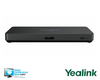
Yealink AVHub is a standalone audio/video processor for large and extra-large conference rooms. It connects multiple Yealink cameras, microphones, and speakers through PoE-capable VCH ports, helping integrators build a centralized room system with multi-camera layouts and coordinated audio/video processing.
It is a strong fit for divisible rooms and larger spaces that need expanded device capacity, BYOD support, and flexible room-system design. AVHub is not a complete meeting-room appliance: an external room computer or codec is required, and cameras, microphones, speakers, displays, and platform software are separate system components.
Key Specifications
- Camera capacity: Up to 9 Yealink UVC84/UVC86 cameras.
- Microphone capacity: Up to 8 Yealink VCM34/VCM38 array microphones.
- Speaker capacity: Up to 4 Yealink MSpeaker II speakers.
- Network/device connectivity: 7 VCH RJ-45 ports with PoE support for connected Yealink cameras, microphones, and speakers.
- USB: 2 x USB-A and 1 x USB-B.
- Additional connections: 1 x Codec port; 1 x RCA input/output; 1 x 6.3 mm line-in; 1 x 6.3 mm line-out.
- Power input: 100–240V AC, 50/60Hz, 1.5A.
- Power-adapter output: 48V DC, 2A, 96.0W.
- Mounting: Intended for installation in a 19-inch rack compliant with IEC 60297; rack screws are not included.
- Gross packaged weight: 2.62 kg.
What's Included
- Yealink AVHub
- Power adapter
- 2.5 m USB cable
- 3 m Ethernet cable
- Quick Start Guide
Compatibility
- Meeting and collaboration platforms: Yealink documents camera-layout adjustment for Microsoft Teams Rooms meetings, and Microsoft lists specific Yealink AVHub-equipped bundles or configurations in its Teams Rooms certified-hardware directory. The standalone AVHub is not a complete Teams Rooms appliance and requires an external room computer or codec.
- AV and audio systems: Broad compatibility with third-party DSP systems is supported. Confirm the complete signal-flow and control design for the selected DSP and room equipment.
- Yealink room devices: Connects with up to 9 UVC84/UVC86 cameras, up to 8 VCM34/VCM38 array microphones, and up to 4 MSpeaker II speakers through the available VCH connections.
- BYOD and compute: Supports BYOD with a connected PC or room computer. The external room computer or codec, meeting-platform software, displays, and other room peripherals must be provided separately.
- Network and power: Connected Yealink endpoints can use Ethernet/VCH connections with PoE. A compliant PoE+ switch may be required when more than four endpoints are connected directly to the AVHub.
Licensing, Warranty & Support
No standalone AVHub subscription or license is required to operate the processor. The external room computer or codec, operating system, meeting-platform software, and any platform licensing are separate system-level requirements. Cloud management and Yealink Partner PrimeCare services are not included with this standalone listing; optional services such as YMCS-Room-Professional access, priority support, advanced replacement, and software updates must be purchased separately when applicable. Yealink's published policy lists 24 months for ProAV and Teams Room/Video Solution products purchased new through authorized channels; coverage for this standalone AVHub order should be confirmed based on the purchase channel and region. Standard Yealink support options include ticket service and RMA service, with additional support options available for eligible customers.
VideoConferenceGear.com Assistance
We can help validate whether AVHub is the right processor for your room, confirm the external room-computer or codec and platform requirements, plan camera, microphone, speaker, display, DSP, and PoE connectivity, and coordinate installation, nationwide deployment, and ongoing support for single- or multi-location systems.
Common Questions
Does the AVHub include cameras, microphones, speakers, or a room computer?
No. The standalone package includes the AVHub, power adapter, USB cable, Ethernet cable, and Quick Start Guide. Cameras, microphones, speakers, displays, and the external room computer or codec are separate components.
Is the AVHub a complete Microsoft Teams Rooms appliance?
No. AVHub is an audio/video processor that works with an external room computer or codec. Specific Yealink AVHub-equipped bundles and configurations appear in Microsoft's Teams Rooms certified-hardware directory, but that certification should not be applied to the standalone processor.
How many cameras can the AVHub support?
Up to nine Yealink UVC84 or UVC86 cameras are supported. Depending on the number of directly connected endpoints, a compliant PoE+ switch may be required for the installation.
Does the AVHub support BYOD?
Yes. BYOD is supported when the AVHub is used with a connected PC or room computer. The required USB routing and complete room accessory configuration depend on how the room will be deployed.
Can the AVHub be installed in a rack?
Yes. It is intended for a 19-inch rack installation compliant with IEC 60297, but rack screws are not included. Include the appropriate rack hardware in the installation plan.
Product Videos
Custom Field
Product Reviews
Cloud Connextions Nationwide Services - Design, Installation & Support - A Partner You can Trust
Cloud Connextions specializes in delivering next-generation office technologies, including physical security, video conferencing, and ProAV solutions. As a valued partner for the design, integration, and support of these systems, we work with industry leaders like Verkada, Zoom, AVer, Crestron, Poly, and more. Our team ensures you receive top-quality products and seamless service. VideoConferenceGear.com is our trusted online source, where you’ll find rigorously tested products backed by our extensive expertise in creating customized technology solutions for modern office environments.