
Highlights
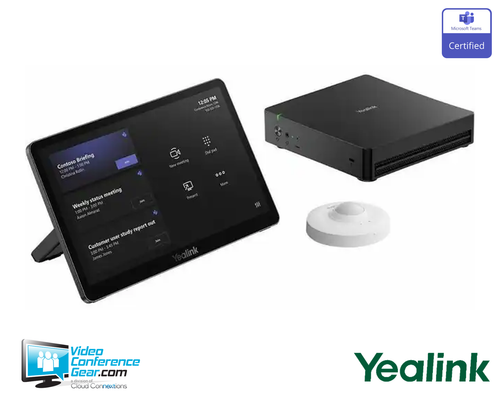
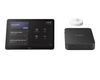
- Base kit providing the compute, control, and occupancy sensing foundation for a Native Microsoft Teams Rooms on Windows system.
- MCore 4 mini-PC (Intel Core Ultra 5, AI-capable) preinstalled with Windows 11 IoT Enterprise, the Teams Rooms app, and Yealink RoomConnect.
- MTouch Plus 11.6-inch touch console for one-touch call starting, camera control, and content sharing.
- RoomSensor provides occupancy, temperature, humidity, and light sensing via Bluetooth.
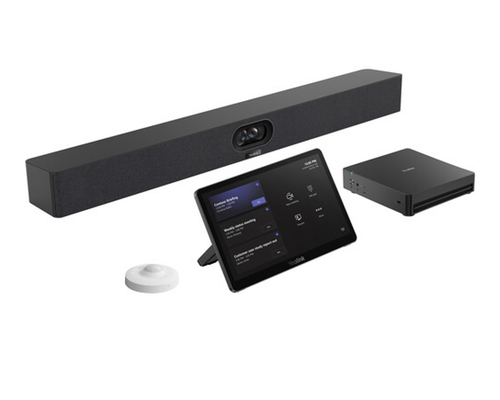
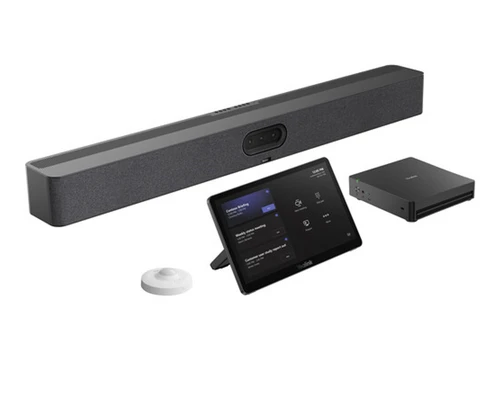
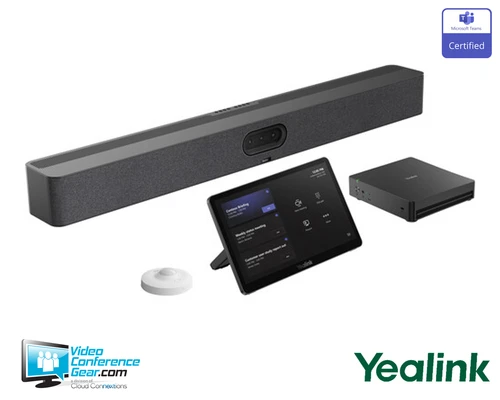
- Camera-agnostic design: pair with a Yealink USB camera suited to the room.
- Supports multiple Yealink audio options: VCM wired/wireless microphones, ceiling microphone, MSpeaker.
- MCore 4 supports up to three displays with CEC/EDID, and single-cable CAT5e connectivity.
Ideal For
- Rooms building a custom Microsoft Teams Rooms on Windows system around an existing or specifically chosen camera
- Retrofits reusing existing room peripherals while upgrading the compute and control layer
- Standardized Teams Rooms deployments needing a consistent compute and control base across varied room sizes
- IT teams wanting a single base kit paired with room-specific camera and audio choices
Yealink MCoreKit-C5U-MS Native Microsoft Teams Rooms System Base Kit (1206709)
The MCoreKit-C5U-MS is the base kit for a Native Microsoft Teams Rooms on Windows system, providing the compute, control, and occupancy sensing that every room needs, without bundling a specific camera. The MCore 4 mini-PC runs on an Intel Core Ultra 5 AI-capable processor and comes preinstalled with Windows 11 IoT Enterprise, the Microsoft Teams Rooms app, and Yealink RoomConnect, giving the room a dedicated, always-available computer that supports up to three displays with CEC and EDID.
The MTouch Plus 11.6-inch touch console serves as the room's control center for calls, camera adjustments, and content sharing, and the RoomSensor rounds out the kit, providing occupancy, temperature, humidity, and light sensing over Bluetooth. Because this is a base kit, the camera is chosen separately to match the room, and audio is similarly flexible, supporting Yealink VCM wired or wireless microphones, a ceiling microphone, or MSpeaker. Before ordering, confirm the room's camera and audio selections separately, and confirm this is the current -C5U-MS configuration (MCore 4) rather than an older -C5-MS (MCore with Intel Core i5) kit.
Key Specifications
- Manufacturer model: MCoreKit-C5U-MS (SKU 1206709)
- Kit type: Native Microsoft Teams Rooms on Windows base kit (compute, control, occupancy sensing; camera and audio selected separately)
- Compute (MCore 4): Intel Core Ultra 5, AI-capable, Windows 11 IoT Enterprise preinstalled with license, Teams Rooms app, Yealink RoomConnect preinstalled
- Display support: up to 3 displays, CEC/EDID
- Network: single-cable CAT5e connectivity
- Control: MTouch Plus 11.6-inch touch console, integrated stand
- Occupancy and environment: RoomSensor, Bluetooth-connected, occupancy, temperature, humidity, and light sensing
- Camera: not included, choose from compatible Yealink USB cameras based on room size
- Audio: not included, supports VCM wired/wireless microphones, ceiling microphone, or MSpeaker, chosen separately
What's Included
- MCore 4 mini-PC, with Windows 11 IoT Enterprise, Teams Rooms app, and RoomConnect preinstalled
- MTouch Plus 11.6-inch touch console
- RoomSensor
- Yealink camera control software plugin
Certifications and Compatibility
- Native Microsoft Teams Rooms on Windows: certified compute and control base, with the MCore 4 running Windows 11 IoT Enterprise and the Teams Rooms app.
- Camera compatibility: designed to pair with compatible Yealink USB cameras, selected separately based on room requirements.
- Audio compatibility: supports Yealink VCM wired and wireless microphones, ceiling microphones, and MSpeaker, selected separately based on room requirements.
- Distinct from the -C5-MS configuration: the -C5U-MS (this SKU) uses the MCore 4 with Intel Core Ultra 5, while an older -C5-MS kit uses the previous-generation MCore with an Intel Core i5 quad-core CPU and Windows 10 IoT Enterprise. Confirm the exact SKU when ordering.
- Compatibility is limited to Yealink-published cameras and audio devices. Confirm current compatibility against Yealink's Teams Rooms accessory documentation for your specific deployment.
Design Considerations
- Select a compatible camera separately based on the room's size and layout, since this kit does not include one.
- Select compatible audio (VCM microphones, ceiling microphone, or MSpeaker) separately based on the room's size and layout.
- If retrofitting an existing room, confirm current peripherals remain compatible with the MCore 4 and current Teams Rooms software before reusing them.
- Plan display configuration up to three displays using the MCore 4's CEC/EDID support.
- Confirm this is the -C5U-MS (MCore 4) configuration rather than the older -C5-MS (MCore, Intel Core i5) kit when ordering.
- For multi-room standardization, use this base kit consistently across rooms while tailoring only the camera and audio selection to each space's size.
Licensing, Warranty & Support
The MCoreKit-C5U-MS is a Native Microsoft Teams Rooms on Windows base kit, and a Microsoft Teams Rooms license is required for operation and is not included with the hardware. The MCore 4 ships with Windows 11 IoT Enterprise and its license preloaded. The kit is covered by Yealink's standard limited hardware warranty, with terms available from Yealink or an authorized reseller at the time of purchase. Firmware, configuration, and remote management are available through Yealink RoomConnect and the Microsoft Teams Admin Center.
VideoConferenceGear.com Assistance
We can help confirm the MCoreKit-C5U-MS is the right compute and control base for your Teams Rooms deployment, and select the right camera and audio devices for the room's size, whether that's a VCM microphone, ceiling microphone, or MSpeaker. We can advise on retrofitting existing peripherals during a compute refresh, plan multi-display configuration, and confirm Microsoft Teams Rooms licensing requirements. For multi-room and multi-site programs we can help standardize this base kit while tailoring camera and audio choices to each room.
Common Questions
Does this kit include a camera?
No. It provides the compute, control, and occupancy sensing base. A compatible Yealink USB camera is selected separately based on the room.
Does it include audio?
No. Audio is selected separately, supporting VCM wired or wireless microphones, a ceiling microphone, or MSpeaker.
What is included?
The MCore 4 mini-PC (with Windows 11 IoT Enterprise, Teams Rooms app, and RoomConnect preinstalled), the MTouch Plus 11.6-inch touch console, the RoomSensor, and a camera control software plugin.
Is this the same as the older MCoreKit-C5-MS?
No. This -C5U-MS kit uses the current MCore 4 with Intel Core Ultra 5. An older -C5-MS configuration used the previous MCore with an Intel Core i5 quad-core CPU and Windows 10 IoT Enterprise. Confirm the exact SKU when ordering.
How many displays does it support?
Up to three, with CEC and EDID support.
Is a Teams Rooms license included?
No. A Microsoft Teams Rooms license is required for operation and is separate from the hardware.
Warranty Information
Standard Manufacturer WarrantyProduct Videos
Custom Field
Product Reviews
Cloud Connextions Nationwide Services - Design, Installation & Support - A Partner You can Trust
Cloud Connextions specializes in delivering next-generation office technologies, including physical security, video conferencing, and ProAV solutions. As a valued partner for the design, integration, and support of these systems, we work with industry leaders like Verkada, Zoom, AVer, Crestron, Poly, and more. Our team ensures you receive top-quality products and seamless service. VideoConferenceGear.com is our trusted online source, where you’ll find rigorously tested products backed by our extensive expertise in creating customized technology solutions for modern office environments.