Highlights
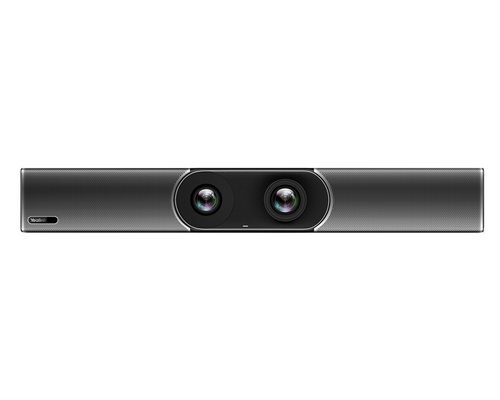
- Dual 48MP cameras create a 120° diagonal field of view for broad coverage of small and medium meeting rooms.
- Auto Framing, Speaker Tracking, IntelliFocus, and Multi-Stream IntelliFrame help present participants more naturally during meetings.
- Eight MEMS beamforming microphones provide a published 6 m voice pickup range, with a 4 m quality voice pickup range.
- Integrated stereo speakers and AI-enhanced noise, echo, and reverberation processing provide a complete audio endpoint in the video bar.
- An electric privacy shutter helps cover the camera lenses when the room is not in use.
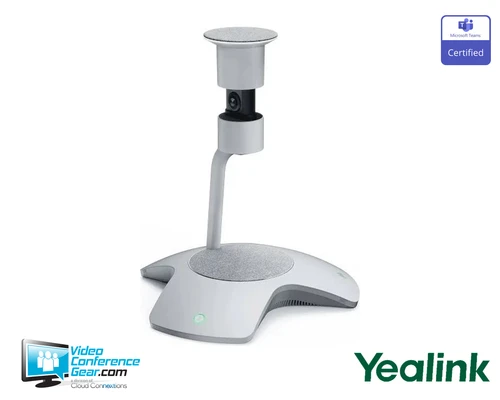
- Optional expansion microphones can extend audio coverage for room layouts that need additional pickup.
Ideal For
- Small and medium Microsoft Teams meeting rooms
- Zoom Spaces rooms using external room compute
- Boardrooms and conference rooms needing wide-angle participant coverage
- BYOD meeting spaces with a connected user or room computer
- Rooms that need integrated microphones, speakers, and intelligent camera framing
Resources
Yealink SmartVision 40 Microsoft Teams Rooms Certified USB Video Bar
The Yealink SmartVision 40 combines two fixed 48MP cameras, an 8-MEMS microphone array, stereo speakers, and intelligent video features in one room-ready USB video bar. It is a strong fit for small and medium meeting rooms where you want wide participant coverage, automatic framing and speaker tracking, and fewer separate AV components to install.
Use it with a connected room computer or user computer for USB-based meetings, presentations, and BYOD workflows. Microsoft lists the SmartVision 40 as a certified Teams Rooms peripheral, and Zoom lists it as certified hardware for Zoom Spaces. The standalone bar is not a complete Teams Rooms appliance, so a compatible room computer, display, and applicable Teams Rooms license must be planned separately.
Platform Compatibility

- Certification applies to the certified peripheral configuration and firmware listed by Microsoft; it does not evaluate cloud environment support or provide a Teams Rooms subscription.
Key Specifications
- Camera system: Two fixed dual-lens stitched cameras; 2 × 48MP
- Maximum usable video output: 4K UHD, 3840 × 2160
- Field of view: 120° diagonal
- Intelligent video: Auto Framing, Speaker Tracking, IntelliFocus, Multi-Stream IntelliFrame, Video Fence, Multi-Focus, Picture-in-Picture, and image super resolution
- Microphones: Eight MEMS beamforming microphones
- Speakers: Two 10 W stereo speakers
- Audio processing: AI-enhanced noise cancellation, echo cancellation, reverberation suppression, and full-duplex audio
- Connections: USB 3.0 Type-B, USB 2.0 Type-A, USB-C, Yealink VCH RJ-45, 3.5 mm line-in/out, HDMI-out, power, security lock, and reset
- Wireless connectivity: Built-in Wi-Fi and Bluetooth
- Expansion: Supports up to two optional expansion microphones
- Dimensions: 650 × 62 × 80 mm
- Net weight: 5.54 kg
- Mounting: Standard wall-mount bracket included; wall, TV, and bracket mounting supported
- Privacy: Electric/automatic lens privacy shutter
What's Included
- Yealink SmartVision 40 video bar
- USB cable
- Standard wall-mount bracket and mounting hardware
- Power adapter
- Quick-start documentation
Compatibility
- Meeting and collaboration platforms: Microsoft lists the SmartVision 40 as a certified Microsoft Teams Rooms peripheral; It is also certified for Zoom Spaces.
- USB deployment: Connects to an external room computer or user computer as a USB audio/video peripheral.
- Room-system requirements: A complete Teams Rooms installation requires a compatible room computer and display; the standalone video bar does not provide the room-compute bundle.
- BYOD: Supports a fast BYOD solution through a connected computer workflow; a Yealink BYOD extender may be required depending on the room design.
- Audio expansion: Supports up to two optional Yealink expansion microphones.
- Network and wireless connectivity: Built-in Wi-Fi and Bluetooth are available, along with the listed USB, Yealink VCH, HDMI, and 3.5 mm connections.
Licensing, Warranty & Support
For Microsoft Teams Rooms deployment, a Teams Rooms license is required. Teams Rooms Pro is required for Multi-Stream IntelliFrame and people-recognition features; those features are not supported with Teams Rooms Basic. The standalone SmartVision 40 still requires external compute for USB deployment, and a display is required for a complete room system. Yealink provides device-management tools for remote configuration, management, and upgrades, along with support resources and partner support. VideoConferenceGear.com can provide design, installation, deployment, and ongoing support services. Warranty coverage for this offer should be confirmed for the applicable region and purchase channel.
VideoConferenceGear.com Assistance
We can help validate whether the SmartVision 40 is the right fit for your room, confirm Teams Rooms or Zoom Spaces compatibility, and determine the required room computer, display, microphones, BYOD accessories, and licensing. We can also coordinate installation, nationwide multi-location deployment, and ongoing support.
Common Questions
Is the Yealink SmartVision 40 a complete Microsoft Teams Rooms system?
No. It is a standalone USB audio/video peripheral, so a compatible room computer and display are required for a complete Teams Rooms deployment. A Teams Rooms license is also required, with Teams Rooms Pro needed for Multi-Stream IntelliFrame and people-recognition features.
What room sizes are recommended?
Yealink and Microsoft position the SmartVision 40 for small and medium meeting rooms. Its 120° diagonal field of view and integrated microphone array are intended for broad coverage in those room types.
Does it support BYOD?
Yes, it supports a fast BYOD solution through a connected computer workflow. Depending on the room layout and connection design, an additional Yealink BYOD extender may be required.
Does the video bar include microphones and speakers?
Yes. It includes eight MEMS beamforming microphones and two integrated 10 W stereo speakers. Up to two optional expansion microphones can be added when the room requires more audio coverage.
Can the camera be used when privacy is required?
Yes. An electric privacy shutter covers the camera lenses when the video function is not in use.
Product Videos
Custom Field
Product Reviews
Cloud Connextions Nationwide Services - Design, Installation & Support - A Partner You can Trust
Cloud Connextions specializes in delivering next-generation office technologies, including physical security, video conferencing, and ProAV solutions. As a valued partner for the design, integration, and support of these systems, we work with industry leaders like Verkada, Zoom, AVer, Crestron, Poly, and more. Our team ensures you receive top-quality products and seamless service. VideoConferenceGear.com is our trusted online source, where you’ll find rigorously tested products backed by our extensive expertise in creating customized technology solutions for modern office environments.