


Highlights
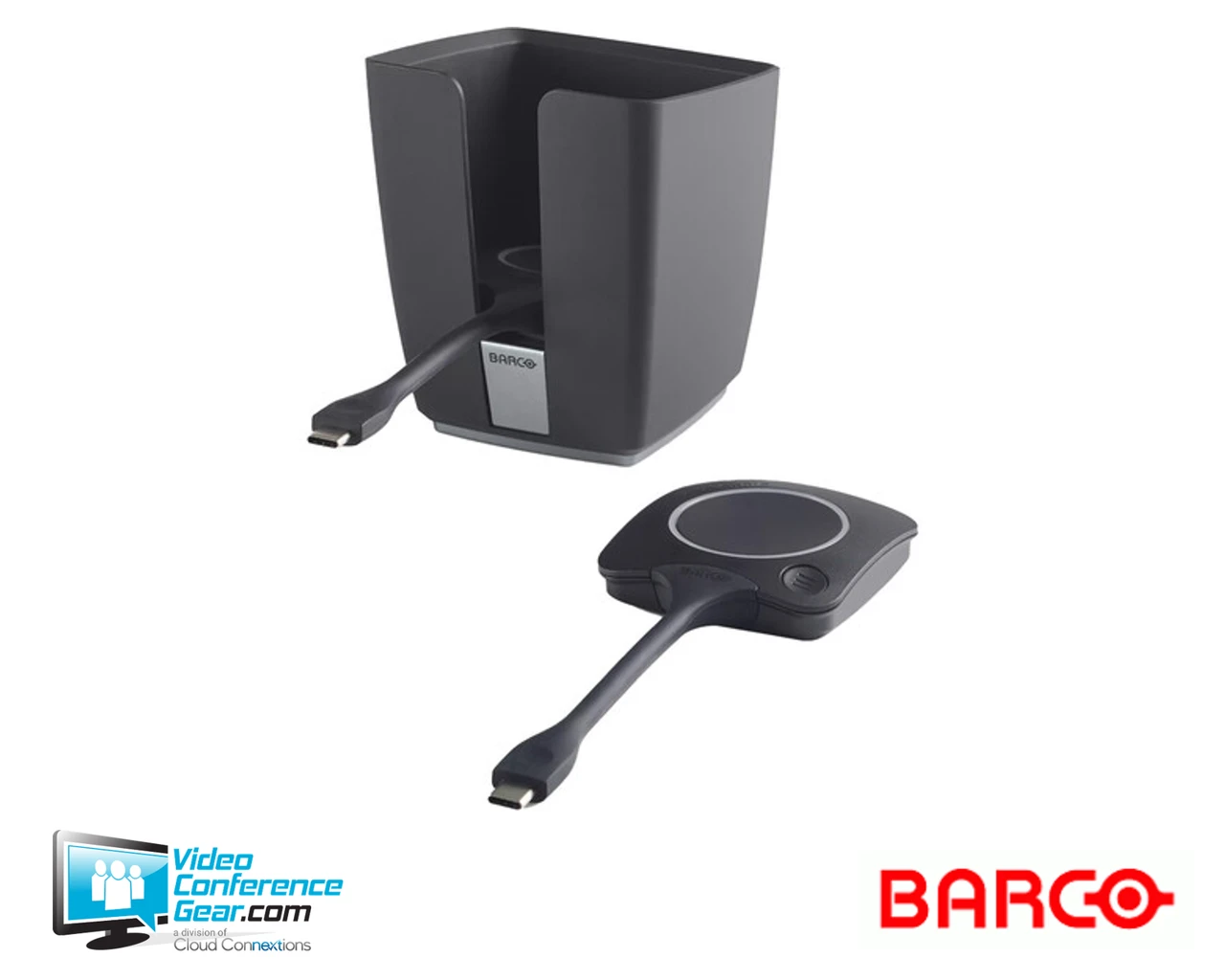
- Includes a ClickShare Tray and two 4th-generation ClickShare USB-C Buttons.
- Lets a room keep multiple Buttons on hand, so users don't need to pass a single Button back and forth.
- Supports two users sharing content on screen at the same time when both Buttons are plugged in.
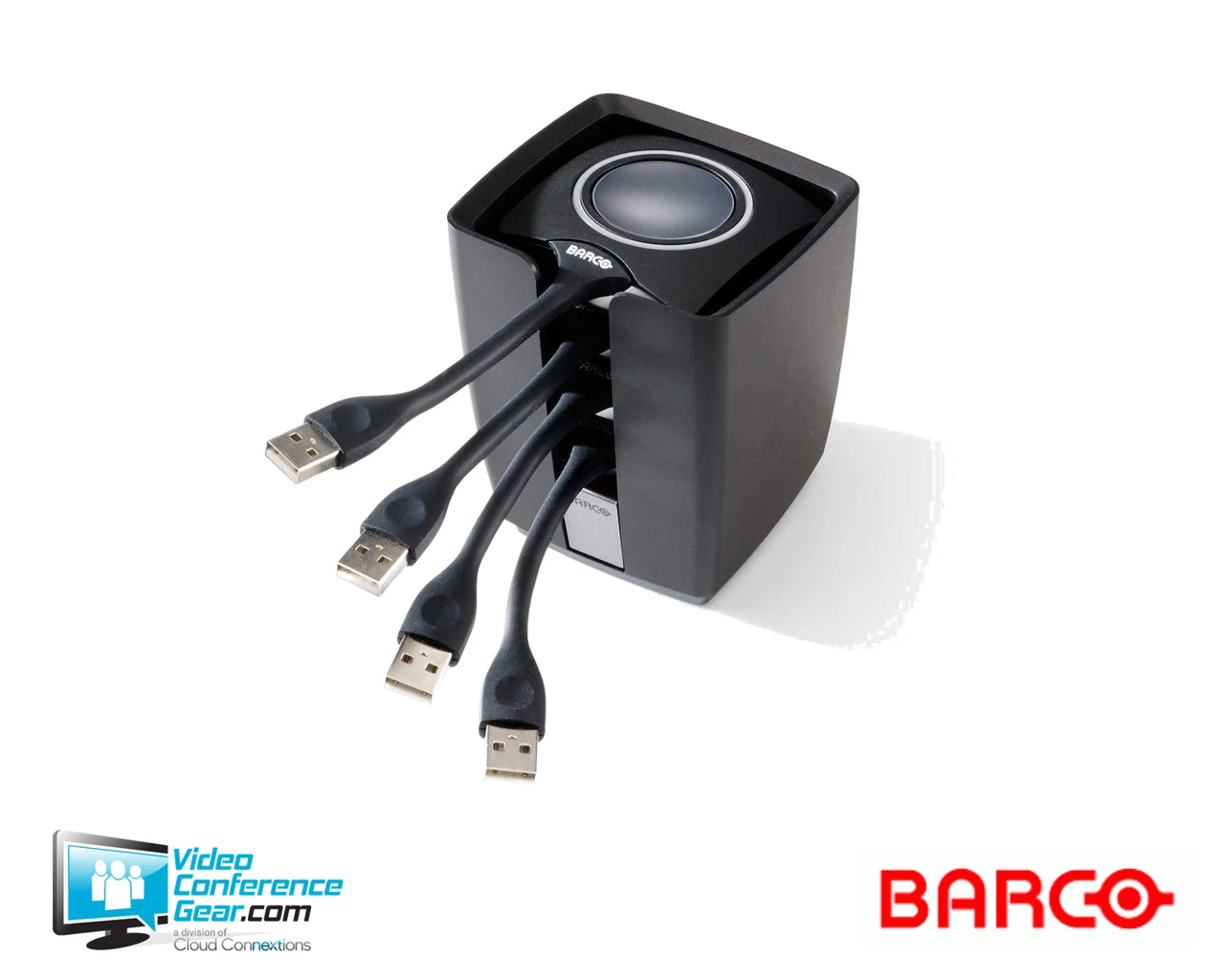
- Tray holds up to four Buttons, keeping the meeting room table clutter-free.
- USB-C Buttons support BYOD sharing from Windows and macOS laptops.
Ideal For
- Meeting rooms where multiple presenters regularly share content
- Rooms needing simultaneous two-user content sharing
- Standardizing extra Buttons and organized storage across multiple ClickShare rooms
- Replacing or expanding Button inventory on existing C-series and CX-series deployments
Resources
Barco ClickShare Tray and 2 ClickShare Buttons Kit, 4th Gen (R9861600P01CUS)
This kit pairs the ClickShare Tray with two 4th-generation ClickShare USB-C Buttons, giving a meeting room extra Buttons on hand instead of one shared unit that gets passed between presenters. With two Buttons available, two users can plug in and share content on screen at the same time.
The Tray keeps up to four Buttons organized and off the table when they are not in use. Before ordering, confirm the generation of the ClickShare Base Unit already installed in the room, since 4th-generation Buttons are built for the C-series and CX-series base units and are not compatible with older Gen 2 or Gen 3 systems.
Key Specifications
- Package contents: ClickShare Tray plus 2x ClickShare Buttons, 4th Generation, USB-C
- Tray dimensions: bottom diameter 80 mm (3.2"), height 132 mm (5.2"), top width 124.1 mm (4.89")
- Tray weight: 460 g (1.014 lb)
- Tray capacity: holds up to 4 Buttons
- Button connector: USB-C
- Button generation: 4th Gen, USB Type-C connectivity
What's Included
- ClickShare Tray
- 2x ClickShare Buttons, 4th Generation, USB-C
Certifications and Compatibility
- Compatible with ClickShare C-5, C-10, CX-20, CX-30, and CX-50 base units.
- Not compatible with older Gen 2 or Gen 3 ClickShare Buttons or CS/CSE-series base units.
- BYOD sharing supported from Windows and macOS laptops.
Design Considerations
- Confirm the generation of the ClickShare Base Unit already deployed in the room before ordering, since Button generations are not universally cross-compatible.
- Useful for rooms where two presenters commonly need to share content back-to-back or simultaneously.
VideoConferenceGear.com Assistance
We can help confirm which ClickShare Button generation matches your existing Base Unit before you order, and help plan Button inventory across multiple rooms so every space has the Buttons and storage it needs.
Common Questions
Which ClickShare base units is this kit compatible with?
ClickShare C-5, C-10, CX-20, CX-30, and CX-50.
How many Buttons does the Tray hold?
Up to four Buttons.
Can two Buttons share content on screen at the same time?
Yes. Two users can share simultaneously when both Buttons are plugged in.
Is this compatible with older CS/CSE-series systems?
No. 4th-generation Buttons are not compatible with older Gen 2 or Gen 3 base units.
Warranty Information
Standard Manufacturer WarrantyProduct Videos
Custom Field
Product Reviews
Cloud Connextions Nationwide Services - Design, Installation & Support - A Partner You can Trust
Cloud Connextions specializes in delivering next-generation office technologies, including physical security, video conferencing, and ProAV solutions. As a valued partner for the design, integration, and support of these systems, we work with industry leaders like Verkada, Zoom, AVer, Crestron, Poly, and more. Our team ensures you receive top-quality products and seamless service. VideoConferenceGear.com is our trusted online source, where you’ll find rigorously tested products backed by our extensive expertise in creating customized technology solutions for modern office environments.