
Highlights
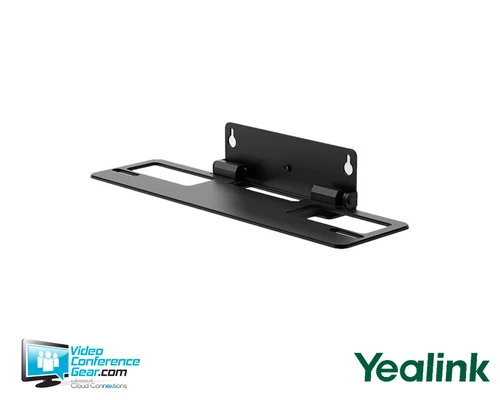
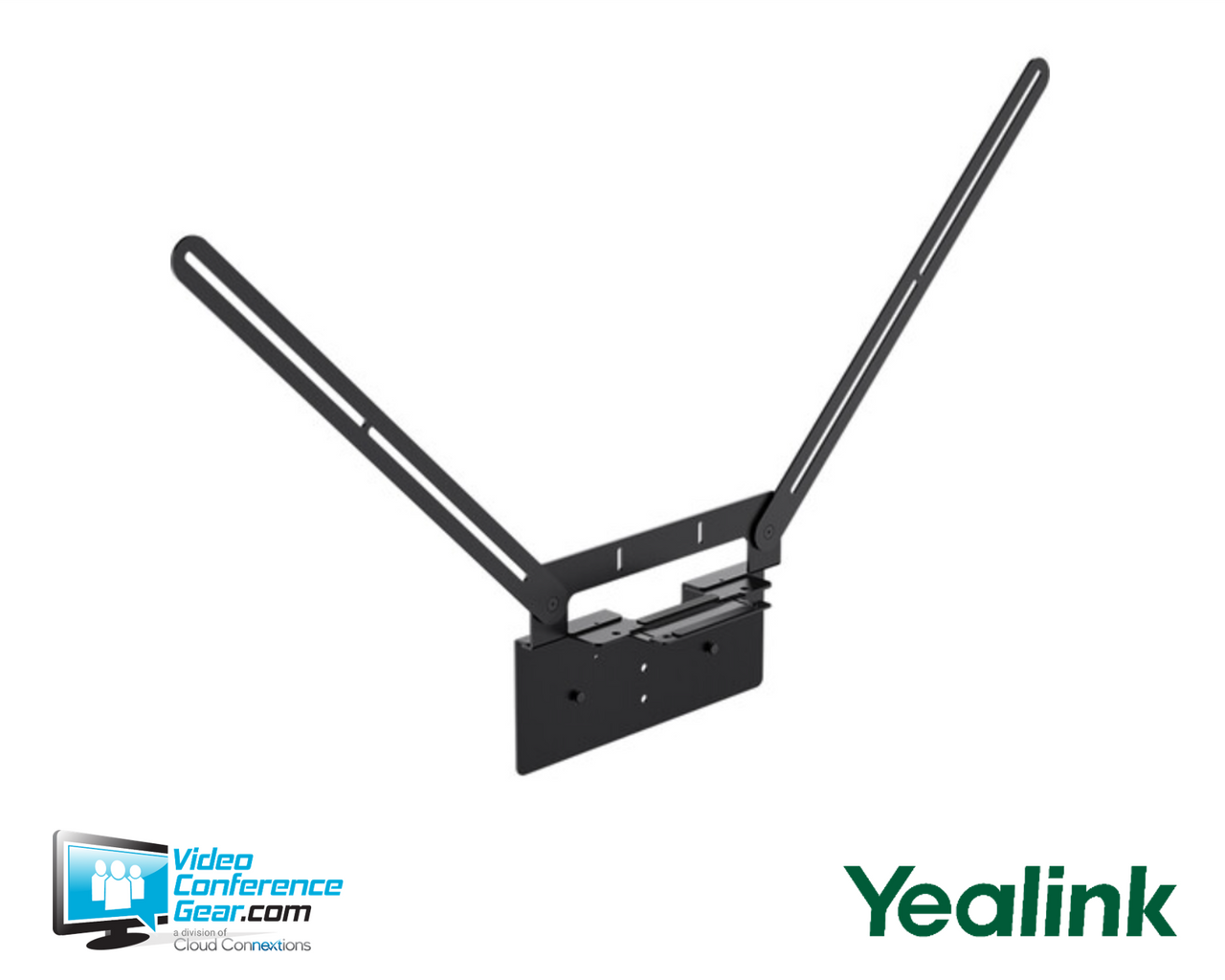
- Mounts a supported Yealink conferencing device at the VESA location behind a TV or display.
- Lets MeetingBar A50 deployments use either above-display or below-display placement.
- Supports bottom-of-display installation for MeetingBar A40 and SmartVision 40.
- Provides a dedicated display-mounted installation approach for compatible Yealink room devices.
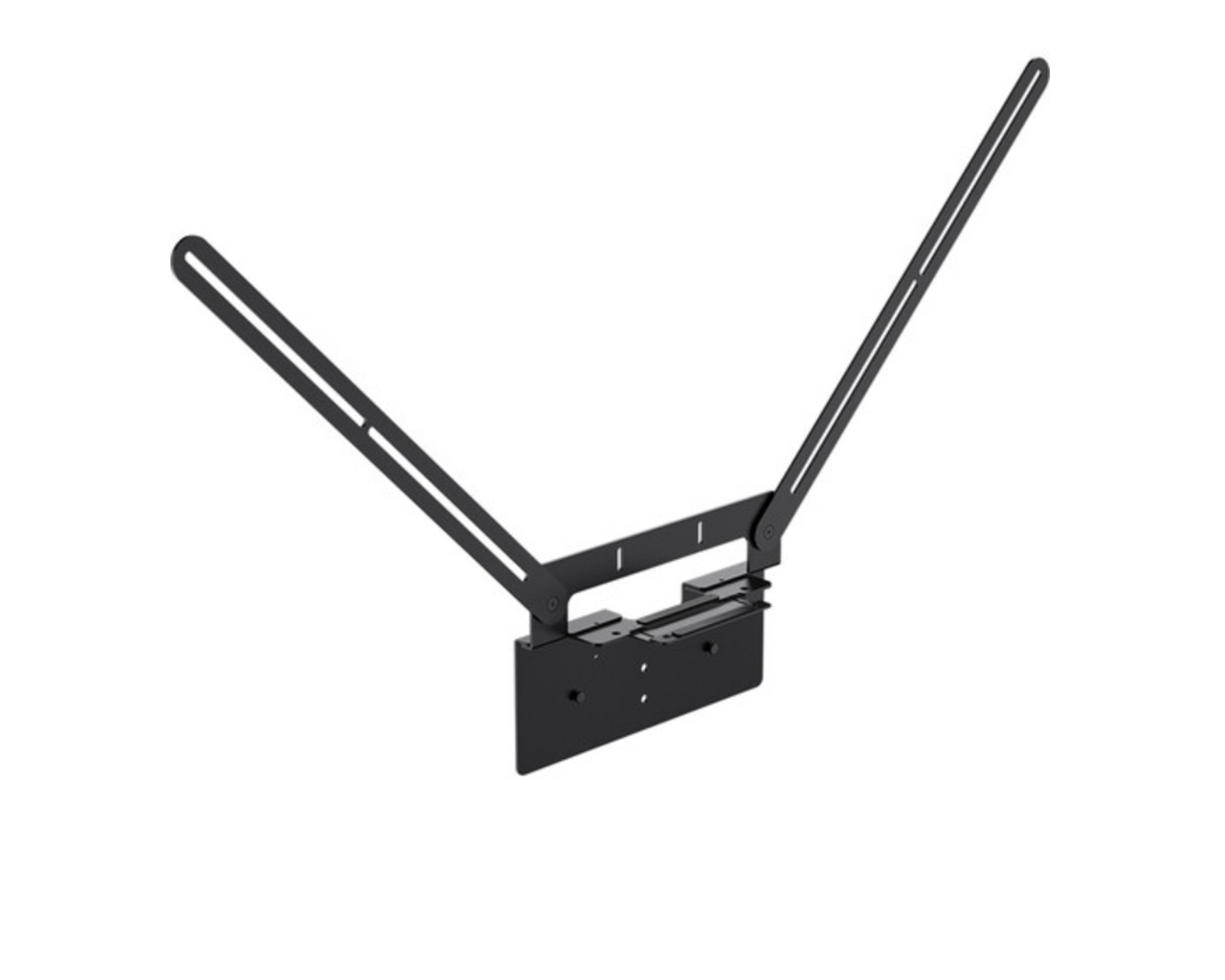
- Includes a top mounting bracket for MeetingBar A50 top-mount configuration.
Resources
Yealink VB-TVMount-01 VESA TV Mount
The Yealink VB-TVMount-01 is a modular VESA TV mount for placing a supported Yealink conferencing device at a meeting-room display. Choose it when you want a display-mounted installation rather than placing the conferencing bar or camera on furniture below the screen.
It is well suited to rooms using a VESA-mounted display and a supported Yealink endpoint. MeetingBar A50 installations can be configured above or below the TV, while MeetingBar A40 and SmartVision 40 are intended for bottom installation; confirm display mounting pattern, clearance, and device placement before ordering.
Key Specifications
- Supported Yealink devices: MeetingBar A50, MeetingBar A40, and SmartVision 40
- Mounting positions: A50 above or below TV; A40 and SmartVision 40 bottom installation
- Mount dimensions with bottom bracket: 27.2 x 12.2 in. (691 x 309 mm)
- Mount dimensions with top bracket: 26.4 x 12.2 in. (670 x 309 mm)
What's Included
- TV mounting bracket
- Top mounting bracket
- Installation hardware, including a 0.5 in. screw and gasket
- Quick Start Guide
Compatibility
- For use with MeetingBar A50, MeetingBar A40, and SmartVision 40.
- Display requirement: Use with a VESA-mountable TV or display; confirm the display’s mounting pattern, available clearance, and physical installation requirements before deployment.
Common Questions
Which Yealink devices are supported by the VB-TVMount-01?
Yealink lists MeetingBar A50, MeetingBar A40, and SmartVision 40. The A50 supports above- or below-TV installation, while the A40 and SmartVision 40 are listed for bottom installation.
Can I mount a MeetingBar A50 above the display?
Yes. The MeetingBar A50 can be mounted above the TV using the included top mounting bracket, or installed below the display.
Can MeetingBar A40 or SmartVision 40 be mounted above the display?
Do not plan on above-display installation for these models. The supported installation described for MeetingBar A40 and SmartVision 40 is at the bottom of the display.
Does the VB-TVMount-01 fit every TV?
No. It is a VESA TV mount intended for most mainstream TV models, but display-size range, weight limit, and complete VESA-pattern support should be confirmed for the specific display before ordering.
Does this mount include a conferencing bar, display, or subscription?
No. This is a standalone mounting accessory; a conferencing bar or camera and display must be purchased separately, and no mount-specific subscription is required.
Warranty Information
Standard Manufacturer WarrantyProduct Videos
Custom Field
Product Reviews
Cloud Connextions Nationwide Services - Design, Installation & Support - A Partner You can Trust
Cloud Connextions specializes in delivering next-generation office technologies, including physical security, video conferencing, and ProAV solutions. As a valued partner for the design, integration, and support of these systems, we work with industry leaders like Verkada, Zoom, AVer, Crestron, Poly, and more. Our team ensures you receive top-quality products and seamless service. VideoConferenceGear.com is our trusted online source, where you’ll find rigorously tested products backed by our extensive expertise in creating customized technology solutions for modern office environments.