
Poly Studio X50 End of Life: Is the X52 the Right Replacement?
Posted by Video Conference Gear on 9/9/2026
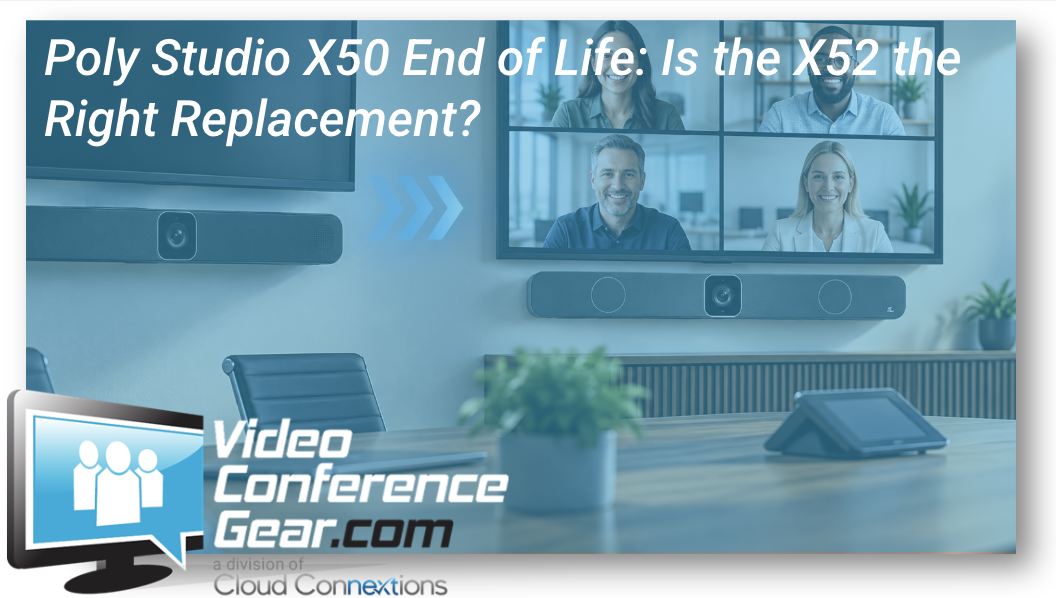
What to Check Before Replacing Your Existing Poly Studio X50 Rooms
If your organization still has Poly Studio X50 systems in conference rooms, you're probably starting to think about what comes next.
The good news is that replacing an X50 doesn't automatically mean redesigning the entire room.
The Poly Studio X52 is the natural successor for many X50 deployments and provides a straightforward path forward for medium conference rooms.
But we wouldn't recommend treating every X50-to-X52 upgrade as a blind one-for-one swap.
Before ordering replacements, take a few minutes to look at how the room is actually being used today.
First: End of Life Doesn't Mean the Room Stops Working
Lifecycle notices can create unnecessary urgency.
If an existing X50 is still operating and meeting your users' needs, an end-of-life or end-of-sale notice does not automatically mean you need to remove it tomorrow.
What it does mean is that it's time to start planning.
Older room hardware can eventually create challenges around:
-
Support
-
Replacement availability
-
Firmware and software compatibility
-
Meeting-platform requirements
-
Standardization across rooms
-
Long-term lifecycle planning
For one room, that may simply mean identifying the replacement before a failure occurs.
For 20 rooms across several locations, it becomes a much larger planning conversation.
Is the Poly Studio X52 the Replacement for the X50?
For many rooms, yes.
The Poly Studio X52 continues the all-in-one approach that made the X50 popular.
It combines:
-
4K camera
-
Integrated microphones
-
Integrated speakers
-
Native room conferencing capabilities
-
USB Device Mode
-
HDMI content input
-
Wireless presentation capabilities
-
Poly DirectorAI framing
-
Poly Lens management
The X52 is certified for Microsoft Teams, Zoom and Google Meet and is intended primarily for medium conference rooms.
That makes it a logical place to start when replacing an X50.
Start, however, is the important word.
The X52 Isn't Identical to the X50
This is where checking the room matters.
Both systems are intended for medium-room applications, but the camera and audio coverage aren't exactly the same.
For example, the X50 has a wider published horizontal field of view than the X52.
The X50 also has a longer published microphone pickup range.
That does not make the X52 the wrong replacement.
It means the person planning the refresh should ask:
How far are people sitting from the camera?
How wide is the table?
How close are participants sitting to the front of the room?
Were we already pushing the limits of the X50's microphone coverage?
If the existing X50 was barely covering the room, installing a new bar without reviewing those details isn't the best approach.
When the X52 Is a Strong Fit
The X52 makes particular sense when the existing X50 room is still fundamentally working well.
Maybe the room:
-
Serves roughly the same number of people
-
Has a similar seating layout
-
Uses a medium-sized conference table
-
Doesn't require extensive external audio
-
Benefits from an all-in-one system
-
Uses Teams, Zoom or Google Meet
-
Needs a straightforward user experience
In that situation, the objective may simply be:
Keep what works and modernize the room appliance.
That's very different from redesigning the conference room from scratch.
What Can You Reuse?
This is one of the first questions we would ask during an X50 refresh.
Depending on the existing installation, you may be able to retain parts of the room such as:
-
Displays
-
Network infrastructure
-
Certain mounting components
-
Furniture
-
Existing cabling
-
Other room infrastructure
HP even provides guidance for adapting certain X50 mounting configurations for X52 and V52 deployments.
But reuse should be confirmed rather than assumed.
A five-year-old room may have accumulated compromises that weren't obvious when everything was working.
Replacing the video bar is a good opportunity to check them.
What About the Room Controller?
This deserves specific attention.
Many X50 deployments were paired with Poly touch controllers.
Newer X52 deployments can be paired with current Poly control options, including the TC10, depending on the selected configuration.
If you're refreshing the room, don't focus only on the bar.
Look at the complete user experience:
How does someone start the meeting?
How do they share content?
How is the room scheduled?
Does the existing controller still fit the desired platform and workflow?
You can explore additional Room Controllers & Schedulers when reviewing the complete room.
Is This Also the Time to Move to Microsoft Teams Rooms?
For many organizations, the X50 lifecycle discussion is happening at the same time as another change:
Teams has become the primary collaboration platform.
If that describes your organization, don't view the hardware refresh and platform decision separately.
The X52 supports Microsoft Teams Rooms deployments, so an X50 replacement can become an opportunity to standardize the meeting experience at the same time.
Explore Microsoft Teams Room Solutions if Teams is becoming the standard across your organization.
The bigger question becomes:
Are we simply replacing hardware, or are we establishing what our conference rooms should look like for the next several years?
What If We Still Use Zoom?
There is nothing inherently wrong with that.
The X52 also supports certified Zoom deployments.
If Zoom Rooms continue to match your users, licensing, workflows, and existing environment, a lifecycle refresh does not require a platform migration.
You can explore Zoom Room Solutions if Zoom remains your preferred room platform.
Our recommendation is to start with how people actually work, not which platform happens to be receiving the most attention.
What If We Need Multiple Meeting Platforms?
Some organizations live primarily in Teams but regularly receive Zoom, Webex, or other meeting invitations.
Others have business units using different platforms.
That can make a dedicated room experience less straightforward.
Before replacing an X50, it may be worth comparing a native room appliance against a BYOD or Cross-Platform Room Solution.
The right answer depends on whether your priority is:
-
One-touch native meetings
-
Guest-meeting flexibility
-
Laptop-based meetings
-
Centralized management
-
Consistency across locations
There isn't one architecture that's right for every business.
One X50 Is Different From Twenty X50s
If you have one aging X50, buying an X52 may be relatively simple.
If you have X50s spread across several offices, the opportunity is bigger.
Before replacing them one at a time, ask:
-
How many rooms are affected?
-
Are they all configured the same way?
-
Which rooms actually work well?
-
Which rooms have audio or camera complaints?
-
Are users consistently on Teams, Zoom, or another platform?
-
Are the displays still appropriate?
-
Does existing cabling meet future requirements?
-
Should small, medium, and large rooms have different standards?
-
Who will manage and support the rooms after deployment?
This is where a hardware refresh becomes lifecycle planning.
And it can prevent every office from making a different decision.
Need a Straightforward X50 Replacement?
If your current room is working well and you simply need the next-generation Poly all-in-one system, start with the:
HP Poly Studio X52 4K All-in-One Video Bar
You can also explore our broader Video Bar Solutions if you want to compare other current all-in-one options.
Replacing X50s Across Multiple Rooms?
That's where we'd recommend looking beyond the individual product.
Cloud Connextions can help evaluate the existing rooms and determine:
What can stay → What should be replaced → What should be standardized → What needs to change for the future
That can include:
-
Conference room design
-
Microsoft Teams Room planning
-
Structured cabling
-
Hardware selection
-
Installation
-
Multi-location deployment
-
Room standardization
-
Lifecycle planning
-
Ongoing support and managed services
The objective isn't to replace equipment just because something newer exists.
It's to make sure the next investment fits the room, the users, the technology environment, and where your organization is going next.
One room and know what you need? Buy the X52 directly.
Multiple rooms or not sure whether the X52 is the right fit? Let us review the environment before you replace everything.