

Highlights
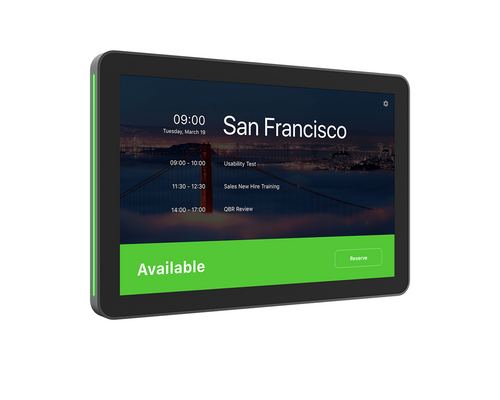
- 10.1-inch Full HD (1920 x 1200) IPS capacitive touchscreen with 10-point multi-touch, oleophobic coating, and 380 nits brightness for clear visibility at the room entrance.
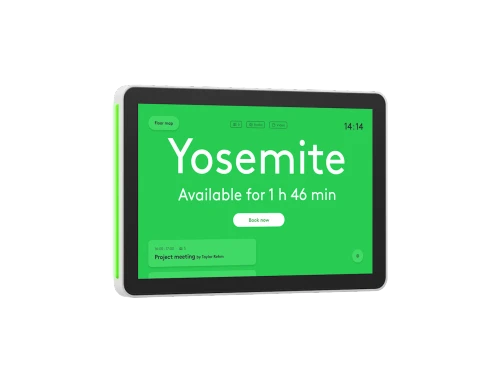
- Highly visible LED status indicators signal room availability at a glance from down the hallway, with green or red status clearly readable at a distance.
- Radar motion sensor automatically wakes the display as someone approaches, with accelerometer and ambient light sensor for additional power-saving functionality.
- Single-cable PoE installation (IEEE 802.3af Type 1, Class 3) with flexible horizontal, vertical, and center cable exit routing for clean mounting in any orientation.
- Runs on Logitech CollabOS and connects over wired Ethernet (10/100 Mbps) or Wi-Fi 802.11a/b/g/n/ac/ax with Bluetooth 5.0 for flexible network deployment.
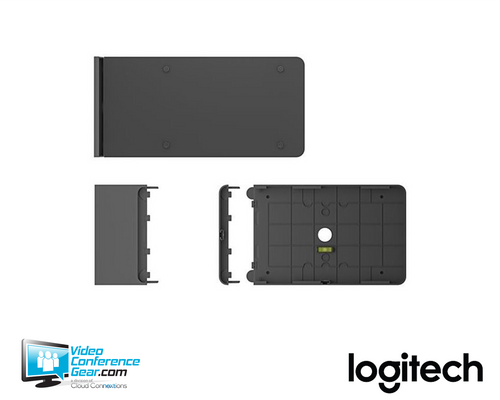
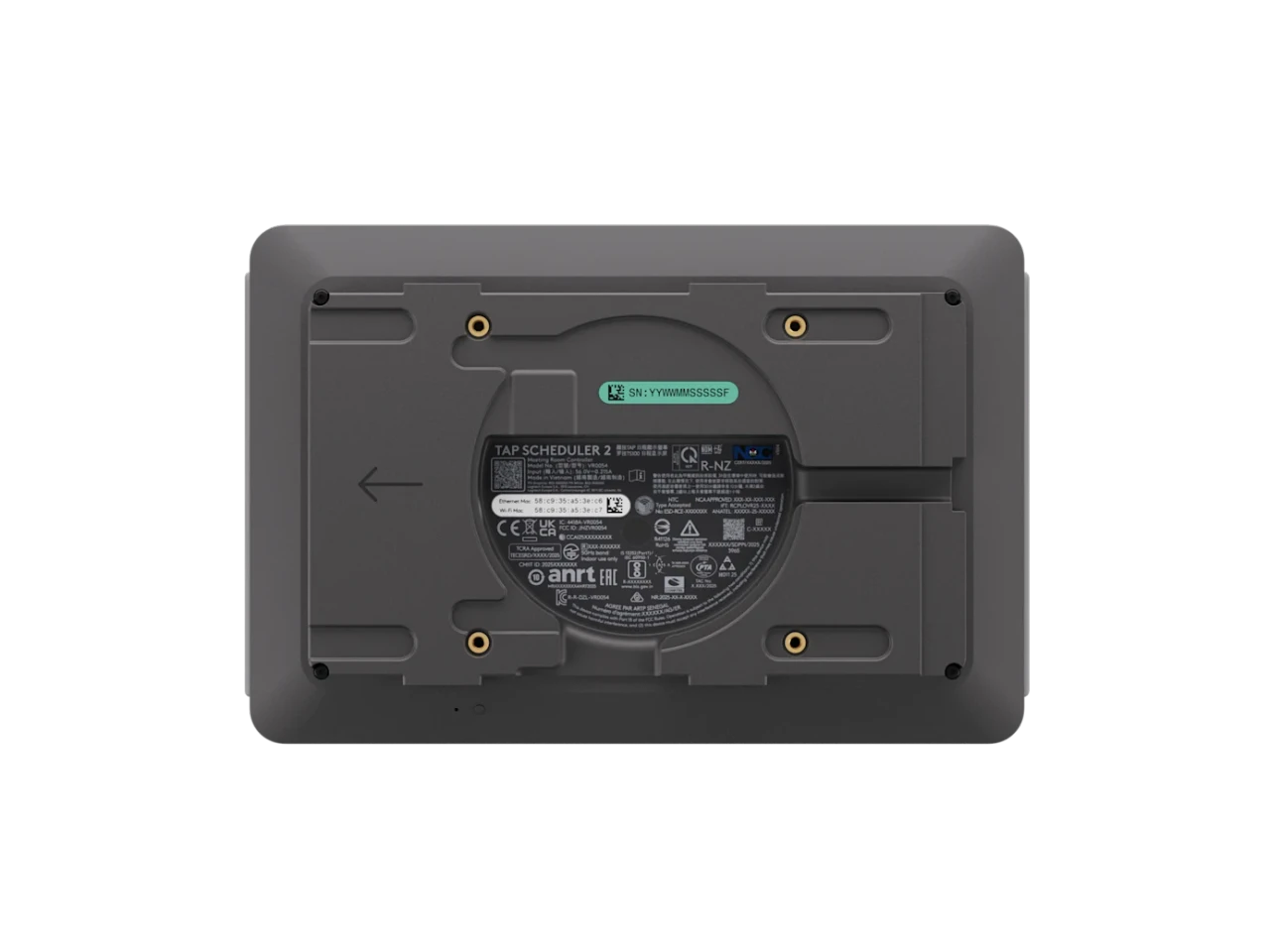
- Included multi-surface mount (glass/drywall), mullion mount, and mounting hardware support a wide range of room-entrance installation types, and are compatible with original Tap Scheduler hardware for easy upgrades.
- Manages with Logitech Sync, Microsoft Teams Admin Center, and Zoom Device Management for centralized fleet oversight and remote provisioning.
Ideal For
- Meeting room entrances in corporate offices, campuses, and enterprise facilities requiring clear room-availability signaling
- Microsoft Teams Rooms and Zoom Rooms deployments adding a dedicated scheduling panel at the door
- Organizations using Logitech Room Booking, Robin, or Appspace for workspace management
- Non-video rooms and collaboration spaces being brought into a managed scheduling ecosystem
- Multi-room and multi-site rollouts where standardized scheduling hardware and centralized device management are priorities
- Facilities refreshing or upgrading from the original Logitech Tap Scheduler with compatible existing mounts
Resources
- Logitech Tap Scheduler 2 product page
- Logitech Tap Scheduler 2 datasheet (PDF)
- Logitech Tap Scheduler 2 specifications
- Tap Scheduler 2 compatibility information
- Tap Scheduler 2 support hub (setup guides, release notes, FAQs)
Logitech Tap Scheduler 2 Room Scheduling Panel, Graphite (952-000295)
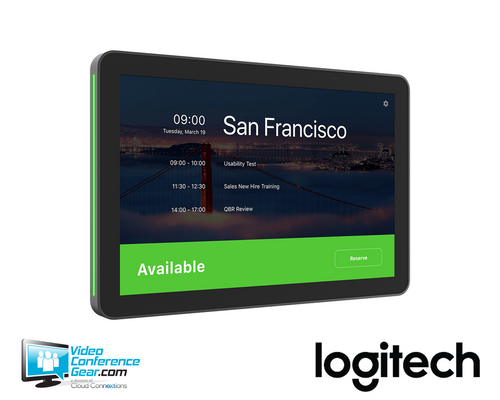
The Logitech Tap Scheduler 2 (952-000295) is a next-generation, purpose-built room scheduling panel designed to help employees find, view, and book meeting spaces at the room entrance. Its 10.1-inch Full HD IPS touchscreen displays room status and meeting details, while high-visibility LED indicators signal availability from down the hallway in green or red. A built-in radar motion sensor wakes the display as someone approaches, conserving power when the space is unoccupied. A single PoE cable carries both network connectivity and power to the panel, simplifying installation and keeping the mounting surface clean.
Tap Scheduler 2 is not physically tethered to a room system, so it can be placed at any room entrance where a PoE-enabled network connection is available, whether or not the room contains a video conferencing system. It runs Logitech CollabOS and integrates with Microsoft Teams Panel, Zoom Rooms Scheduling Display, Robin, Appspace, and Logitech Room Booking. It can also pair with the Logitech Spot occupancy sensor to enable auto-booking and auto-release automations, though those features require a separate service plan license. Before deploying, confirm which scheduling platform the organization uses, verify PoE availability at each installation point, and confirm that cable exit routing (horizontal, vertical, or center) suits the planned mounting surface. The angle mount for lower or angled viewing is sold separately and is not included.
Key Specifications
- Manufacturer part number: 952-000295 (Graphite); model number: VR0054
- Product type: Purpose-built room scheduling panel
- Operating system: Logitech CollabOS
- Display: 10.1-inch diagonal IPS (in-plane switching) anti-glare LCD with LED backlighting
- Resolution: 1920 x 1200
- Touch: Capacitive, 10-point multi-touch
- Brightness: 380 nits; contrast: 1500:1
- Viewing angle: 80 degrees up/down/left/right
- Anti-fingerprint: Oleophobic coating
- Position angle: 0 degrees (flat on mounting surface)
- Sensors: Radar motion, accelerometer, ambient light
- Power: Power over Ethernet, IEEE 802.3af Type 1, Class 3 (PoE cable and injector not included)
- Network: Ethernet 10/100 Mbps; Wi-Fi 802.11a/b/g/n/ac/ax; Bluetooth 5.0
- Security: Full disk encryption (AES-128); data encryption (symmetric keys, PKI); device attestation; Arm TrustZone / RPMP key protection
- Device management: Logitech Sync, Microsoft Teams Admin Center, Zoom Device Management
- Mounting interface: 100 mm x 100 mm VESA FDMI
- Cable exits: Horizontal, vertical, center
- Device dimensions: 165 mm H x 246.2 mm W x 28.5 mm D (6.5 x 9.69 x 1.12 in)
- Surface-mounted dimensions: 165 mm H x 246.2 mm W x 31.4 mm D
- Mullion-mounted dimensions: 165 mm H x 292.6 mm W x 44.5 mm D
- Weight: 0.7 kg (1.5 lbs)
- Operating temperature: 0 to 40 degrees C
- Storage temperature: -40 to 70 degrees C
What's Included
- Logitech Tap Scheduler 2
- Multi-surface mount (glass/drywall)
- Mullion mount
- Mounting hardware
- Documentation
Compatibility
- Scheduling platforms: Microsoft Teams Panel, Zoom Rooms Scheduling Display, Robin room display, Appspace meeting room display, and Logitech Room Booking. For the current certification and compatibility list, see logitech.com/support/tapscheduler2compatibility.
- Device management: Logitech Sync remote management platform, Microsoft Teams Admin Center, and Zoom Device Management.
- Logitech Spot occupancy sensor: Tap Scheduler 2 can pair with Logitech Spot via Bluetooth to enable presence-based room status. Auto-booking and auto-release automations, workspace insights, and related features require a Logitech service plan license (sold separately).
- Mounting compatibility: Tap Scheduler 2 uses the same glass, mullion, and wall mounts as the original Tap Scheduler, allowing existing hardware to be reused in upgrade deployments.
- Angle mount: An optional angle mount for lower or angled viewing positions is available separately and is not included in the box.
- PoE requirement: Requires a PoE-enabled network switch or a separate PoE injector. Neither the PoE injector nor the Ethernet cable is included.
Licensing, Warranty & Support
No separate software license is required to use Tap Scheduler 2 with supported scheduling platforms. However, advanced workspace features enabled through Logitech Spot integration, including auto-booking and auto-release automations, workspace utilization insights, and related capabilities, require a Logitech service plan license purchased separately. Tap Scheduler 2 includes a standard 2-year limited hardware warranty. Extended warranty options are available from Logitech, adding one or three additional years of coverage. Support resources, setup guides, release notes, and FAQs are available through the Logitech Sync Hub at hub.sync.logitech.com/tap-scheduler-2.
VideoConferenceGear.com Assistance
We can help confirm that Tap Scheduler 2 is compatible with your scheduling platform, verify PoE availability at your planned installation points, and review cable exit routing for your mounting surface and panel orientation. If your organization is deploying across multiple rooms or sites, we can assist with standardizing the configuration, evaluating Logitech Sync for centralized management, and identifying whether Logitech Spot or a Logitech service plan license belongs in the scope of the project. We can also help determine whether the included mounts work for your wall, glass, or mullion installations, or whether the optional angle mount should be added to the order.
Common Questions
Does Tap Scheduler 2 need to be physically connected to a room's AV or conferencing system?
No. Tap Scheduler 2 is network-connected and not physically tethered to any room system. It can be installed at any room entrance where a PoE-enabled network connection is available, including rooms that have no video conferencing equipment.
What power method does Tap Scheduler 2 use?
It is powered exclusively by Power over Ethernet (PoE), IEEE 802.3af Type 1, Class 3. A PoE-enabled network switch or a separate PoE injector is required. Neither the injector nor the Ethernet cable is included.
Does the display wake automatically when someone walks up?
Yes. Tap Scheduler 2 includes a radar motion sensor that detects when someone is nearby and wakes the display automatically. This also enables power-saving display mode when the space is unoccupied.
Is the angle mount included in the box?
No. The angle mount for lower or angled viewing is an optional accessory sold separately. The box includes a multi-surface mount for glass and drywall, a mullion mount, and mounting hardware.
Can I reuse my existing original Tap Scheduler mounting hardware?
Yes. Tap Scheduler 2 uses the same glass, mullion, and wall mounts as the original Tap Scheduler, which makes upgrading from the previous generation straightforward without replacing mounts.
Do advanced occupancy features such as auto-booking and auto-release require a separate license?
Yes. Pairing Tap Scheduler 2 with Logitech Spot for presence-based auto-booking, auto-release, and workspace utilization insights requires a Logitech service plan license, which is purchased separately from the panel hardware.
Which platforms is Tap Scheduler 2 compatible with?
Logitech publishes compatibility with Microsoft Teams Panel, Zoom Rooms Scheduling Display, Robin, Appspace, and Logitech Room Booking. Logitech maintains a current certification and compatibility list at logitech.com/support/tapscheduler2compatibility, which should be consulted before finalizing a platform selection.
Warranty Information
Standard Manufacturer WarrantyProduct Videos
Custom Field
Product Reviews
Cloud Connextions Nationwide Services - Design, Installation & Support - A Partner You can Trust
Cloud Connextions specializes in delivering next-generation office technologies, including physical security, video conferencing, and ProAV solutions. As a valued partner for the design, integration, and support of these systems, we work with industry leaders like Verkada, Zoom, AVer, Crestron, Poly, and more. Our team ensures you receive top-quality products and seamless service. VideoConferenceGear.com is our trusted online source, where you’ll find rigorously tested products backed by our extensive expertise in creating customized technology solutions for modern office environments.